Visualisez instantanément vos données dans les tableurs
Transformez des chiffres bruts en graphiques interactifs directement dans votre application de tableur .NET pour obtenir des informations plus rapidement et des rapports plus clairs.
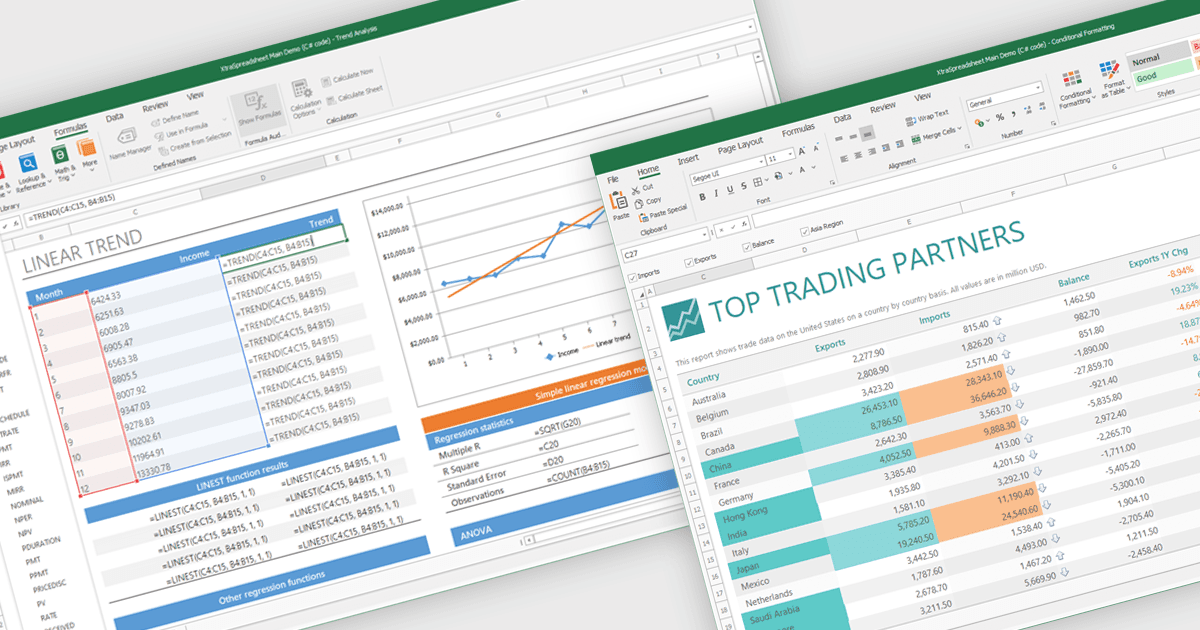
La prise en charge des graphiques dans un composant de tableur fait référence à la capacité de créer, d’afficher et de manipuler différents types de graphiques - tels que les graphiques linéaires, à barres, en secteurs (camembert) et en aires - le tout dans l’environnement du tableur. Cette fonctionnalité permet aux développeurs de tableurs de présenter les données de manière visuelle et dynamique, sans avoir besoin de s’appuyer sur des bibliothèques de graphiques externes. L’intégration de capacités de création de graphiques améliore l’expérience de l’utilisateur final en rendant les données complexes plus faciles à comprendre. Pour les développeurs, elle réduit le besoin de composants de visualisation distincts, améliore les performances grâce à une intégration plus étroite et simplifie le déploiement d’applications axées sur les données.
Plusieurs contrôles .NET WinForms de tableur offrent une prise en charge des graphiques, notamment :
- MindFusion.Spreadsheet pour WinForms permet aux utilisateurs de créer des graphiques interactifs directement dans les cellules, améliorant ainsi la visualisation des données et rendant l’analyse facilement compréhensible.
- Infragistics WinForms Spreadsheet (faisant partie de Infragistics Ultimate UI pour Windows Forms) peut intégrer des graphiques riches, facilitant l’interprétation des tendances et des indicateurs de performance.
- Spread.NET WinForms de MESCIUS facilite la visualisation dynamique des données grâce à des graphiques personnalisables et à la mise en forme conditionnelle, permettant aux utilisateurs de mettre en évidence les informations clés.
- DevExpress WinForms Spreadsheet (faisant partie de DevExpress WinForms) permet aux développeurs d’intégrer des graphiques interactifs, offrant des représentations visuellement convaincantes pour l’analyse.
Pour une analyse approfondie des fonctionnalités et du prix, consultez notre comparaison des contrôles .NET WinForms de tableur.