








Fournisseur officiel
Comme nous somme les distributeurs officiels et autorisés, nous vous fournissons des licences légitimes directement à partir de 200+ éditeurs de logiciels.
Voyez toutes nos marques.
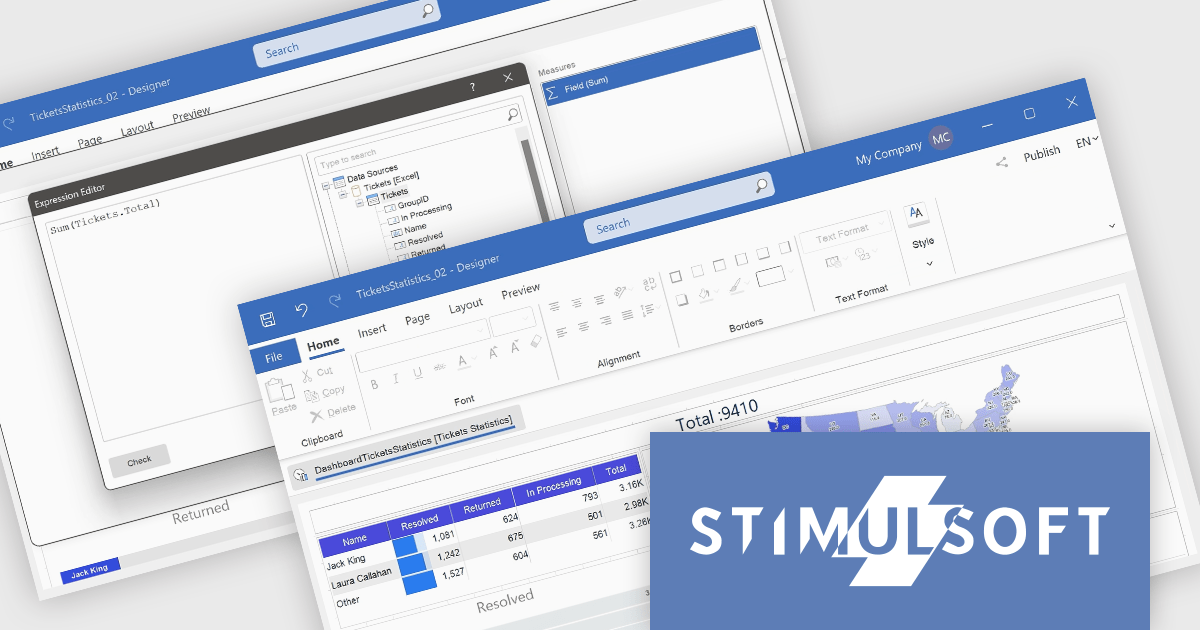
Stimulsoft Dashboards.WEB is a versatile suite of tools for crafting interactive data visualizations for web and desktop applications. It empowers developers to embed intuitive dashboards across various platforms, using the platform-specific components or a centralized cloud designer. With rich data analysis elements, extensive customization options, and pre-built templates, Stimulsoft Dashboards helps you transform complex data into clear, actionable insights for any audience.
The Stimulsoft Dashboards.WEB 2024.4.1 release adds the ability to create Measures within the Text dashboard element, which significantly enhances the flexibility and functionality of dashboards by allowing users to dynamically incorporate calculated values into text elements. This feature enables more informative and contextualized reports, as users can seamlessly display and update relevant metrics directly within the text, eliminating the need for separate data visualization components. This not only streamlines dashboard creation but also improves data accessibility and understanding for end-users.
To see a full list of what's new in 2024.4.1, see our release notes.
Stimulsoft Dashboards.WEB is licensed per developer and is available as a perpetual license with 1 year support and maintenance. See our Stimulsoft Dashboards.WEB licensing page for full details.
Stimulsoft Dashboards.WEB is available in the following products:

ActiveReportsJS by MESCIUS is a JavaScript reporting toolkit that empowers developers to design and embed interactive reports within web applications. It offers a standalone report designer for crafting reports and a JavaScript report viewer component for seamless integration into web frameworks like React or vanilla JavaScript. This solution streamlines report creation, facilitates data visualization, and delivers a user-friendly report experience.
The ActiveReportsJS 5.1 update introduces a Master Report feature, which improves report design efficiency by allowing developers to create reusable templates that define common elements such as headers, footers, and styles. Multiple reports can inherit shared components, reducing redundancy and simplifying maintenance. Developers can ensure consistency across reports and make global updates more efficiently, making it easier to scale for larger applications. Using a master report template is valuable in dynamic web applications, where maintaining uniform reporting structures is crucial for delivering a cohesive user experience.
To see a full list of what's new in 5.1, see our release notes.
ActiveReportsJS is licensed on an annual subscription or perpetual basis and is available as a Single Deployment License for non-commercial use, and as a Single Domain License or Unlimited Domain License for commercial and/or SaaS use. See our ActiveReportsJS licensing page for full details.
Learn more on our ActiveReportsJS product page.
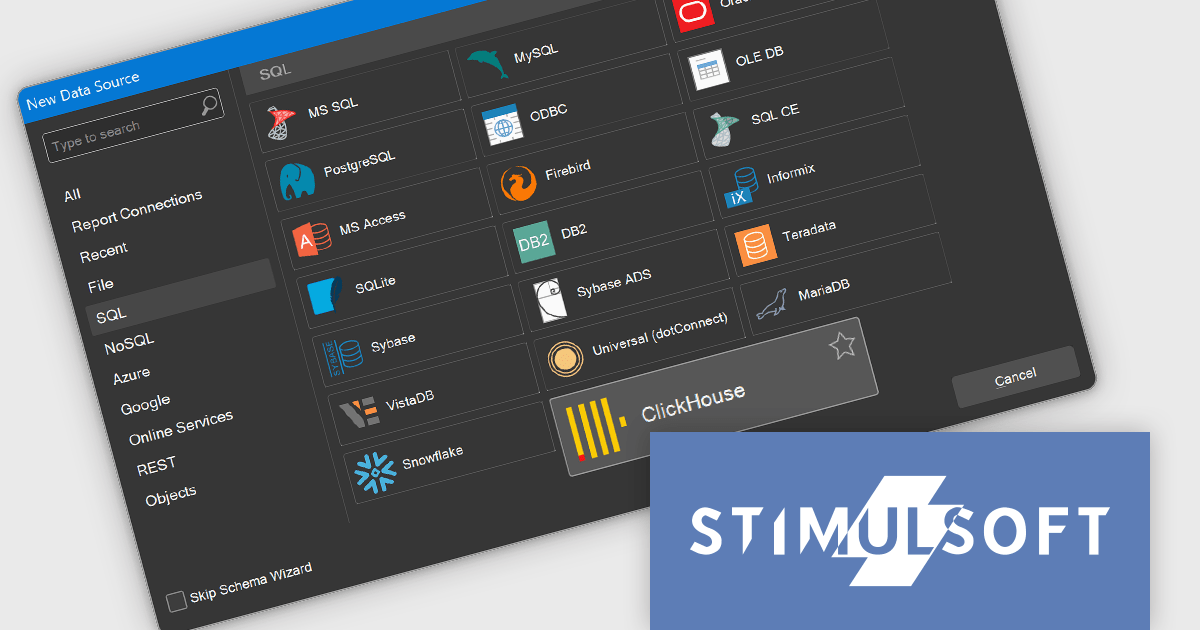
Stimulsoft Reports.WEB is a cross-platform reporting solution designed for integration within web applications. It leverages a client-server architecture for report generation, viewing, printing, and exporting directly in web browsers. Its powerful .NET report engine offers efficient report processing, a user-friendly HTML5 report designer for building reports with various data sources and visualizations, and an interactive HTML5 viewer for seamless report display within web applications. This integration allows developers to implement robust reporting functionalities without browser plugins or additional client-side dependencies.
The Stimulsoft Reports.WEB 2024.4.1 release adds the ability to connect to the ClickHouse online data storage and exchange service directly from the report designer. This eliminates the need for complex data extraction and transformation processes, streamlining the reporting workflow and improving efficiency. By connecting to ClickHouse, users can leverage its powerful analytical capabilities and real-time data processing features to generate dynamic and informative reports.
To see a full list of what's new in 2024.4.1, see our release notes.
Stimulsoft Reports.WEB is licensed per developer and is available as a perpetual license with 1 year support and maintenance. See our Stimulsoft Reports.WEB licensing page for full details.
Stimulsoft Reports.WEB is available in the following products:

Stimulsoft Dashboards.JS is a JavaScript library designed for building interactive dashboards within web applications. It offers a comprehensive suite of tools for data processing, visualization, and dashboard design. Compatible with any HTML5 browser, it allows you to create a variety of dashboards for various purposes and integrates seamlessly with popular JavaScript frameworks like React and Vue.js.
The Stimulsoft Dashboards.JS 2024.4.1 release introduces new white and black dashboard style along with a new preset style for report components which offers a modern, sleek aesthetic with improved readability, making key data more distinguishable and reducing eye strain. This design ensures consistency across reports, enhances brand cohesion, and provides a professional, visually engaging experience. With easy application and customizable elements, users can quickly adapt their dashboards to suit their needs, while maintaining a uniform look. Optimized for both desktop and mobile, this new style streamlines the creation of visually appealing, user-friendly reports.
To see a full list of what's new in 2024.4.1, see our release notes.
Stimulsoft Dashboards.JS is licensed per developer and is available as a Perpetual license with 1 year support and maintenance. See our Stimulsoft Dashboards.JS licensing page for full details.
Stimulsoft Dashboards.JS is available in the following products:
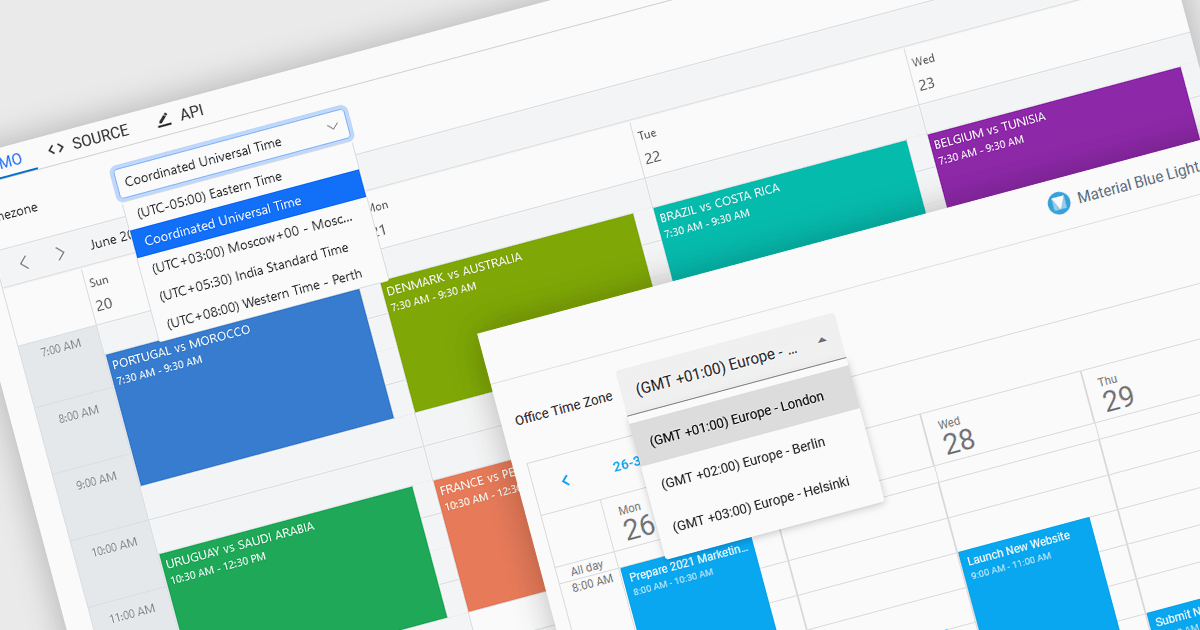
Time zone support in a scheduling component enables users to create, view, and manage events across different regions without manual time conversion. It automatically adjusts appointments based on the user’s local time zone and accounts for daylight saving time (DST) changes, ensuring accurate scheduling. This feature is particularly beneficial for global teams, remote workers, and businesses coordinating across multiple time zones. For example, an international company can schedule a meeting for participants in New York, London, and Tokyo, and each attendee will see the event in their local time. Time zone support eliminates confusion, reduces scheduling errors, and improves efficiency in cross-border collaboration.
Several JavaScript products offer scheduling components with time zone support including:
Explore our range of JavaScript scheduling components.
Need help to find the right software license, upgrade or renewal? Call, Email, or Live Chat with our experts.





Tél : (888) 850 9911
Fax : +1 770 250 6199


