Nouvelles PDF

Intégrez la conversion PDF dans des applications JavaScript

Août 27, 2025
L’intégration de composants PDF avec prise en charge de la conversion dans les applications JavaScript permet aux utilisateurs de convertir des documents de PDF vers et depuis d’autres formats de fichiers.

JavaScript PDF components that support format conversion play a critical role in modern web and enterprise applications, allowing developers to programmatically generate, manipulate, and transform documents within the browser or on the server. These tools simplify workflows that require format interoperability, such as generating printable reports from web content, archiving dynamic documents, or extracting data for analysis. Their ability to convert between PDF and other widely used formats ensures compatibility across systems, supports digital transformation goals, and enhances document handling efficiency.

Common conversions include:

  • HTML to PDF: Render entire web pages or fragments into paginated PDF documents while preserving layout, styles, and interactive elements.
  • PDF to Excel: Extract tabular data from PDFs, converting it into XLS or XLSX files for data analysis or re-use in spreadsheet applications.
  • PDF to Image: Convert each page of a PDF into image formats such as PNG or JPEG, useful for previews, thumbnails, or annotations.
  • RTF to PDF: Convert Rich Text Format files into PDFs to preserve text styling and document structure in a widely accepted format.
  • PDF to PowerPoint: Convert PDF content into PPT or PPTX format, enabling slide-based presentation of document content.
  • PDF to SVG: Translate PDF pages into scalable vector graphics, ideal for embedding high-quality visuals in web pages.
  • Word to PDF: Transform DOC or DOCX files into PDFs, retaining formatting, tables, and images for standardized sharing and storage.

For an in-depth analysis of features and price, visit our JavaScript PDF components comparison.

Explore JavaScript PDF Conversion

Améliorez la navigation PDF dans les applications React

Août 19, 2025
Grâce à la navigation par vignettes, les utilisateurs peuvent très rapidement localiser visuellement et accéder à des pages spécifiques d’un PDF sans avoir à faire défiler ou à utiliser les fonctions de recherche.

Thumbnail navigation is a feature often found in a PDF viewer that displays miniature representations of each page of the PDF file, typically in a side panel or dedicated section, that users can scroll through and navigate to the desired page by clicking on the relevant preview image. This functionality assists with identifying content layout and structure at a glance. By allowing users to visually scan through and select a specific page it simplifies the process of locating content at speed, especially in long or detailed files, and without having to scroll or use search functions.

Several React PDF viewer components offer thumbnail navigation, including:

  • Wijmo PDFViewer (part of Wijmo by MESCIUS) lets users preview pages as thumbnails, enabling efficient PDF navigation and quick access to specific content in React apps.
  • PrizmDoc Viewer (part of PrizmDoc by Accusoft) also supports React and facilitates fast page access with thumbnail previews, helping users identify and jump to relevant sections.
  • Syncfusion PDF Viewer (part of Syncfusion Essential Studio Enterprise) equips React apps with a lightweight PDF viewing component that supports quick navigation via thumbnails.

For an in-depth analysis of features and price, visit our comparison of React PDF viewer components.

Compare React PDF Viewer Components

Marquez clairement les changements avec des barrés

Août 15, 2025
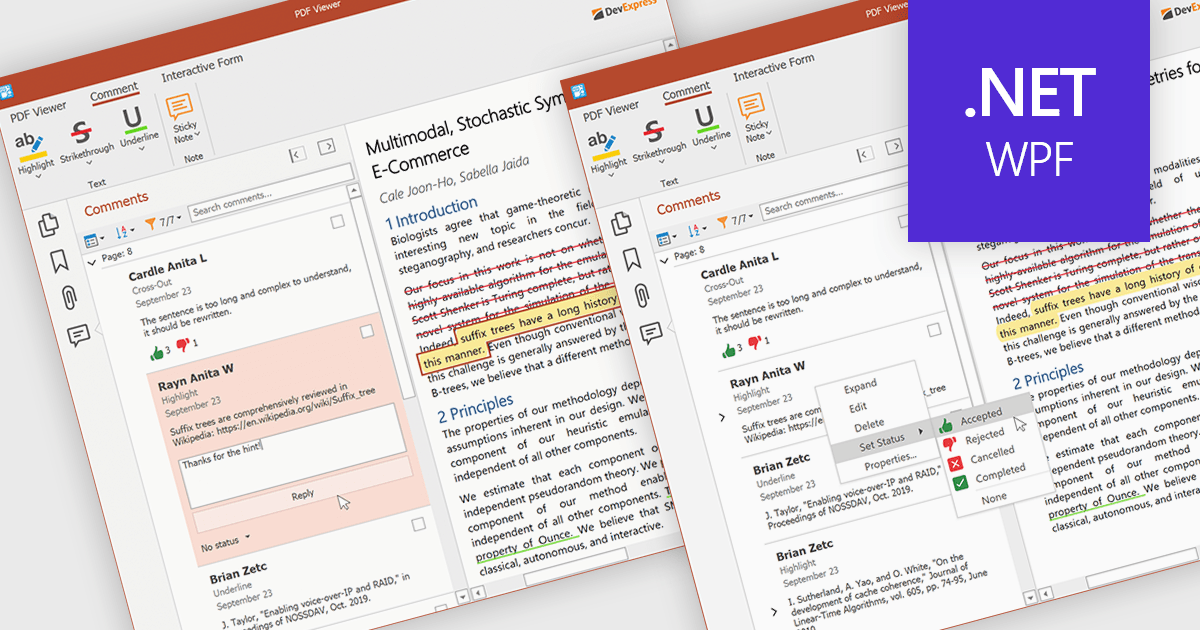
Les annotations barrées marquent clairement les suppressions ou les modifications dans les PDF, ce qui permet aux équipes de collaborer et d’examiner les documents plus efficacement.

At a high level, strikethrough annotations, also known as strikeout or line-through markups, enable reviewers to visually indicate deletions or corrections within PDF text while preserving the underlying content. This annotation type belongs to the broader category of text markup annotations, which also includes highlighting, underlining, and squiggly underlines. Developers can customize properties like color, opacity, and associated notes or author metadata. Strikethrough annotations support interactive use cases, such as insert/edit/delete, event handling, and rendering consistency across different rendering engines.

Several WinForms PDF controls offer support for strikethrough annotations including:

For an in-depth analysis of features and price, visit our WinForms PDF controls comparison.

Compare WinForms PDF Controls

Création et modification de champs de formulaire PDF dans le navigateur

Août 8, 2025
Utilisez les visionneuses de PDF JavaScript pour ajouter, renommer ou supprimer des champs directement dans les formulaires PDF ; aucun éditeur externe requis.

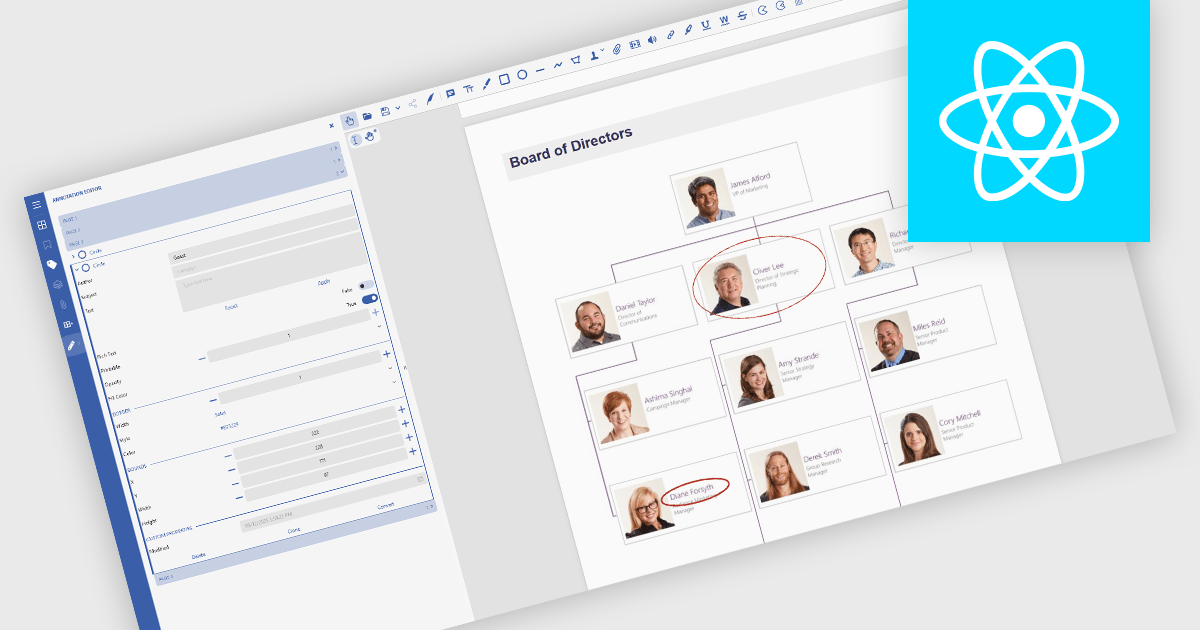
In JavaScript-based PDF viewers, the ability to add, edit, remove, and rename form fields within Acrobat-style PDF forms allows developers and users to dynamically manage form structure and content directly within the browser. This functionality enables real-time customization of interactive PDF documents without requiring external PDF editors. By supporting operations like inserting new text fields, adjusting existing ones, deleting unused fields, or updating field names to match data schemas, this feature significantly enhances the flexibility and usability of PDF forms. It benefits workflows such as document automation, digital signatures, and data collection, particularly in applications where user-driven or programmatic form manipulation is essential for tailoring documents to specific tasks or data sources.

Several JavaScript PDF viewer components allow you to add, edit and remove form fields from PDF forms, including:

  • Document Solutions for PDF by MESCIUS includes a JavaScript PDF viewer in the Professional edition that enables developers to modify and manage form fields.
  • PrizmDoc Viewer (part of PrizmDoc by Accusoft) provides an HTML5 document viewer which lets you adjust, rename, and delete PDF form fields within a JavaScript interface.
  • Syncfusion PDF Viewer (part of Syncfusion Essential Studio Enterprise) equips JavaScript applications with PDF form functionality, including interactive form field manipulation.

For an in-depth analysis of features and price, visit our comparison of JavaScript PDF viewer components.

Compare JavaScript PDF Viewer Components

Chiffrez et déchiffrez des PDF avec précision

Août 5, 2025
Sécurisez les fichiers PDF à l’aide d’un chiffrement robuste. Vous pouvez ensuite puis les déchiffrer facilement pour rétablir l’accès des utilisateurs autorisés en cas de besoin.

Encrypting and decrypting PDF files is a key feature in many modern PDF components, allowing developers to protect sensitive information and control access to documents. Encryption applies a security layer to the PDF, typically requiring a password to open or modify the file, while decryption reverses the process for authorized users. These capabilities are essential for applications that handle confidential business data, legal documents, or personal records, ensuring compliance with security policies and data protection regulations.

Several JavaScript PDF controls offer the ability to encrypt or decrypt PDF files including:

  • Wijmo PDF (part of Wijmo by MESCIUS) enables developers to apply password-based encryption when generating PDFs, ensuring that only authorized users can view or alter the document.
  • Aspose.PDF for JavaScript via C++ provides robust encryption options, including support for various encryption algorithms and permission settings to restrict printing, copying, and editing, along with decryption capabilities for authorized access.
  • IronPDF for Node.js by Iron Software offers high-level methods to encrypt and decrypt PDFs, supporting both user and owner passwords, making it straightforward to secure documents before distribution and to unlock them when required.

For an in-depth analysis of features and price, visit our JavaScript PDF controls comparison.

Compare JavaScript PDF Controls