








Fournisseur officiel
Comme nous somme les distributeurs officiels et autorisés, nous vous fournissons des licences légitimes directement à partir de 200+ éditeurs de logiciels.
Voyez toutes nos marques.
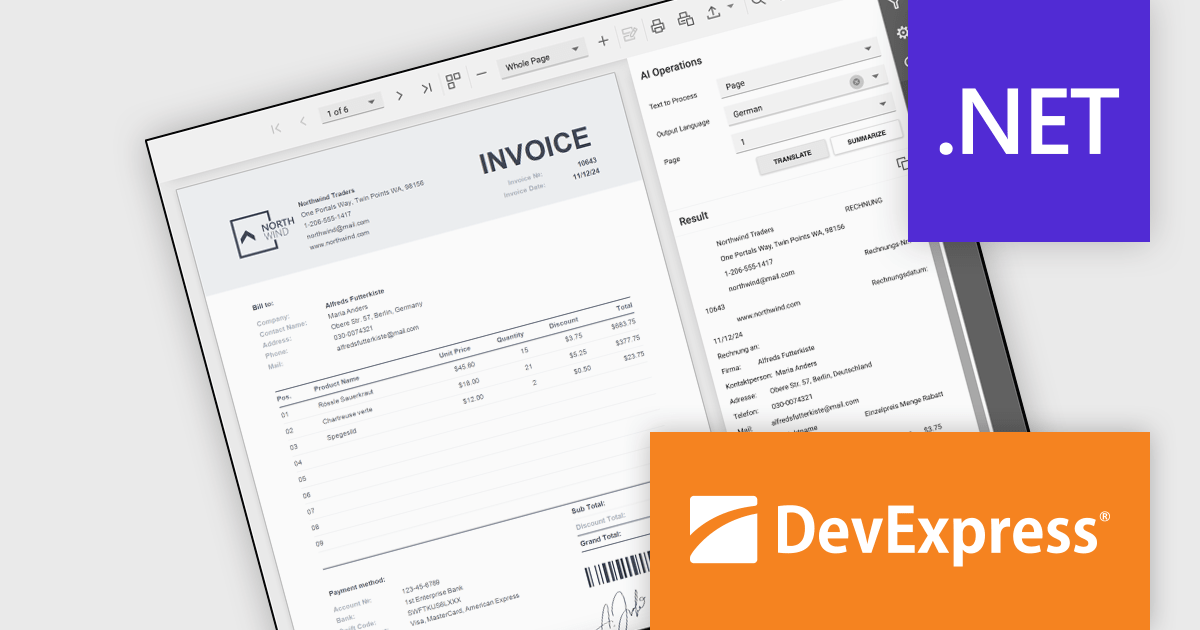
DevExpress Reporting is a comprehensive suite of reporting tools that empowers developers to create visually stunning and highly customizable reports for various applications. With its rich feature set, including data binding, layout design, printing, and exporting capabilities, DevExpress Reporting enables the efficient creation of reports that meet the most demanding business requirements.
The DevExpress .NET Reporting v24.2 update introduces AI-powered Summarize and Translate features designed to enhance report usability and accessibility. These features allow developers to integrate functionality that enables users to quickly extract key insights from reports using generative AI summaries and translate report content, pages, or selected sections into multiple languages with ease. By streamlining the process of understanding complex data and eliminating language barriers, this update helps developers deliver more user-friendly, globally accessible reporting solutions across all supported platforms.
To see a full list of what's new in version 24.2, see our release notes.
DevExpress Reporting is licensed per developer and is available as a Perpetual License with a 12 month support and maintenance subscription. See our DevExpress Reporting licensing page for full details.
DevExpress Reporting is available to buy in the following products:
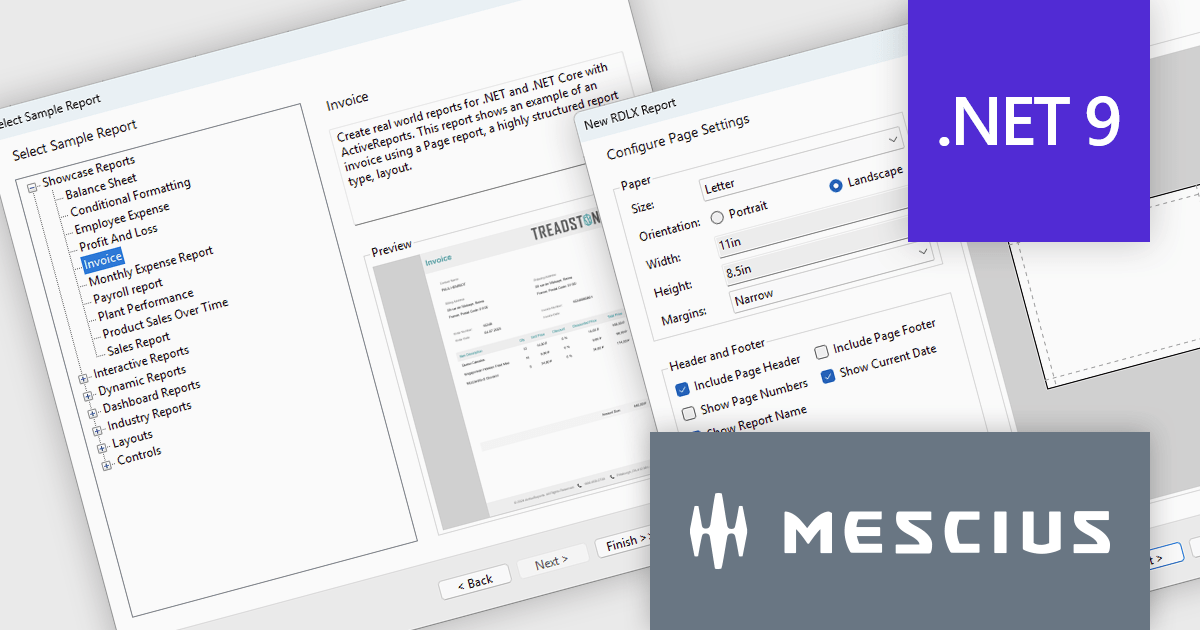
ActiveReports.NET from MESCIUS, is a comprehensive reporting solution for developers building applications in .NET. It empowers you to design and deliver visually appealing reports through user-friendly designers and a wide range of controls. ActiveReports simplifies report creation and distribution with a versatile API, rich data source connectivity, and support for multiple export formats. This translates to increased developer productivity and improved end-user experience with powerful reporting functionalities within your .NET applications.
The ActiveReports.NET v19 release introduces .NET 9 support, providing improved performance and compatibility with modern development environments, as well as numerous enhancements to the Report Wizard. Developers can now accelerate report creation using built-in sample templates, streamline layout configuration with advanced page setup options, and integrate data visualizations more efficiently by directly configuring tables, tablixes, and charts within the wizard. Additionally, customizable color schemes ensure consistency across reports, allowing for a more polished and professional presentation. These improvements simplify the reporting workflow, reduce development time, and provide greater flexibility for building dynamic, data-driven reports.
To see a full list of what's new in version 19, see our release notes.
ActiveReports.NET is licensed per developer and is available in Standard and Professional Editions, with or without a 12 month support and maintenance subscription. See our ActiveReports.NET licensing page for full details.
Learn more on our ActiveReports.NET product page.
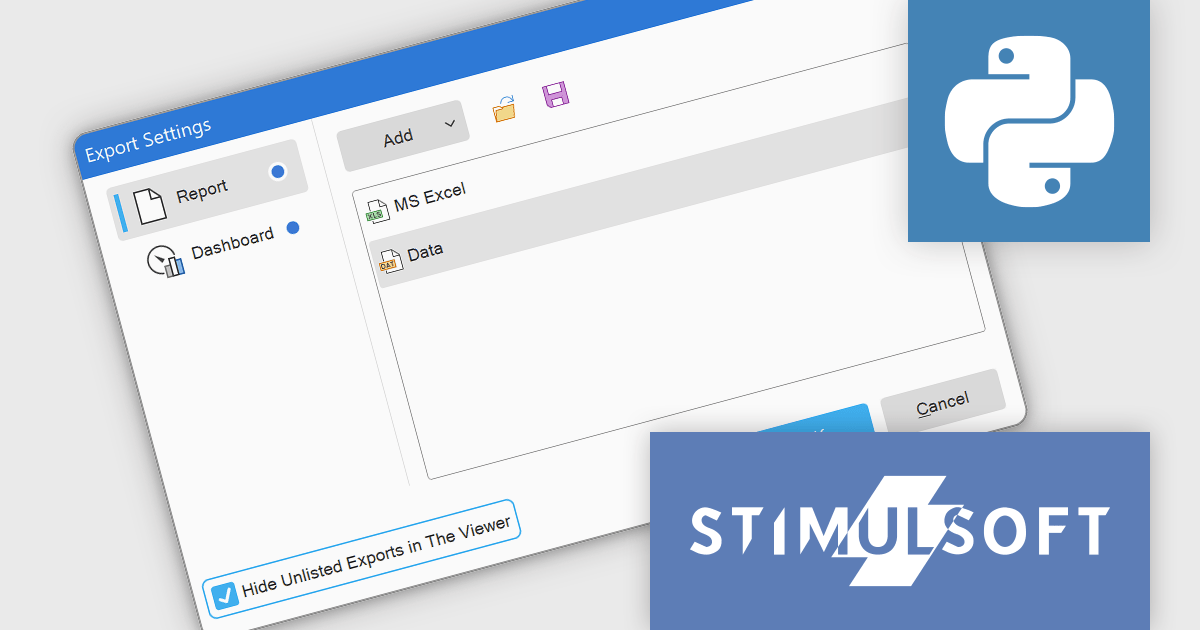
Stimulsoft Reports.PYTHON provides a collection of tools for creating, viewing, exporting, and printing reports within your Python applications. It allows you to connect to various data sources and leverage client-server technology for efficient report generation. Additionally, Stimulsoft offers powerful features for visualizing and analyzing your data.
The Stimulsoft Reports.PYTHON 2025.1.1 update introduces a new Export List Settings feature, allowing users to streamline the export options available in the Viewer. By using the new "Hide Unlisted Exports in The Viewer" parameter, developers can define which export formats are visible in the Save menu for reports and dashboards. This provides greater control over the user interface, enabling a more focused and tailored experience while maintaining flexibility to align with specific project requirements. By default, all export formats remain accessible, ensuring compatibility with existing setups.
To see a full list of what's new in 2025.1.1, see our release notes.
Stimulsoft Reports.PYTHON is licensed per developer and is available as a Perpetual license with 1 year support and maintenance. See our Stimulsoft Reports.PYTHON licensing page for full details.
Stimulsoft Reports.PYTHON is available individually or as part of Stimulsoft Ultimate.
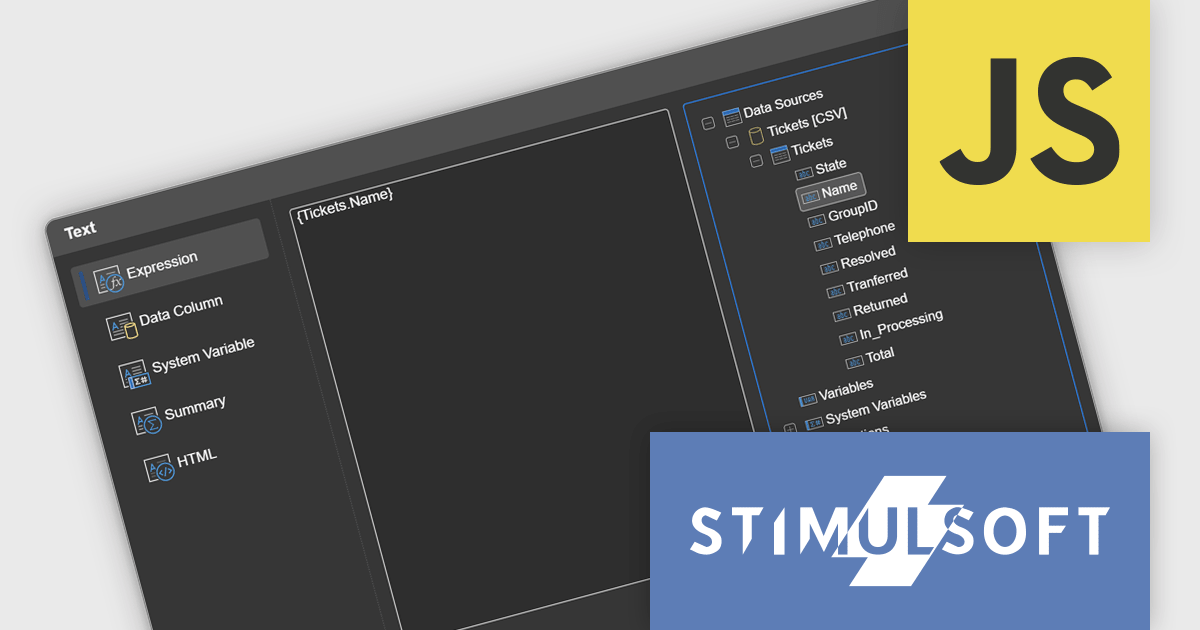
Stimulsoft Reports.JS provides a robust reporting toolkit designed specifically for JavaScript applications. This library leverages a client-side architecture, offering a pure JavaScript report engine for efficient report rendering directly within web browsers. The solution includes a user-friendly report designer for building reports with various data sources and visualizations, along with a report viewer for seamless integration and display within your JavaScript applications. This eliminates the need for server-side dependencies or browser plugins, simplifying the development process for embedding powerful reporting functionalities into your web projects.
The Stimulsoft Reports.JS 2025.1.1 update introduces integrated access to the data dictionary within component editors, enhancing the efficiency and precision of report design. This improvement enables developers to quickly reference and utilize data dictionary elements without switching contexts, simplifying the process of configuring and editing report components. By streamlining access to structured data, the update reduces the risk of errors, promotes consistency across reports, and accelerates the overall workflow, making it an essential enhancement for developers focused on creating complex and data-driven reports.
To see a full list of what's new in 2025.1.1, see our release notes.
Stimulsoft Reports.JS is licensed per developer and is available as a Perpetual license with 1 year support and maintenance. See our Stimulsoft Reports.JS licensing page for full details.
Stimulsoft Reports.JS is available individually or as part of Stimulsoft Ultimate.

Stimulsoft Reports.PHP is a reporting tool designed to be embedded within PHP applications. It offers a client-server architecture for generating, viewing, printing, and exporting reports online. The solution includes a JavaScript report engine for fast execution, a native JavaScript report designer for building reports with various data sources and visualizations, and a PHP server-side component for data processing. This integration allows developers to seamlessly add robust reporting functionality to their PHP applications.
The Stimulsoft Reports.PHP 2025.1.1 update introduces a Swap control in the Chart editor, providing developers with a quick and efficient way to switch columns between Arguments and Values. This addition simplifies the process of customizing charts, allowing for faster experimentation and more flexible data visualization. By minimizing manual adjustments, the Swap control enhances productivity and helps developers focus on creating meaningful insights. Furthermore, the feature is designed with precision in mind, automatically disabling the Swap option for chart types with multiple value fields to ensure consistent configurations.
To see a full list of what's new in 2025.1.1, see our release notes.
Stimulsoft Reports.PHP is licensed per developer and is available as a Perpetual license with 1 year support and maintenance. See our Stimulsoft Reports.PHP licensing page for full details.
Stimulsoft Reports.PHP is available individually or as part of Stimulsoft Ultimate.





Tél : (888) 850 9911
Fax : +1 770 250 6199


