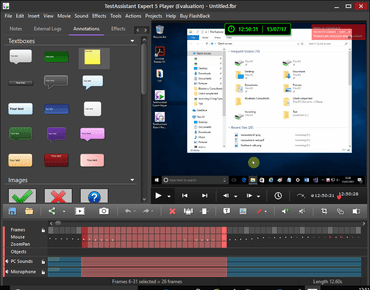
TestAssistant 5.19

Facilite l’utilisation des fonctions de capture d’écran.
Juillet 13, 2017
Nouvelle Version

Fonctionnalités

  • Additional checks and fallbacks on opening of unsaved recording for review in Player.
  • Set low memory usage and disable Player pre-loading when PC has less than 2Gb Ram.
  • Added option to Review / Save / Discard recording when recording stops.
  • Crop regions no longer follow the mouse by default, so the region position can be changed.
  • Improves usability of screenshot functions.
  • On stopping recording, recordings open immediately in the Player.
  • Updates Windows API used by sound recording.
  • Webcam recording uses MSMF API instead of DirectShow on newer installations of Windows.
  • Recorder UI adjusts correctly to high-DPI screens.
  • Changes to the Recorder menus, including addition of Scheduling and Window menus.
  • Disabled Skype recording level 'ducking' - Skype would change the recording level of the PC sounds source during calls.
  • Added shortcut ctrl-W to close the current movie.

Correctifs

  • Prevents movies from being opened in two player instances.
  • Tray icon or purple toolbar could be unresponsive after recording.
  • When the 'display webcam while recording' option is on, the webcam window is made topmost while recording but not when recording is paused.
  • Audio issues with audio virtualization software like Nahimic.
  • Setting a low recording level for the "pc speakers" audio source caused the level to drop to zero.
  • Inserting one movie into another that contains zoompan effects could cause an access violation.
  • Immediate opening of recordings in Player could be blocked if a user had previously set the "dont ask to play" setting in recorder.
  • Fixed a number of problems with webcams,including vertically flipped webcam images and issues on PCs with multiple webcams.
  • Changes to audio code (use "internal" code instead of dll) which fixes some issues.
  • Fixed problems in FBCmd.exe utility (by porting to BCBXE3).
  • Export folder paths now correctly handle unicode.
  • The 'change movie speed' function did not change the speed of any webcam video in the selected section.
  • The audio recording level meter sometimes would not work (GetPeakValue returns 0).
  • Batch export could produce invalid MP4s when processing more than one FBR, due to invalid AAC timestamps.
TestAssistant

TestAssistant

Enregistrement d'écran pour les développeurs et les testeurs.

Vous avez une question ?

Discutez en direct avec l'un de nos spécialiste des licences Blueberry Software .