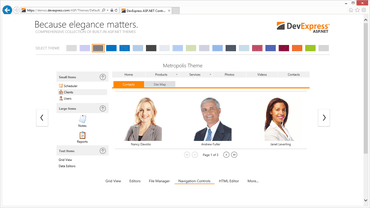
DevExpress ASP.NET 17.2.5

Version de maintenance incluant plusieurs corrections de bogues.
Janvier 25, 2018
Nouvelle Version

Correctifs

ASP.NET Web Forms

  • All ASP.NET Controls
    • ASPxControls - Script blocks are duplicated after a callback request.
    • ASPxGaugeControl - The component is not rendered in design mode in SharePoint 2016.
    • DevExpress themes - The "System.Collections.Generic.KeyNotFoundException: The given key was not present in the dictionary" exception is thrown if an end-user re-loads a page several times.
    • The "Cannot find the 'X' theme" error occurs after an application pool recycles in production environment.
  • ASPxCardView
    • ASPxCardView - The ScrollToVisibleIndexOnClient property and the client-side SetVerticalScrollPosition method do not scroll CardView content.
  • ASPxDataEditors
    • ASPxButton loses its hover style when the button is set to PopupElementID in a popup control.
    • ASPxDateEdit - Date values are displayed incorrectly when the Czech short date format (d. M. yyyy) is used.
    • ASPxDateEdit - It is not possible to select a month/year/decade in the fast navigation window when the FastNavProperties.DisplayMode property is set to 'Inline' and the CalendarCustomDisabledDate event is handled.
    • ASPxFilterControl - The "Expression can't be displayed as tree" error can occur and prevent saving of technically valid criteria on the Text tab.
    • ASPxGridLookup - A click on ASPxGridLookup's DataRow placed inside FilterRow's ASPxGridView template initiates a click on the main grid.
    • ASPxListBox - The SelectAll item is not available in ItemTextCellPrepared.
    • ASPxTextBox - The default value is incorrect when a negative number is specified as a default one in Mask settings.
    • The value of the ASPxCheckBox control in the Grayed state is always 'null' on the server side regardless of the ValueGrayed property value.
  • ASPxGridView
    • Checkboxes are rendered incorrectly if the ToggleSwitchDisplayMode property is set to Always.
    • Checkboxes are rendered incorrectly if the ToggleSwitchDisplayMode property is set to Always and KeyboardSupport is enabled.
    • It is not possible to export the grid via the built-in Export Toolbar items when the control is inside UpdatePanel.
    • Names of standard toolbar items have incorrect values.
    • Slow script loading when the Batch Edit mode is used.
    • The "Object doesn't support property or method 'getBoundingClientrect'" error occurs on an attempt to edit a row in Batch Edit Mode.
    • The GroupFooterTemplate content is not initialized.
    • Html tags are not rendered as pure HTML markup in the CommandApplySearchPanelFilter property.
  • ASPxHtmlEditor
    • A script HierarchyRequestError occurs in IE 11 on an attempt to paste certain RTF content in the Design view.
    • CssClassItems are not shown in the InsertImage Dialog if Adaptivity is enabled.
    • How to customize an image and handle exceptions on pasting content.
    • IE11 - Formatting is applied only to the last letter of the pasted text.
    • Placeholders are positioned incorrectly when resizing a newly inserted table if the document is not scrolled to the top.
    • The "Remove Format" command creates unnecessary tags.
  • ASPxPivotGrid
    • ASPxPivotGrid's scrolling areas always prevent the default page touch scrolling behavior on touch devices.
    • Documentation - The PivotDataProcessingEngine help topic does not provide information that the LegacyOptimized mode does not support the SummaryValue property.
    • NullReferenceException may be raised in the CreateChildControls method if Sorting By Summary is enabled for a missing condition.
    • The JavaScript exception is thrown in the Customization Form on layout changing if a control's ClientIDMode is set to Static.
    • The Legacy and LegacyOptimized data processing engines sort data in different ways if Sorting By Summary is enabled for a missing condition.
  • ASPxRichEdit
    • Correct the list of available image formats in the End-User Documentation.
    • It is impossible to paste a table with one row and merged cells from an Excel document.
    • It is possible to edit the protected content while editing unprotected areas in some scenarios.
    • The changeParagraphFormatting and changeFontFormatting commands are executed incorrectly.
    • The latest text entered by a user is not shown in the exported document if the fileDownload command is called immediately after typing.
    • The 'Uncaught Error: Internal exception.' error occurs when a document contains a hidden table.
    • ASPRichEdit gives error after deleting contents of a list item.
    • Scalable Environments - The DocumentManager.FindDocument method returns null when Redis is used.
  • ASPxScheduler Suite
    • A copied appointment is rendered as disabled if the Edit Appointment Form was invoked before copying/pasting the appointment.
    • Appointment Dialog's content should be reloaded only after changing an editor value for which the TrackPropertyChangeFor method is specified.
    • Appointments cannot be dragged on a touch monitor because a context menu is invoked on a "long-press" action.
    • Appointments cannot be resized if the mouse cursor hovers the "resize" tooltip area.
    • ASPxClientScheduler.CalcHitTest method incorrectly operates (a null reference is returned) in version 17.2.
    • Appointments are incorrectly rendered in the Month View if the ShowWeekend property is set to "false".
    • The ToolbarViewVisibleInterval element width is not set if its template is used.
    • ASPxThemeBuilder - An error occurs on an attempt to change a certain property in the skin file of ASPxScheduler in certain cases.
    • Client-side availability (visibility) of the context menu items is re-calculated incorrectly after an appointment is dragged and dropped.
    • Client-side events (CellClick, AppointmentClick, AppointmentDoubleClick, CellDoubleClick) are not raised after invoking the View context menu when the Menu.CloseUp event is handled.
    • Client-side events which were handled for a single ASPxScheduler instance are raised for all existing ASPxScheduler instances on a page on touch devices.
    • Resource header borders are not aligned with the time cell's vertical borders.
    • Resource Header foreground color cannot be changed in the CustomizeElementStyle event handler when resource colors are specified at the data source level.
    • The "Invalid target element for this operation" exception is raised while showing the ASPxScheduler TimeLineView in Internet Explorer 9.
    • The "Unable to get property 'parentNode' of undefined or null reference" error occurs on changing the ASPxScheduler.GroupType property value when navigation buttons are enabled in a view.
    • The "View Visible Interval" element's content is incorrectly rendered in the "adaptive" mode when the ShowViewVisibleInterval property is false.
    • The Appointment Form layout is re-calculated incorrectly in "adaptive" mode after sending callback requests from form editors.
    • The editors content cannot be copied/pasted using the "Ctrl+C" and "Ctrl+V" shortcuts on the Edit Appointment Form.
  • ASPxSpreadsheet
    • Worksheet Protection - Update Excel file and add information to the description about unlocked columns and rows.
  • ASPxThemeBuilder
    • The loading panel's animation is jumping in the Material Compact theme.
    • ASPxThemeBuilder is freezing on an attempt to change properties in a new theme based on the default one in version 17.2.3.
  • ASPxTreeList
    • It is not possible to find German umlauts using SearchPanel.
    • The filtering state is not saved in cookies.
    • The Search Panel does not search in Preview Rows.
    • Unique values in the header filter popup are not sorted.
  • ASPxVerticalGrid
    • It is impossible to create 'non-blank' and 'blank' header filter items via the FilterValue.CreateShowBlanksValue and FilterValue.CreateShowNonBlanksValue methods.
  • Navigation, Layout & Multi-Purpose Controls
    • ASPxDataView - The control placed into ASPxPopupControl sends callbacks when the EndlessPagingMode property is set to "OnScroll" and the Width property is set to "100%".
    • ASPxDockManager - The "There should be only one DockManager instance on a page." error occurs when using the Server.Transfer method on a postback.
    • ASPxFileManager - Drag and drop between two inputs does not work when the ASPxFileManager control is present on a page.
    • ASPxPopupControl - ASPxWebDocumentViewer isn't shown inside ASPxPopupControl if the adaptivity mode is enabled for ASPxPopupControl and ASPxWebDocumentViewer.Height is set to the percent value.
    • The 'Type 'DevExpress.Web.DropboxFileSystemProvider+ItemsCacheInfo' in Assembly 'X' is not marked as serializable.' error occurs when the sessionState.Mode web.config option is set to SQLServer.
  • XtraReports Suite
    • ASPxWebReportDesigner - A newly added DataSet instance cannot be removed.
    • Web Report Designer - The XRPictureBox.ImageUrl value cannot be specified through an Expression.

ASP.NET MVC

  • MVC GridView
    • Exporting - It's impossible to handle exceptions/redirecting during the export.
    • The BeforeExport event is not raised on exporting data using GridViewToolbarCommand.
    • The BeginCallback event does not fire on export.
    • The 'disabled' state CSS class is assigned to the main element of the Panel extension when a context menu is disabled on a callback.
    • The RowValidating event is visible in GridViewSettings.
  • MVC HtmlEditor
    • It is not possible to change the 'Bold' formatting in certain cases.
    • IE - The browser crashes after a certain HTML is inserted into the editor.
    • An additional line is added on clicking an empty list element.
    • The Selection operation throws the "Cannot read property 'nodeName' of null" error if the DOM was changed.
    • Lists with wingdings as unordered list symbols are processed incorrectly in HtmlEditor.
  • MVC Navigation, Layout & Multi-Purpose Extensions
    • FormLayout - Item caption elements' width is incorrectly calculated when the adaptivity feature is enabled.
    • PopupControl is not displayed correctly if its container is scrolled.
    • Ribbon - The access keys don't work if the accessibilityCompliant property for your project is enabled in the web.config file.
  • MVC Pivot Grid
    • NullReferenceException is raised during a custom callback if the standalone PivotCustomizationExtension is displayed.
    • It is impossible to sort data by clicking Field Headers when accessibilityCompliant is enabled.
    • Scrolling stops working in Virtual Scrolling mode when the EnableCallbackAnimation property is enabled.
    • The "Uncaught SyntaxError: Unexpected end of input" error occurs when using the URL rewrite functionality.
    • Virtual Scrolling works incorrectly in IE when the accessibilityCompliant flag is enabled.
  • MVC Report
    • ASPxWebDocumentViewer - The fraction part of a decimal report parameter is lost on showing the print preview.
    • End-User Report Designer - It is impossible to register a custom font.
    • HTML5 Document Viewer - DXXRDV service may be not correctly initialized in the application after AppPool was recycled.
    • HTML5 Document Viewer - The "a.getAttribute is not a function" error occurs in the browser console after the master cascaded parameter's item is selected.
    • Mobile Document Viewer - It is not possible to scroll pages by using touch gestures in the previewed report.
    • Mobile Document Viewer - The viewer's height is set to 1100px by default, which makes it too high for mobile screens and makes the export buttons invisible.
    • MVC Report - Web Report Chart Designer - Show all labels on a chart.
    • The input parameter in the ISecureDataConverter.Unprotect method has an invalid Base-64 string value.
    • The 'Uncaught TypeError: d(...).styles is not a function' error occurs when a report with a style is closed without saving.
    • Web Document Viewer - Two items are displayed in the Search Results tab for each XRTableOfContents control's row.
    • Web Report Designer - A wrong expression may be displayed for the focused control in the Property Grid.
    • Web Report Designer - Some expressions are not calculated.
    • Web Report Designer - The IDisplayNameProvider interface implementation isn't taken into account and real field names are displayed.
  • MVC RichEdit
    • The MVCxRibbonTemplateItem.SetContent method does not render a template in the built-in ribbon.
  • MVC Scheduler
    • Appearance settings specified in the AppointmentViewInfoCustomizing event handler are not applied to a pasted appointment when client rendering is enabled.
    • The theme specified in the "styleSheetTheme" attribute is not applied to an AppointmentRecurrenceForm instance located on a custom Edit Appointment Form.
  • Project Templates
    • The MVC Empty project template doesn't create the Home controller and the Index view.

ASP.NET Bootstrap

  • Bootstrap Charts
    • The CssClasses.ArgumentAxisTitle property does not assign a CSS class to a required element.
    • The chart's content is not rendered correctly according to its height specified via the Height property value.
    • The ExportButtonText value is misaligned with the export button's icon.
    • Visual Studio crashes on modifying the ResolveLabelOverlapping property of the BootstrapPieChart control using the property grid at design time.
  • Bootstrap Data Editors
    • BootstrapSpinEdit - The stop sign is not shown for the editor when a disabled style is assigned.
  • Bootstrap GridView
    • Applying the "text-align: center" style to header cells doesn't center-align the header cell text.
    • Impossible to type spaces in the Batch Edit mode in Edge and IE browsers when AllowSelectByRowClick is enabled.
    • The BootstrapButtonEdit control does not work in a toolbar item template.
  • Bootstrap Navigation, Layout & Multi-Purpose Controls
    • BootstrapPageControl - BootstrapChart is not re-rendered after an active tab is changed in certain cases.
    • BootstrapPopupControl in UpdatePanel- A modal overlay is not hidden when the ShowOnPageLoad property is set false.

ASP.NET Core Bootstrap

  • Editors (ASP.NET Core Bootstrap)
    • BootstrapTextBox for ASP.NET Core - The readonly property is not available.
DevExpress ASP.NET

DevExpress ASP.NET and Blazor

Toutes les bibliothèques, extensions et suites de composants primées ASP.NET, MVC, ASP.NET Core, ASP.NET Bootstrap et Blazor produites par DevExpress réunies dans un seul package.

Vous avez une question ?

Discutez en direct avec l'un de nos spécialiste des licences DevExpress .