UltraCompare v20.00

Inclut de nouvelles intégrations Git.
Novembre 11, 2019
Nouvelle Version

Fonctionnalités

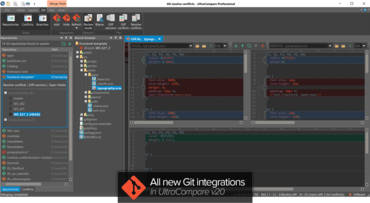
  • Git conflict resolution mode
    • Easily resolve conflicts in new mode.
    • Select lines to keep – local, remote, or both.
    • See result in bottom pane before saving manual merge changes.
    • Optionally finish commit after all conflicts are resolved.
  • Git version diff mode
    • Visually diff any two versions of a file from a Git repository.
    • Diff working copy, index/staged, branch tip, or a previous commit.
    • Shows Git blame info in tooltip for differences.
  • New Git ribbon
    • "Show" group to toggle Git-specific dockable windows.
    • "Repository" group to add, hide, and refresh repositories.
    • "Branch" group to toggle review mode.
    • "File" group to blame, compare versions, and diff or resolve conflicts.
  • "Repositories" window
    • Shows all repositories on system.
    • Lists all local and remote branches for active repository.
    • Git icon color reflects repository state.
    • See active (HEAD) branch.
    • Browse other (non-active) branches.
    • Resolve conflicts or launch version compare.
  • "Branch browser" window
    • See and browse files within repository's active branch.
    • Git icon color reflects working directory state.
    • Sort files by Git status.
    • Diff, blame, copy file path, more.
    • Optionally show modified / conflict files only.
    • Resolve conflicts or launch version compare.
  • "Conflicts" window
    • See files in conflict state from active repository.
    • Launch Git merge mode to manually resolve conflicts.
    • Take all from local / remote.
    • Launch diff or open blame log.
  • Git status overlays in "Explorer" tab of Workspace Manager, with Git context menu.
  • Improved and automated Git mergetool / difftool integration with UC.
  • New Git configuration options.
  • Automatic scanning for Git repositories, with "ignore folder" options in configuration.
All new Git integrations in UltraCompare v20.

UltraCompare

Comparer les fichiers, comparer les dossiers et fusionner les différences.

UltraCompare est également disponible en :

Vous avez une question ?

Discutez en direct avec l'un de nos spécialiste des licences UltraEdit .