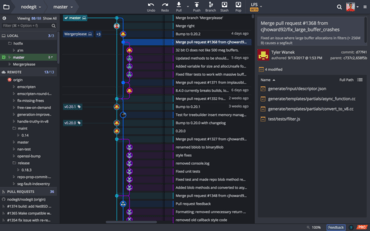
GitKraken V7.2.0

Prend désormais en charge l’intégration du suivi des problèmes pour GitLab et GitLab Self-Managed.
Août 5, 2020
Nouvelle Version

Fonctionnalités

  • The GitKraken Git GUI now supports issue tracking integration for GitLab & GitLab Self-Managed. GitLab Issues users now have the ability to perform the following from GitKraken:
    • View and filter a list of issues from the left panel.
    • Create a branch tied to an issue.
    • View issue details.
    • Edit assignee of an issue.
    • Edit the state of an issue.
    • Add/remove labels.
    • Comment and reply on an issue.
    • Create new issues.
  • Adding and removing labels is now supported for all issue trackers.
  • Users can now multi-select branches in the left panel. This can be extremely helpful for quick clean up, like deleting all local branches.
  • The Preferences menu has been updated. The Authentication section has been renamed to SSH, and we have added a new Integrations section for accessing both Git and issue tracking integrations.
  • After pushing changes to a remote branch, the Push Successful notification will include a link to view the PR on the related hosting service.
  • Users can now use Esc to close the Create Issue and Create Filter panels.
  • When creating a new issue, users will see required fields noted with an asterisk.
  • When creating a new branch tied to an issue, users can now select the base of the branch.
GitKraken

GitKraken

Une plateforme unifiée d’outils et de services Git pour les développeurs, les équipes et les chefs d’équipe.

Vous avez une question ?

Discutez en direct avec l'un de nos spécialiste des licences GitKraken .