
Fournisseur officiel
Comme nous somme les distributeurs officiels et autorisés, nous vous fournissons des licences légitimes directement à partir de 200+ éditeurs de logiciels.
Voyez toutes nos marques.
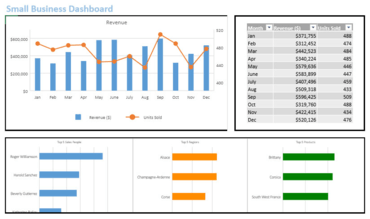
A pivot table is a powerful tool that that makes seemingly endless data more manageable to analyze. Microsoft Excel pivot tables allow users to summarize their data tables in a more meaningful way by allowing them to “pivot” (or rotate) data in tables to, for example, compare totals between different products, sort, summarize, group, and much more.
With the v14.1.0 release of SpreadJS, GrapeCity added support for pivot tables as an additional add-on feature. Users who purchase the pivot table add-on license can leverage the pivot table feature for deep customization and quick data analysis. In this blog, Mackenzie Albitz takes you through the process of how to use SpreadJS’s Pivot Table add-on feature, its application, setting utilization, and how to use the different layout options to view and analyze data seamlessly. Topics include:
View the GrapeCity blog and learn these powerful techniques.
Solution complète de feuilles de calcul pour les applications JavaScript.
Discutez en direct avec l'un de nos spécialiste des licences MESCIUS (formerly GrapeCity) .

Distributeur officiel depuis 1996
Tél : (888) 850 9911
Fax : +1 770 250 6199


