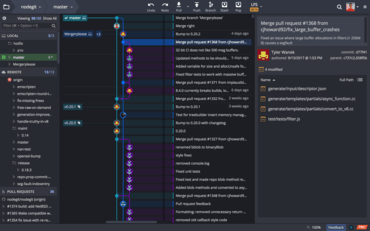
GitKraken V8.4.0

La nouvelle vue aide les utilisateurs à gérer rapidement les demandes de tirage sur l’ensemble d’un espace de travail.
Avril 14, 2022
Nouvelle Version

Fonctionnalités

  • GitKraken Workspaces:
    • Workspaces now include a Pull Requests view:
      • Users can filter PRs to see items "Assigned to me".
      • At-risk pull requests are now highlighted through a label and are filterable.
      • Selecting any GitHub pull request now shows the user a new Pull Request view that presents users options to quickly manage PRs across a whole Workspace.
    • Clicking on any repo in a Workspace now shows 'see more info' and 'options'. Users will see the repository's README, as well as quick access buttons to open the repository in a Repo Tab, Terminal Tab, or on the remote repository's hosting provider.
  • GitKraken CLI:
    • The Terminal button in a Repo Tab’s toolbar will now open the GitKraken CLI inside a Terminal Panel, instead of opening a new Terminal Tab.
    • Users can toggle the Terminal Panel on and off by pressing the Terminal button in the Repo Tab toolbar.
    • A Terminal Panel session can now also be terminated by executing the exit command.
    • Unlike with the Terminal Tabs, navigating to a different working directory in a Terminal Panel will not change the repository opened in the Repo Tab.
    • The following gk commands are now available in the Terminal Panel:
      • gk blame.
      • gk diff.
      • gk history.
      • gk help.
  • Users will now see helpful icons when shown GitKraken CLI Autocomplete suggestions, helping clarify to which command the suggestion is related.
  • Git LFS users will see improved performance checkouts.
GitKraken

GitKraken

Une plateforme unifiée d’outils et de services Git pour les développeurs, les équipes et les chefs d’équipe.

Vous avez une question ?

Discutez en direct avec l'un de nos spécialiste des licences GitKraken .