Released: Dec 13, 2010
Updates in this release
Updates in V10
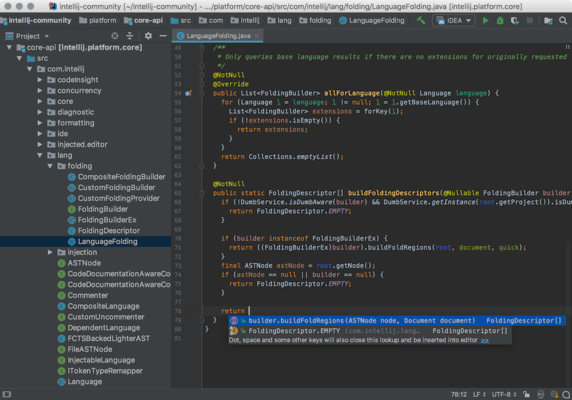
- Brand New Code Completion
Code even faster, with the new completion auto-popup. No need to invoke it. - 100% Faster Project Indexing
The start-up project indexing ensures that IntelliJ IDEA is smart and quick when it comes to coding, navigation, refactoring, etc. And now, indexing is nearly twice as fast compared with the previous version. - VCS and DVCS
Bundled Mercurial support: just check out or open a Mercurial project — and start working right away. Git support now offers a brand new Git log view, along with other major new features. Native GitHub integration: open projects right from the repository, or share your project as a new repository right from the IDE. - Test Results Export to HTML/XML
Save results of any executed unit tests into a separate HTML or XML file. Works for JUnit, TestNG and all supported frameworks. - Faster Project Sync on Linux
The new native file system watcher for Linux allows faster synchronization of the project tree with the IDE upon external changes. - Easier Multilanguage Editing
Edit embedded language fragments (e.g., SQL in Java, or HTML in JavaScript) in a dedicated adjacent full-featured editor, with instant synchronization with the main editing area. - Detachable Editor Tabs
You can now drag and drop the editor window outside of the IDE frame. - Lighter UI, More Native Look & Feel
New lightweight UI lets you focus on what really matters — the code. Whatever platform you use, the new Look & Feel looks and feels much more native. - Soft Wraps in Editor
You can finally enjoy this highly anticipated feature! Soft wraps are available not only in IntelliJ IDEA, but also in all other IDEs built on its platform. - Marked Objects in Debugger
Any marked object can be now accessed via its label wherever an expression is evaluated, even if this object is not available from the current debugger context. This works in Expression Evaluation dialog, Watches panel or Breakpoint Condition field. - Database Table Editor
The dedicated DB table editor allows you to quickly and flexibly modify or review data in any table, without having to type and run SQL queries from the console. - Customizable Console Folding
Analyze any stacktrace faster, by folding non-informative output lines according to your own rules. You can even modify rules on the fly, right from the console. - Android Development
Android plugin is now part of the IntelliJ IDEA. Write unit tests for your Android application using the Android testing framework. IntelliJ IDEA will automatically create a sample test class for your main activity so you can launch tests directly from the editor. - Flex/ActionScript Support
New ActionScript/MXML refactorings: extract interface, extract superclass, change method signature, delegate methods, introduce parameter. - Major GSP editing improvements
Completion for names of controllers, actions, templates, GSP-files, named URL mapping, etc. whenever possible. Renaming related artifacts together (e.g. renaming matching .gsp together with a controller action, renaming matching test classes together with production ones, etc.) - JSF
Added extended support for popular libraries: RichFaces, PrimeFaces, Standard(html and core), OpenFaces, and IceFaces. - Ruby, Python, Scala and CFML Plugins
Updated versions of Ruby, Python and Scala plugins provide new advanced features for Ruby on Rails, Python/Django and Scala developers. CFML plugin is now bundled with IntelliJ IDEA.
For more information visit:
http://www.jetbrains.com/company/press/pr_091210.html


 (14)
(14)