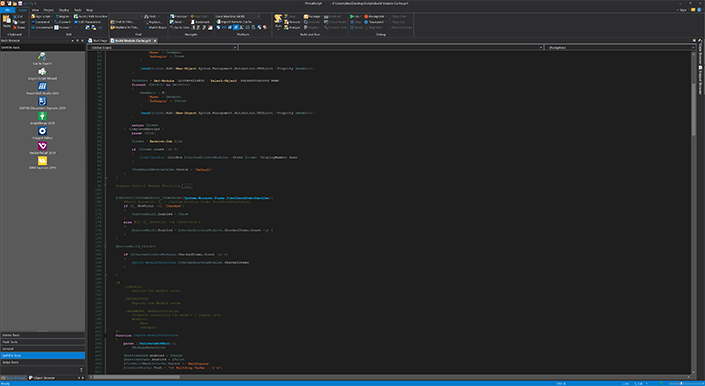
PrimalScript 2022
Released: Jan 7, 2022
Mises à jour de 2022
2022 (8.0.173)
Updated Nov 10, 2022
Features
- Added support for Microsoft PowerShell 7.3.
2022 (8.0.172)
Updated Oct 27, 2022
Features
- Added support for Microsoft PowerShell 7.0.13.
- Added support for Microsoft PowerShell 7.2.7.
2022 (8.0.171)
Updated Sep 29, 2022
Features
- Added experimental Microsoft PowerShell obfuscator for script packager.
Fixes
- Updated company address in EULA.
- Minor UI skinning updates.
- PowerShell 7 cannot run script using 'wpfgfx_cor3.dll' from PrimalScript.
2022 (8.0.170)
Updated Aug 23, 2022
Features
- Added support for Microsoft PowerShell 7.0.12.
- Added support for Microsoft PowerShell 7.2.6.
Fixes
- @{} constructs in PowerShell can confuse code folding.
2022 (8.0.169)
Updated Jul 21, 2022
Features
- Added Pester support for Microsoft PowerShell 7.2.5.
Fixes
- MSI builder templates now includes reference to System64Folder.
- MSI build removes quotes around custom action arguments.
- UI elements in Script Packager re-aligned.
- Script blocks inside a function can distort code folding.
- Some predefined objects missing from VBScript and JScript PrimalSense.
- Check for PowerShell 3, 4 and 5 removed from MSI builder.
2022 (8.0.168)
Updated Jun 23, 2022
Features
- Added support for Microsoft PowerShell 7.2.5.
- Remote Script Execution Engine (RSEE) now supports the latest PowerShell 7 versions.
- Installed Microsoft .NET 6 runtime version has been updated to 6.0.6.
Fixes
- Script Packager better indicates currently selected property page.
- RSEE now filters extraneous ANSI sequences in PowerShell 7 output.
2022 (8.0.167)
Updated Jun 10, 2022
Features
- Security enhancement for SAPIEN Updates - Now checks the trusted signatures of update downloads.
- Security enhancement for Microsoft PowerShell Version Selector - Now checks the trusted signatures of downloads from GitHub.
- PrimalScript now checks on startup if your installed PowerShell 7 version(s) are supported by your current build.
Fixes
- PowerShell Version Selector no longer initiates a cache rebuild of no changes are made.
- Progress bars in scripts packaged Windows app / Dark app not updating properly.
- Shortcut names with a '-' character cause an error message when building an MSI.
2022 (8.0.165)
Updated May 27, 2022
Features
- Added Microsoft PowerShell 7.0.11 and 7.2.4 support.
- Improved cache builder speed.
2022 (8.0.164)
Updated May 5, 2022
Features
- Added support for Microsoft PowerShell 7.0.10, 7.1.7 and 7.2.3.
Fixes
- RunAs with PowerShell 5 packages can display popups with userid and password.
- RunAs with Windows App and Dark Windows App displays application twice.
2022 (8.0.163)
Updated Apr 4, 2022
Features
- Added Microsoft PowerShell 7.0.9, 7.1.6 and 7.2.2 support.
- PowerShell service packager engine now supports stored credentials.
Fixes
- PowerShell syntax coloring can fail for some cmdlets unless versions are toggled.
- Attempting to run a script after PowerShell 7 was uninstalled produces no error message.
- Context menus in status bar not skinned.
2022 (8.0.161)
Updated Feb 18, 2022
Features
- Added a Microsoft PowerShell Version Selector.
- Added a PowerShell version indicator in Object Browser.
Fixes
- Fixed spelling errors in tooltips.
- Fixed PowerShell 7.2.1 causing repeated prompt for cache rebuild.
2022 (8.0.160)
Updated Jan 24, 2022
Features
- Added the ability to filter ANSI escape sequences in debug console output.
- Added the ability to prevent unnecessary cache rebuild on update.
2022 (8.0.159)
Updated Jan 21, 2022
Features
- Store credentials in packaged script resources.
- Added the ability to mark TODO items as DONE via right click context menu.
- Custom Microsoft PowerShell actions in an MSI can now use PowerShell 7.
- Custom actions in an MSI can now be marked to bypass execution policy.
- Custom actions in an MSI can be marked to not load a profile (default).
- Script Packager now warns if MyInvocation is used in a packaged script.
- "Service Installer" has been removed from the installer type selection.
- EULA has been updated to reflect federal government regulations.
2022 (8.0.158)
Updated Jan 7, 2022
Features
- Added support for Microsoft PowerShell 7.2.1.
Fixes
- Comment mistaken as dot source statement during packaging.
- Shortcuts for startup created in wrong folder.