Remote Desktop Manager Windows Edition 2025.1.30.0
Released: Apr 9, 2025
Mises à jour de Windows Edition 2025.1.30.0
Fonctionnalités
- Added 'Copy username and password' to default entry actions.
- Added better LDAP full text search query to AD dashboard.
- Added German dictionary for passphrase generation.
- Added a new navigation option to only show opened sessions.
- Entries can now be deleted without checking out, unless already checked out by another user.
- Improved iDRAC to try port 443 when negotiating the connection.
- Improved log accuracy when auto typing and using OTP.
- Improved message accuracy when failing to go online from an offline data source.
- Improved message clarity when moving entries to another vault fails in Hub.
- Changed the min/max value of the Tab page max width to be between 20 and 300px.
- Added double click action and shortcut binding to rename tabs.
- Added GPO to hide browse host button.
- Trim leading space(s) from WebView2 cache path.
Correctifs
- Fixed AD dashboard search threading.
- Fixed a Barracuda launch error.
- Fixed disconnect logic for Barracuda.
- Fixed an error at startup when you have a corrupted XML in your 'UpdateHistory' file.
- Fixed an issue opening RDP via secure gateway in Hub.
- Fixed an issue where focusing a password textbox would try to resolve the password and get blocked by Hub on the server's side.
- Fixed an issue where script variables weren't resolved properly.
- Fixed an issue where tags weren't loading in advanced search.
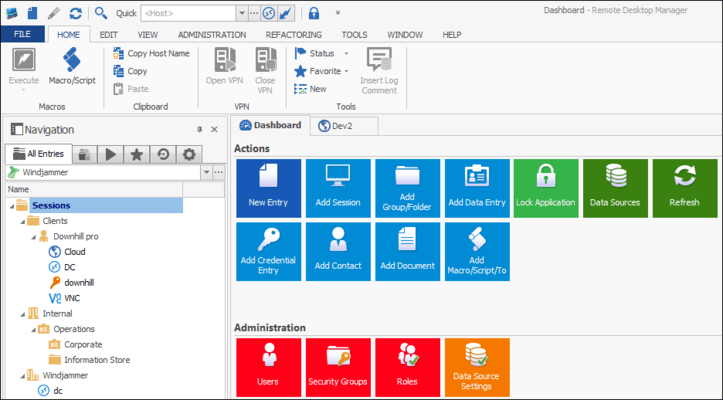
- Fixed an issue where the dashboard customization did not save.
- Fixed an issue with filename exceeding system limit for local recording.
- Fixed a missing override issues in MRU view.
- Fixed Most Recently Used (MRU) actions.
- Fixed a possible crash in tab group context menu.
- Fixed a possible crash when using FreeRDP over RD Gateway.
- Fixed a possible error in CyberArk.
- Fixed a possible error when loading backup history.
- Fixed a possible error with the log menu.
- Fixed Enter and double-click of tree view of Favorite tab.