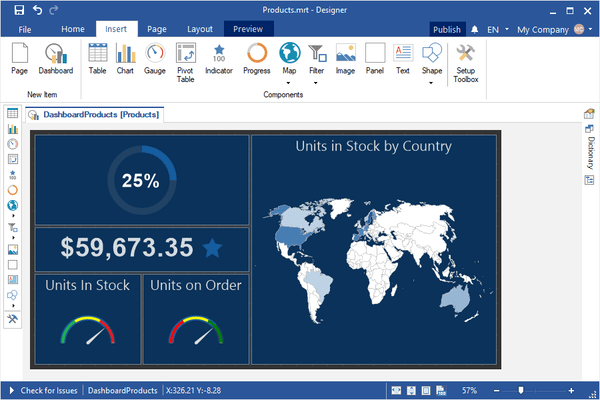
Lancements de Stimulsoft Dashboards.WIN
Released: Nov 12, 2025
Mises à jour de 2025.4.3
Fonctionnalités
- Added a new SubTotal(,) function for the "Pivot Table" dashboard element.
Correctifs
- A problem with parsing types with System alias has been fixed.
- Some issues with parsing types during array creation have been fixed.
- Filling in the parameter type when retrieving columns from an Access data source.
- The "Surface" chart icon in the dashboard chart type selection menu.
- Handling special characters in SQL queries for various data sources.
- Processing JSON data in cases where a field...
Released: Oct 17, 2025
Mises à jour de 2025.4.2
Correctifs
- Fixed an issue with updating the list of dashboard bookmarks when viewing a template in the WPF viewer.
- Fixed an issue with displaying data in a chart when creating a copy of a view.
- Fixed an issue with displaying the "Sort by" button on a Surface chart.
- Fixed an issue with resizing the gauge element and the progress element in the WinForms viewer.
- Fixed a bug where the page icon was not displayed in the dashboard viewer.
- A tooltip with the dashboard name or alias was added to the...
Released: Oct 6, 2025
Mises à jour de 2025.4.1
Fonctionnalités
- Added new "3D Area" chart type in reports and dashboards.
- Added new "Surface" chart type in reports and dashboards.
- Added support for 'RequestParameters' property in a dashboard report. A dashboard will not start rendering until parameters are submitted.
- The ParametersDisplayMode property has been added to a report. It allows to show parameters not only in a parameters panel, but in a dialog window.
- A new property has been added to the ListBox and ComboBox elements...
Released: Sep 6, 2025
Mises à jour de 2025.3.5
Fonctionnalités
- Improved creating a Google Sheet data source. You can now get data via a public link, without specifying the Client ID and Client Secret.
Correctifs
- Displaying a tooltip on hover for the "Text" dashboard element.
- Display a tooltip on hover for List Box and Combo Box dashboard items.
- Copying fields with actions in data transformation.
- Fixed an issue with displaying total value in stacked chart labels.
- Serializing the Header String property for OData and JSON data sources.
- The...
Released: Aug 20, 2025
Mises à jour de 2025.3.4
Correctifs
- An issue of specifying items for the timeonly variable has been fixed.
- Fixed an issue with displaying the "Gauge" element when viewing a dashboard in the WPF viewer.
- An issue with seconds in TimeOnly variables has been fixed.
- An issue with selecting a time-span value from a list on the parameter's list has been fixed.
- An issue with calling the bar-code editor has been fixed.
- A problem with saving a default value of the date-time-offset variable in the variable editor has been fixed...
Released: Jul 30, 2025
Mises à jour de 2025.3.3
Fonctionnalités
- Parsing of ternary operations in the C# parser has been improved.
Correctifs
- Fixed an issue with displaying abbreviations for the legend of a 'Heatmap' chart.
- Fixed the display of GIS objects when exporting a dashboard with the 'Online Map' element.
Released: Jul 18, 2025
Mises à jour de 2025.3.2
Fonctionnalités
- Added "Get Current Value" and "Set Current Value" blocks in Blockly scripts for the "Get Image URL" event.
Correctifs
- An issue with the GetFonts method and the Button element has been fixed.
- Changing properties for component borders in Blockly scripts.
- Fixed problem with the "Online Map" dashboard element with the "Open Street Map" provider in the Web viewer.
- A problem with using the DataSource.Field.IndexOf expression in the C# parser has been fixed.
- Some issues with Undo-Redo...
Released: Jun 30, 2025
Mises à jour de 2025.3.1
Fonctionnalités
- A bool variable now can be nullable.
- A string variable now can be nullable.
- Added the ability to use C# scripts in report events and expressions during interpretation mode.
- Added the ability to change marker behavior: markers can now be clipped to the chart area boundary or extend beyond it. Marker behavior can be controlled using the option StiOptions.Engine.AllowClipChartArea.
- Added Open Street Map provider for the "Online Map" dashboard element.
- Added support for C# scripts in...
Released: Jun 3, 2025
Mises à jour de 2025.2.5
Fonctionnalités
- Added a new Value Type property for the Indicator and Progress components in Dashboards.
Released: May 16, 2025
Mises à jour de 2025.2.4
Fonctionnalités
- Optimized opening of dashboards with large amounts of data and elements in the report designer.
Correctifs
- Displaying values in the tooltip when abbreviations are used for value formatting.
- Extra space in the menu for selecting icons from the set for the dashboard element "Indicator".
- Displaying the Retrieve Parameters command when editing an Oracle data source.
- An issue with F2 text tool and the button element has been fixed.