Syncfusion 2016 Volume 1 released

Released: Apr 21, 2016

Updates in this release

Updates in 2016 Volume 1

Accordion

  • The accordion control provides an interface where long list of items can be collapsed and one or more items can be expanded on demand.

Chart

  • QTP Support - The chart control supports QTP (UFT) automation.
  • Selection Cursor - Selectable series or segments can be identified by changing the cursor symbol.
  • Axis Header Alignment - Axis headers can be positioned outside of the plot area when an axis is placed inside the plot area with a custom origin.
  • Axis Label Rotation Enhancement - Axis label rotation will always correspond to tick lines for better readability. An option has been provided to enable rotation when labels overlap.
  • Toolbar Customization - The size and margins of toolbar items can be customized.
  • Support for Null Values - Null points will be considered as empty points.

Data Grid

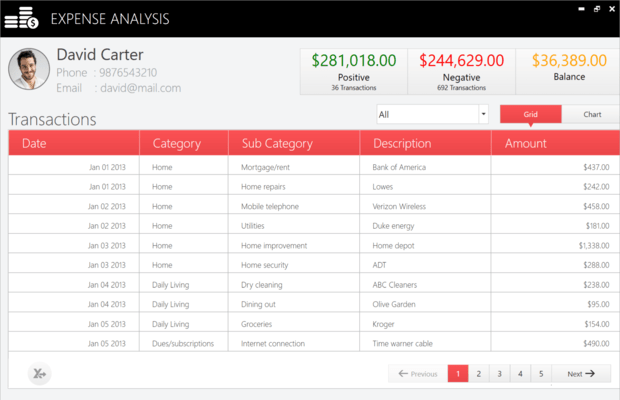
  • Filtering Rows - The data grid control provides row filtering with different options to filter data in an efficient manner.
  • Date Picker - The date picker provides an interface for quickly selecting date values in a touch-friendly manner.
  • Date Selector - The date selector opens inside the drop-down window and allows users to select a specific date.
  • Customization - The date selection UI can be completely customized with templates.

Diagram

  • Shapes - The diagram control provides predefined shapes such as basic, flow, and arrow.

DocIO

  • Alternate Chunks in Word to PDF conversion - An alternate chunk is an anchor in a Word document for external content imported from a specified file. DocIO converts Word documents with alternate chunks to PDF files.
  • Grid Splitter - The grid splitter is similar to the snapping view in Windows 8. It can be snapped and moved to resize content inside an application.
  • Heat Map - The heat map represents tabular data values as gradient colors instead of numbers. Low and high values are different colors with different gradients.
  • Navigation Drawer - The navigation drawer is an interactive panel that emerges from the edge of the window and allows you to store content in a hidden panel. You can display the panel by swiping from the left, top, right, and bottom edges of the window.

PDF

  • Named Destinations - Named destinations can be added in PDF documents for interactive navigation. Destinations and properties can also be edited in existing PDF documents.
  • Flattening Annotations - Annotations such as circle, rectangle, polygon, and text markup can be flattened to disable the editing capability.
  • Built-in Table Styles - With just a few lines of code, table styles similar to Microsoft Word can be added to PDF grids and light tables.
  • GS1-128 Bar Code - GS1-128 bar codes can be added in the PDF document, and the API supports exporting a bar code as an image.

PDF Viewer

  • Touch Support - Touch support has been added for the PDF document view control.
  • Search Multiple Terms - APIs allow searching multiple terms within a PDF document swiftly in a manner optimized for multicore machines.

Predictive Analytics

  • SAS PMML Compatibility Support - Experimental support for PMML files generated by SAS has been added for the following models: Association rules, Clustering models, Neural networks, Regressions and Tree models.

Presentation

  • Notes - Presentation allows notes to be added to slides (often called speaker notes) in a PowerPoint presentation. It also allows the content of existing notes to be edited or deleted.
  • Time Picker - The time picker control provides an interface for quickly selecting time intervals in a touch-friendly manner.
  • Time Selector - The time selector control opens inside the drop-down window and allows users to select a specific date.
  • Customization - The time selection UI can be completely customized with templates.