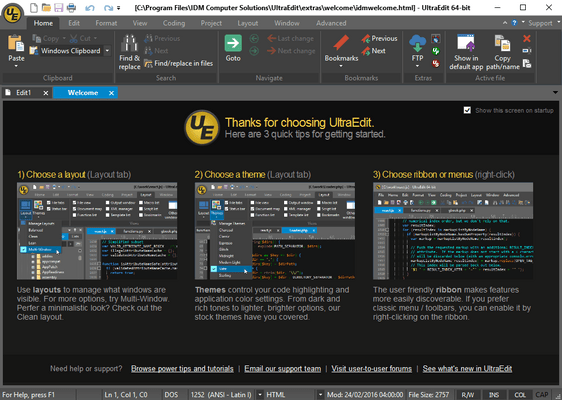
UltraEdit Core includes: UltraEdit (available for Windows, Mac, and Linux - all included in the license price) and UltraCompare. UltraEdit Enterprise (formerly known as UltraEdit All Access) includes: UltraEdit, UltraCompare, UltraFTP, UEStudio and UltraFinder.
UltraEdit Core - includes UltraEdit for Mac v2025.0
Released: Jun 9, 2026
Mises à jour de UltraEdit for Mac v2025.0
Fonctionnalités
Added support for moving custom toolbars above the edit window on macOS.
Added "Sort File Tabs" to the list of commands that can be added to the toolbar.
Added support for specifying line/column position from the command line.
Added support for macOS dictation/transcription.
Added an option to disable user clipboards.
Enabled "Reformat JSON" and "Compress JSON" on files without JSON syntax highlighting applied.
Improved portability of project files so they can be created on one system and moved to another.
Improved SSH/Telnet terminal compatibility.
Correctifs
Fixed: Arrow key navigation at file boundaries while editing.
Fixed: UE does not come to the foreground when the icon is clicked in the menu bar.
Fixed: Detection of files that are already open.
Fixed: Repeated crashes while editing on macOS/Linux.
Fixed: Crash when trying to modify settings on macOS.
Fixed: Crash when changing the Word file path.
Fixed: Crash on application start with certain configurations.
Fixed: Application fails to start after enabling "Show Relative File Paths".
Fixed: Hang and 100% CPU usage while editing.
Fixed: Hang when working with multiple open files, invoking New Window, and closing.
Fixed: Quick Find only accepts the first typed character; all subsequent characters go to the edit window.
Fixed: UltraEdit does not remember the desktop it is assigned to.
Fixed: UltraEdit does not adjust size when Mission Control is invoked.
Fixed: UltraEdit does not come to the foreground when its icon is clicked in the menu bar.
Fixed: UltraEdit creates Edit files in the user’s home directory when it should not.
Fixed: UltraEdit appends “.s” to newly created files saved with a .sql extension.
Fixed: Unable to copy from a Linux terminal and paste into UEX after extended use.
Fixed: Issues pasting from certain sources on various Linux distributions.
Fixed: Favorite Files dialog does not remember its size after resizing, and its content area cannot be resized.
Fixed: Replace dialog remains open when switching from hex mode back to normal edit mode.
Fixed: Spelling error in the Hex Find/Replace dialog.
Fixed: "En space" character cannot be replaced in either ASCII or hex mode.
Fixed: Undo in hex mode does not work correctly.
Fixed: Umlauted characters not matched with "Replace All" in UTF-8 files.
Fixed: "Perl" is sometimes not shown as an option for regular expressions.
Fixed: Double-clicking a quoted string includes the surrounding quotes in the selection.
Fixed: Double-clicking a string includes "$" and ">" in the selection, with no way to change the behavior.
Fixed: Multiline tabs behave unexpectedly when a new file forces a second row of tabs, including a tab that should be on the new row, not displaying.
Fixed: Screen splits unexpectedly when clicking one of several open file tabs.
Fixed: Clicking the right arrow in the tab bar row unexpectedly creates blank edit files after passing the last file tab.
Fixed: Bold text highlighting does not work as expected in markdown files.
Fixed: Live preview does not display content as it does in UltraEdit for Windows.
Fixed: Live preview renders incorrectly when a blank line is added to the file and saved.
Fixed: "Email our support team" link incorrectly routes to a sales quote-request form rather than support.