
ExpressLayout Control
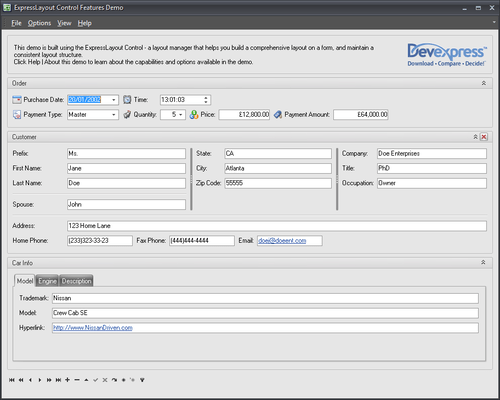
Offer end-users complete control over the layout and appearance of your Delphi and C++Builder applications.
Pubblicato da DevExpress
Distribuito da ComponentSource dal 2001
Offer end-users complete control over the layout and appearance of your Delphi and C++Builder applications.
Pubblicato da DevExpress
Distribuito da ComponentSource dal 2001
New licenses can only be purchased as part of Developer Express VCL Subscription.
If you require information, please visit the pages above or Contact Us for pricing and availability.
Released: Jul 6, 2011
Tel: (888) 850 9911
Fax: +1 770 250 6199


