UltraEdit Enterprise

Strumenti di gestione e di editing e dati completamente integrati.

Pubblicato da UltraEdit
Distribuito da ComponentSource dal 2013

Prezzi da: $ 117.55 Versione: v2025.x Aggiornato il: Jan 29, 2026
i

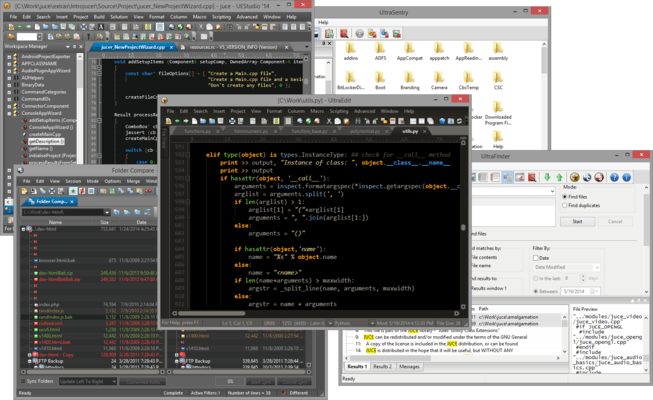
UltraEdit Enterprise (formerly UltraEdit All Access) includes UltraEdit, UltraCompare, UltraFTP, UEStudio and UltraFinder.

UltraEdit Enterprise - includes UltraEdit for Windows v2024.1

Released: Aug 27, 2024

Aggiornamenti in UltraEdit for Windows v2024.1

Funzionalità

  • Added a new "Start support request" command.
    • Generates new email using default system email client.
    • Captures commonly needed user and system information.
    • Captures current application information.
  • Enhanced XML manager editing for attributes and values.
  • Added a new horizontal split view for Live Preview.
  • Added a new remote file upload/download progress bar in application status bar.
  • Added a new compare file command to the file tab menu for easy access.
  • Compare tool configuration UI has been added to support any compare utility.
  • Enabled horizontal scrolling with secondary mouse wheel, trackpad, gestures, etc.
  • Added a new underline setting for URLs instead of highlighting.
  • Improved readability and usability of compare settings dialog.
  • Added a new command to start default email application by clicking any email address in open documents.
  • You can now automatically recover previously open files after a crash without a prompt (reduces user interaction).
  • Added full cloud storage support in FTP Browser.
  • Made PowerShell and SSH terminal enhancements for text and command colors.
  • Improved code folding support for ASP code.
  • Improved positioning and selection range for active line highlighting for wrapped lines.

Correzioni

  • Addressed selection issues with specific search ranges and EOF conditions.
  • Resolved discrepancies with differing search count results from different search features.
  • Addressed dialog control enable/disable state discrepancies with user tool configuration dialog.
  • Corrected negative column number display for certain HTML files.
  • Addressed multiple issues with display and editing with non-English text, code pages, and encodings.
  • Resolved multiple issues with tab settings and tab displays.
  • Resolved multiple printing issues with indentation, positioning, and wrapping.