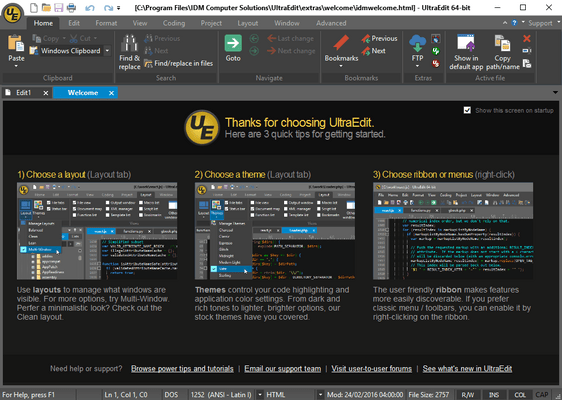
UltraEdit Core includes: UltraEdit (available for Windows, Mac, and Linux - all included in the license price) and UltraCompare. UltraEdit Enterprise (formerly known as UltraEdit All Access) includes: UltraEdit, UltraCompare, UltraFTP, UEStudio and UltraFinder.
UltraEdit Core - includes UltraEdit for Windows v2025.2
Released: Jan 29, 2026
Aggiornamenti in UltraEdit for Windows v2025.2
Funzionalità
Added: Support for OpenSSH format private key for SFTP.
Improved: Product stability on startup with certain configurations.
Updated: Default language template files with minor additions and corrections.
Updated: Default tags list with minor additions and corrections.
Enhanced: Make context menu work in FTP open/save dialogs when clicking below directory listing.
Search and regular expression live mode:
Result selection updates as you type.
Find what text control provides regex syntax feedback.
Background color changes to indicate valid/invalid regular expression.
EDI Wrap/Unwrap convenience functions:
New EDI Functions dropdown in the ribbon (Coding->Formatting).
Unwrap raw EDI data for easier reading, editing, and correction.
Wrap corrected EDI data to conform to transmission standards.
Improved column mode with proportional and fixed-width fonts:
Tab sizing/handling.
Text selection.
General editing.
Correzioni
Lines at end of file seem to disappear after using ALT+SUBTRACT.
File name is replaced by selected folder name when navigating Save to FTP dialog.
Unable to connect to legacy mainframe server.
Hex Copy Selected View not working.
“Invalid data received from remote server” error with FTP.
Customer cannot connect via SFTP.
Cannot load a macro containing JSONFormatDocument.
Hang/crashes when trying to open large file from Z/OS mainframe.
Fixed sorting of different columns when TABs exist in document.
Cursor is not displayed as expected from active line/column highlighting.
Line/column position is indicated incorrectly in status bar in lines with tabs.
FTP log window not shown when working with only Cloud Storage accounts.
FTP Browser deleting folder from remote folder tree, succeeds, but does not remove it from the tree control.
FTP Browser deleting folder from remote file list does not remove folder from remote directory tree.
“&” is shown as \u0026 in folder name in FTP Open dialog.
Output window erroneously shown when connecting using FTP Open.
Selection shifts unexpectedly after editing & saving.
Column number indicated in ruler does not match line/col position shown in status bar.
SSH/telnet console missing tab icons.
SSH/Telnet console per account font setting.
SSH/Telnet console tab text spacing and alignment.