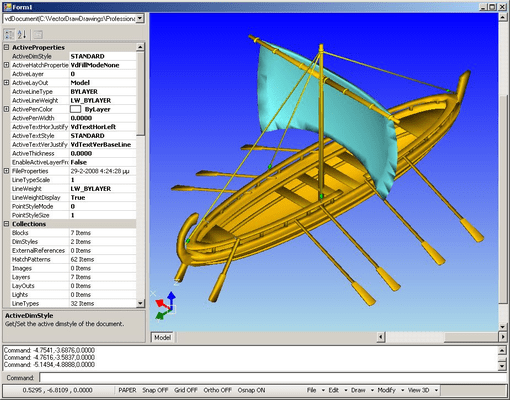
VectorDraw Developer Framework (VDF) (All in one)

Añada a su aplicación gráficos dinámicos 2D/3D.

Publicado por VectorDraw
Distribuido por ComponentSource desde 2002

Precios desde: $ 2,815.10 Versión: 12.0.01 NUEVO Actualizado: Mar 11, 2026 4.50  - Puntuación media de estrellas4.50  - Puntuación media de estrellas4.50  - Puntuación media de estrellas4.50  - Puntuación media de estrellas4.50  - Puntuación media de estrellas (9)

i

Please note that as of January 2024 VectorDraw Developers Framework (VDF), VectorDraw Web Library , VectorDraw IFC library and VectorDraw Ray Tracing Engine (vdRay) will be combined into one product called VectorDraw Developers Framework (VDF) (All in one).

Existing customers should choose the new combined product renewal when their Annual License is due for renewal.

VectorDraw Developer Framework (VDF) (All in one) 11.4.3

Released: Jun 2, 2025

Actualizaciones en 11.4.3

Características

  • WebJS
    • When calling user action 'vdcanvas.scriptCommand.polyline' users can now snap to the drawn polyline.
    • A new property TextAligment for vdcanvas.ToolTip was added. Specifies the horizontal alignment of a text string. It can be one of the following values 'center' 'left' 'right'.Default value is 'center'.
    • Improved user dynamic 3D rotation to support around Y axis rotation.
    • Added support for 'Object Snap Tracking' in web control.
  • Engine
    • Insert file as a block that references itself.
    • Added support for 'Object Snap Tracking'.
    • At very small zooms, cover faces appear to be offset to the visible side of the sectionclip. This is because VDF always draws them with a small offset to the visible side of the sectionclip in order to be visible. In version 11.4.3 the offset value set by default to 1 / 1,000,000 of the maximum of the current view drawing depth, and a new property vdDocument.GlobalRenderProperties.SectionClipEquality was exported.
    • Added support for exporting PDF in PDF/A format.

Correcciones

  • WebJS
    • Open VD's from VDF Framework Text Background Mask was not read properly.
  • Engine
    • DXF file did not open correctly frozen layer list of viewport.
    • 3D render mode light did not apply properly on BackGroundMask solid area.
    • IFC file with UNICODE characters would not open correctly.
    • BHATCH form does not keep values for angle and scale after hitting preview button.
    • Exploding viewport causes an issue with referenced entities like vdLeader.
    • Delaunay Triangulate throws an exception.