








Fournisseur officiel
Comme nous somme les distributeurs officiels et autorisés, nous vous fournissons des licences légitimes directement à partir de 200+ éditeurs de logiciels.
Voyez toutes nos marques.
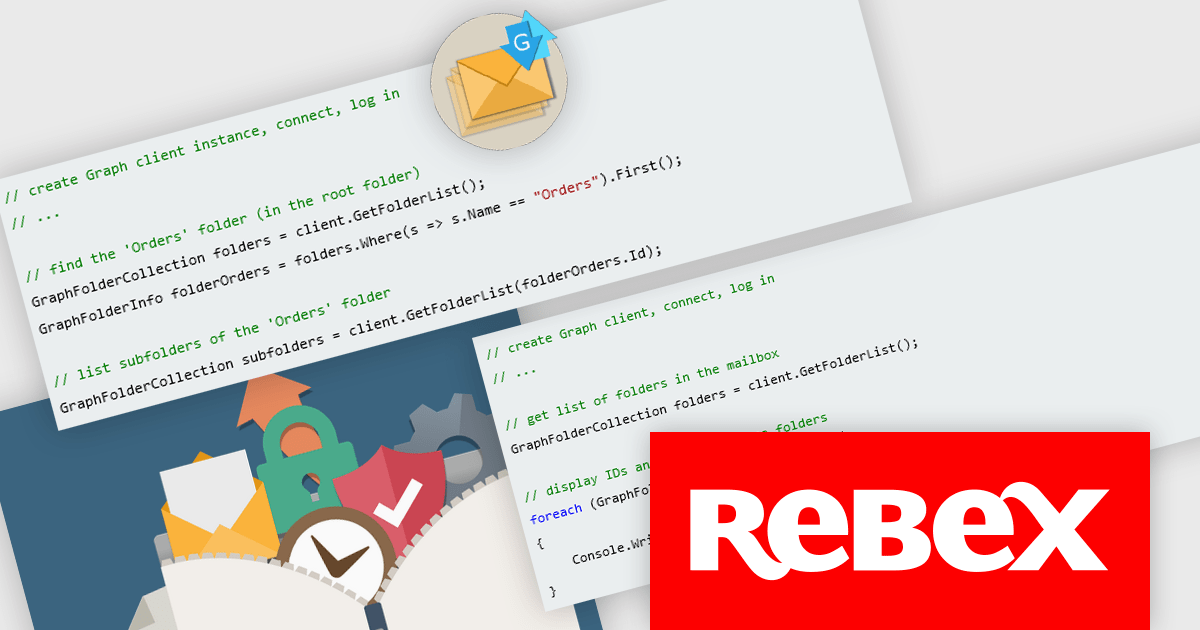
Rebex Graph is a powerful .NET library designed to simplify working with Microsoft Graph, the central API for accessing Microsoft 365 services. It streamlines interaction with Exchange Online, a core component of Microsoft 365, enabling developers to leverage functionalities like sending, receiving, listing, and searching emails directly within their applications.
The Rebex Graph 7.0.9048 release has been enhanced with the addition of CreateFolder and DeleteFolder methods, providing developers with greater control over their Microsoft Graph data structures. These new functionalities allow for the dynamic creation and removal of folders, enabling more flexible organization and management of resources. This update empowers users to structure their data more efficiently, tailoring their Graph environment to specific needs and workflows.
To see a full list of what's new in version 7.0.9048, see our release notes.
Rebex Graph is licensed per developer and is available as a Perpetual License with a 1 Year Support Contract which includes priority support and all software updates. See our Rebex Graph licensing page for full details.
Learn more on our Rebex Graph product page.

Support for JSON as a data source in .NET Blazor Grid controls allows developers to efficiently populate grid components with structured data, leveraging JSON's lightweight and easy-to-parse format. This approach enhances flexibility and scalability, as JSON is widely used for data interchange in web applications and can seamlessly integrate with various back-end services and APIs. By utilizing JSON, developers can dynamically bind data to the grid, enabling real-time updates and responsive user interactions. Moreover, JSON's hierarchical structure supports complex data representations, which simplifies the manipulation of nested objects and arrays, ultimately improving data handling within the Blazor framework.
Several .NET Blazor Grid controls offer JSON data source support including:
For an in-depth analysis of features and price, visit our comparison of NET Blazor Grid controls.

Data filtering and grouping allow spreadsheet users to efficiently organize and analyze information by categorizing and refining it. Filtering allows users to display only the data that meets specific criteria, reducing irrelevant information and focusing on key data points. Grouping, on the other hand, consolidates related rows or columns, facilitating hierarchical data organization and summarization. Together, these features enhance data manipulation capabilities by simplifying complex datasets, improving readability, and allowing for more efficient data analysis. This functionality supports productivity by providing a more structured view of data, making it easier for developers to interpret and work with extensive datasets.
Many .NET 8 WinForms spreadsheet controls contain data filtering and grouping including:
For an in-depth analysis of features and price, visit our comparison of .NET 8 WinForms spreadsheet controls.
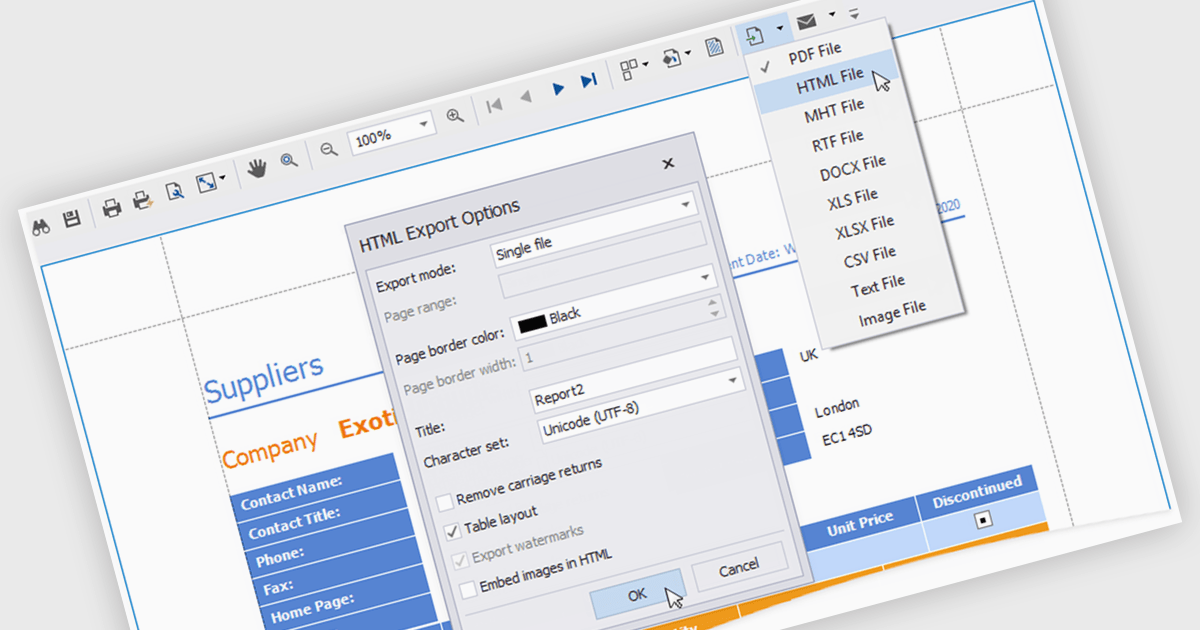
HTML export offers a versatile and accessible solution for sharing and distributing data-driven report insights. Transforming complex data into human-readable HTML format enables stakeholders to easily view, understand, and interact with reports. This functionality is particularly valuable for teams that need to collaborate on analysis or share findings with individuals who may not have access to specialized reporting tools. HTML exports can be integrated into various platforms, such as websites, emails, or shared documents, making it a convenient method for disseminating information and promoting data-driven decision-making.
Several .NET WPF reporting controls offer HTML exporting including:
For an in-depth analysis of features and price, visit our WPF Reporting controls comparison.
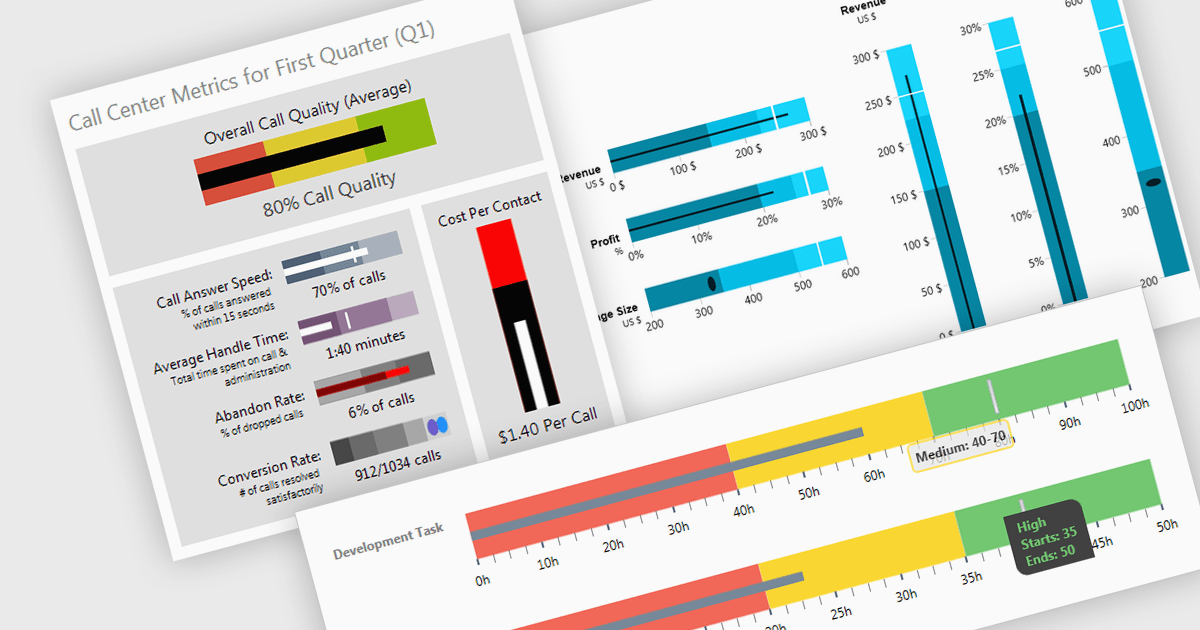
A bullet chart (or bullet graph) is a streamlined bar chart that effectively conveys key performance metrics in relation to targets. It features a single bar representing the main value, overlaid with shaded regions indicating qualitative ranges (e.g., "poor," "average," "good"), and a line marking the target. This minimalist design offers a clear, at-a-glance assessment of performance, making it well-suited for dashboards and reports where space is limited and focus on essential metrics is paramount.
Several WPF charting components support bullet graphs:
For an in-depth analysis of features and price, visit our comparison of WPF charting components.





Tél : (888) 850 9911
Fax : +1 770 250 6199


