








Fournisseur officiel
Comme nous somme les distributeurs officiels et autorisés, nous vous fournissons des licences légitimes directement à partir de 200+ éditeurs de logiciels.
Voyez toutes nos marques.
Spread.NET by MESCIUS is a powerful tool for building Excel-like applications in your .NET projects. It lets you create interactive spreadsheets, grids, dashboards, and even forms within WinForms, ASP.NET, and WPF applications. With its rich feature set, including a robust calculation engine, formula support, and Excel compatibility, Spread.NET empowers developers to build data analysis tools, budgeting apps, scientific dashboards, and more, all within the familiar .NET environment.
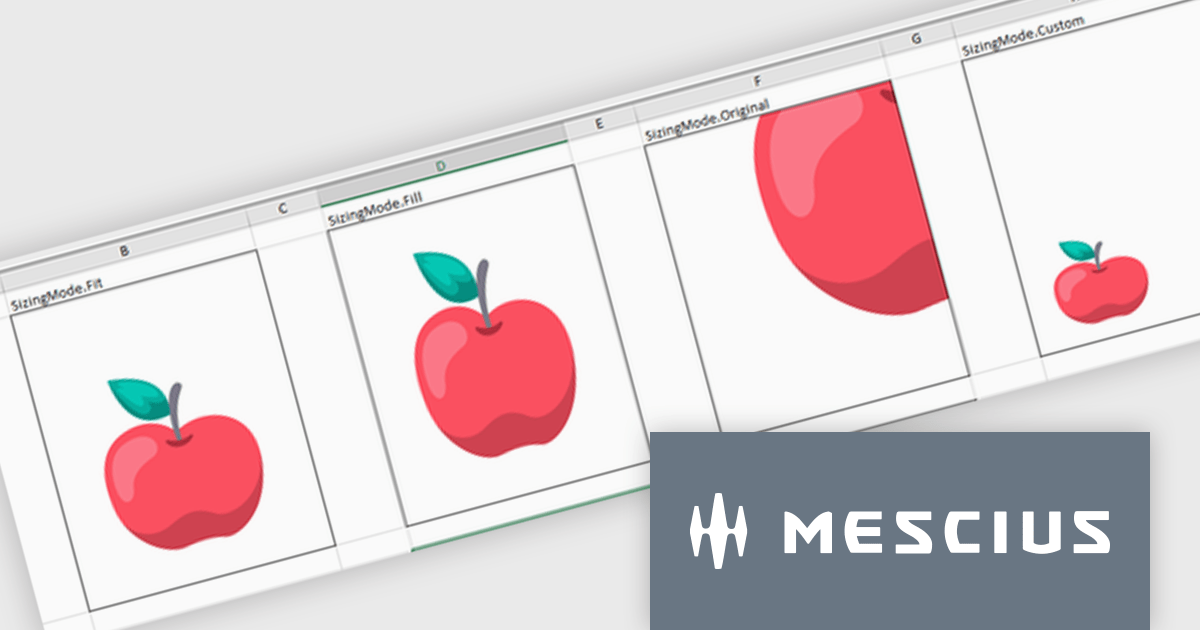
The Spread.NET v17.2 release introduces greater cell image versatility and customization. With four new distinct sizing options—Fit, Fill, Original, and Custom—users gain precise control over how images are displayed within cells. The Fit mode maintains the image's aspect ratio while ensuring it fits within the cell, preventing distortion. The Fill option covers the entire cell, disregarding the aspect ratio for full coverage. Original preserves the image's natural size, even if it exceeds the cell's dimensions, while Custom allows users to set specific height and width parameters. These flexible sizing options enhance the presentation of images, offering tailored solutions to fit various content needs, whether it’s for data visualization, design, or reporting purposes. This feature significantly improves visual control, ensuring consistency and a professional appearance across documents.
To see a full list of what's new in v17.2, see our release notes.
Spread.NET is licensed per developer and is available as a Perpetual License with a 12 month support and maintenance subscription. We can supply any Spread.NET license including new licenses, maintenance renewals, and upgrade licenses. See our Spread.NET licensing page for full details.
For more information, visit our Spread.NET product page.
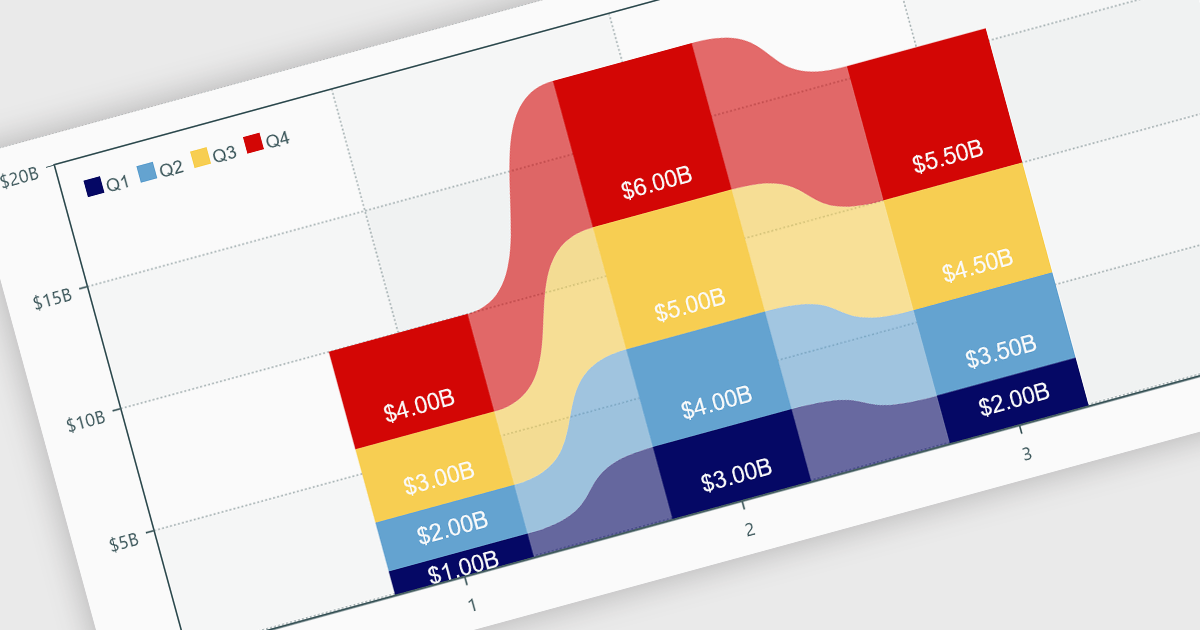
Charts within reports are graphical representations of data that allow users to visually interpret trends, comparisons, and patterns. They can take various forms, such as bar charts, line charts, or pie charts, and are typically integrated into dashboards or reporting tools to provide clear insights at a glance. By simplifying data visualization, charts enhance user experience and make it less taxing for users to understand complex information. Charts can be dynamically updated with real-time data, allowing for more responsive and insightful reporting in applications.
Several .NET WPF reporting controls offer support for charts including:
For an in-depth analysis of features and price, visit our comparison of .NET WPF Reporting controls.

jQWidgets is a comprehensive JavaScript UI framework offering a robust collection of over 60 widgets, themes, and utilities for building professional-grade, cross-platform web applications. Built on jQuery, HTML5, and CSS, it provides extensive functionality including data grids, charts, navigation, input validation, and more. jQWidgets simplifies web development, ensuring your applications work seamlessly across desktop browsers, tablets, and smartphones.
The jQWidgets v20.0.0 release introduces AI-powered sentence completion in its input component, enhancing user efficiency by suggesting autocompletions for full sentences based on context and how it has been configured.
To see a full list of what's new in v20.0.0, see our release notes.
jQWidgets is licensed per developer and is available as a Perpetual license 1 year support and maintenance. See our jQWidgets licensing page for full details.
Learn more on our jQWidgets product page.

Syncfusion Essential Studio .NET MAUI, available as part of Syncfusion Essential Studio Enterprise, empowers developers with a comprehensive suite of native UI controls, data visualization tools, and performance optimizations for building modern, cross-platform mobile and desktop applications. This professional-grade toolkit leverages the power of C# and XAML, enabling rapid development of stunning and responsive experiences across diverse platforms.
The Syncfusion .NET MAUI 2024 Volume 3 release introduces the preview of the AI AssistView control which enhances user interaction with AI services by offering a customizable interface. Key features include support for various content types (text, images, hyperlinks, and cards), customizable control templates, selectable response suggestions for smoother conversations, and advanced styling options for request and response items. These updates streamline app development and improve user engagement.
To see a full list of what's new in 2024 Volume 3, see our release notes.
Syncfusion Essential Studio .NET MAUI is available as part of Syncfusion Essential Studio Enterprise which is licensed per developer starting with a Team License of up to five developers. It is available as a 12 Month Timed Subscription License which includes support and maintenance. See our Syncfusion Essential Studio Enterprise licensing page for full details.
Learn more on our Syncfusion Essential Studio .NET MAUI product page.
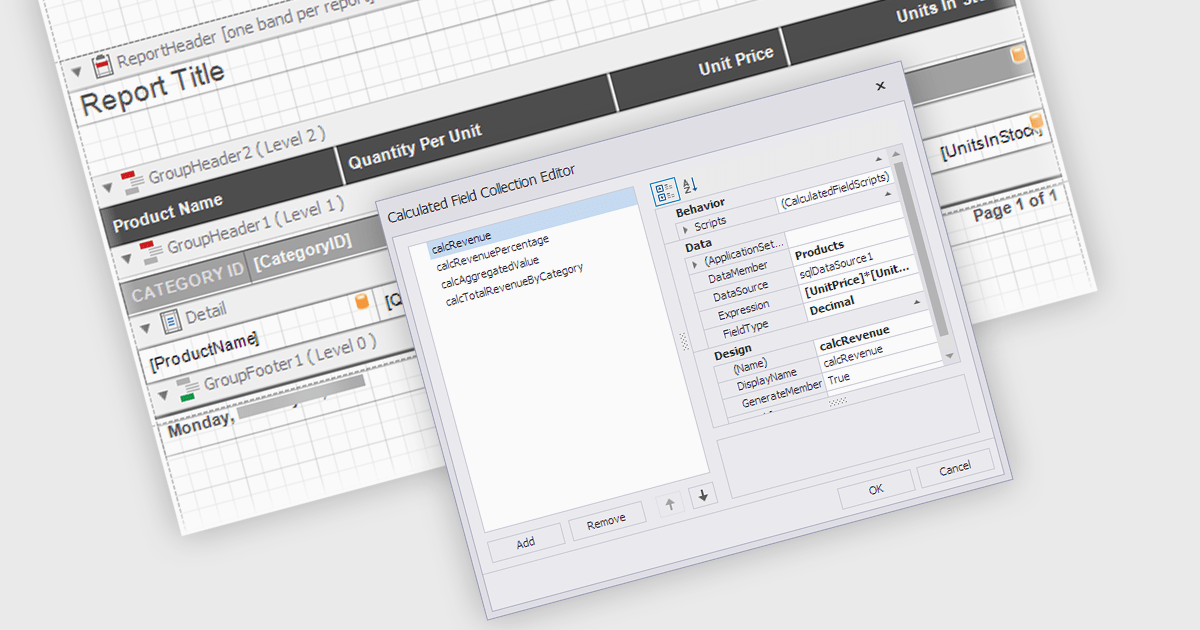
Calculated Fields in .NET WPF Reporting controls enable developers to dynamically compute values based on data from the report's dataset. These fields are not part of the original data source but are created by applying expressions, functions, or formulas to existing data. By leveraging calculated fields, developers can customize reports with real-time data manipulation, allowing for more sophisticated analysis and presentation without altering the underlying data model. The key benefits include reducing the need for external data processing, improving performance by handling computations within the report, and offering more flexibility in how data is displayed and interpreted.
Several .NET WPF reporting controls offer calculated field functionality including:
For an in-depth analysis of features and price, visit our comparison of .NET WPF Reporting controls.





Tél : (888) 850 9911
Fax : +1 770 250 6199


