








Fournisseur officiel
Comme nous somme les distributeurs officiels et autorisés, nous vous fournissons des licences légitimes directement à partir de 200+ éditeurs de logiciels.
Voyez toutes nos marques.
PDF viewer components with PDF reading and writing capabilities can greatly enhance modern web applications, enabling seamless interaction with documents directly within the browser. These components commonly allow users to view, edit, annotate, and export PDF files without relying on external software, streamlining document management. By leveraging the power of web technologies, they offer a versatile and efficient solution for integrating PDF workflows into web applications, enhancing productivity and improving the user experience in industries where PDF handling is critical.
Common features include:
For an in-depth analysis of features and price, visit our JavaScript / HTML5 PDF Viewer components comparison.
DevExpress .NET MAUI is a comprehensive suite of high-performance UI components designed for building modern, native cross-platform applications on iOS and Android using .NET Multi-platform App UI (MAUI). It includes a wide range of tools such as advanced data grids, interactive charts, responsive data editors, and seamless PDF controls, all crafted to deliver a polished and professional user experience. With its optimized performance and extensive customization options, DevExpress .NET MAUI help developers create feature-rich applications that cater to diverse use cases, from enterprise data visualization tools to consumer-facing apps. By reducing development complexity and offering ready-to-use components, it accelerates project timelines and ensures robust, visually appealing mobile solutions.
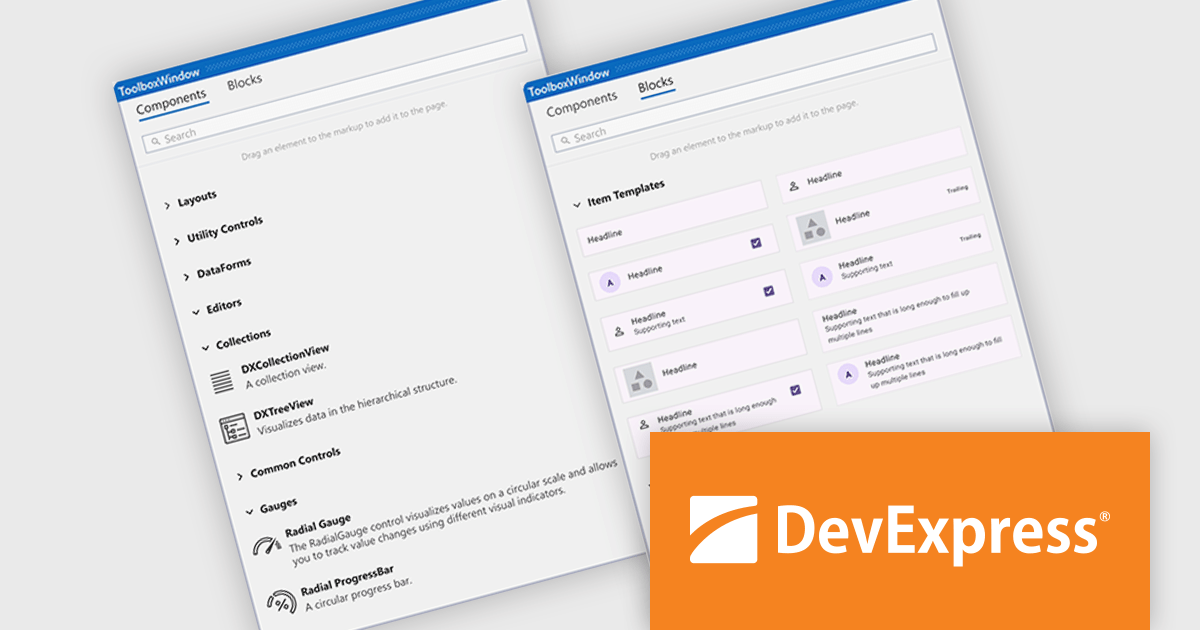
The DevExpress .NET MAUI v24.2 update introduces new building blocks designed to accelerate UI development by providing preconfigured components such as collection item templates, predefined cards, gauges, and form elements. These ready-to-use building blocks simplify the creation of views by eliminating repetitive setup tasks and automatically integrating necessary NuGet packages, namespaces, and control initializers. These components can be used as-is or customize them to meet specific application requirements, ensuring both speed and flexibility. This update streamlines the development process, reduces time-to-market, and enhances productivity by enabling developers to focus on building application-specific functionality.
For a full list of what's new in version 24.2, see our release notes.
DevExpress .NET MAUI is included with DevExpress Universal, which is licensed per developer. This license includes a 12-month subscription for technical support and updates, providing full support for all included components, including .NET MAUI. See our DevExpress Universal licensing page for full details.
DevExpress .NET MAUI is available as part of DevExpress Universal.
Stimulsoft Dashboards.WEB is a versatile suite of tools for crafting interactive data visualizations for web and desktop applications. It empowers developers to embed intuitive dashboards across various platforms, using the platform-specific components or a centralized cloud designer. With rich data analysis elements, extensive customization options, and pre-built templates, Stimulsoft Dashboards helps you transform complex data into clear, actionable insights for any audience.
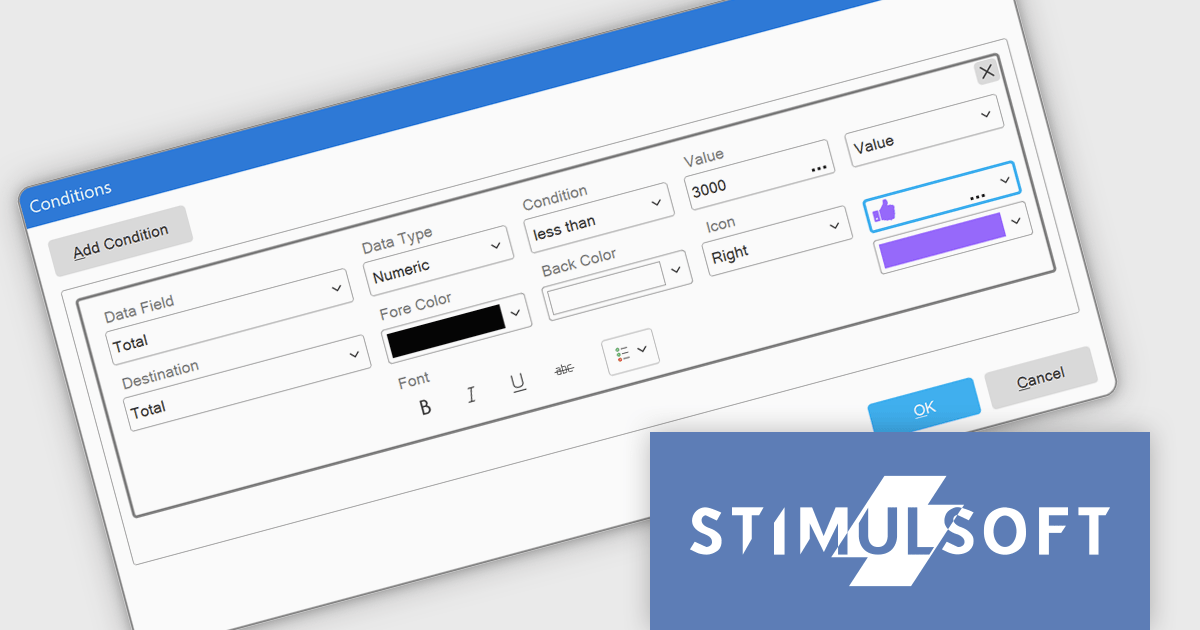
The Stimulsoft Dashboards.WEB 2025.1.1 update introduces the ability to apply visual indicators in conditional formatting for table elements, providing users with a powerful tool to enhance data visualization. This feature allows icons or custom uploaded images to be dynamically applied to table cells based on predefined conditions, enabling more precise and intuitive representation of data. By integrating this functionality, developers can create dashboards that effectively highlight critical information, improve data readability, and deliver a more engaging user experience, all while maintaining flexibility for customization and alignment with specific project needs.
To see a full list of what's new in 2025.1.1, see our release notes.
Stimulsoft Dashboards.WEB is licensed per developer and is available as a perpetual license with 1 year support and maintenance. See our Stimulsoft Dashboards.WEB licensing page for full details.
Stimulsoft Dashboards.WEB is available individually or as part of Stimulsoft Ultimate.
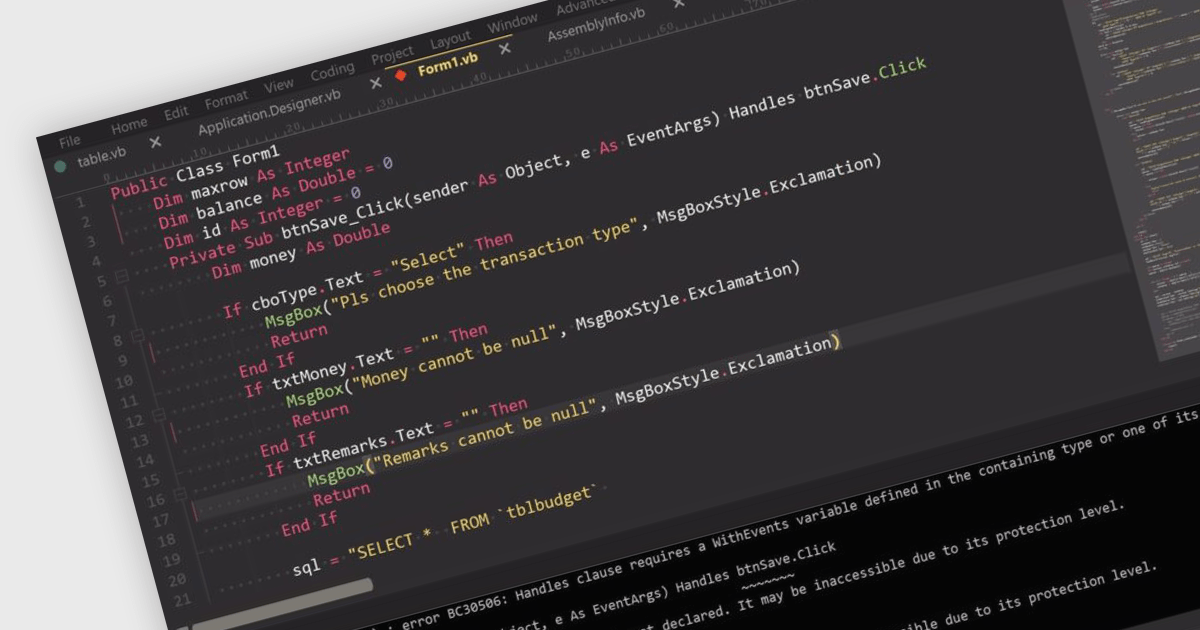
Visual Basic .NET (VB.NET) is a versatile programming language supported by popular Integrated Development Environments (IDEs) that enhance productivity with features like syntax highlighting, IntelliSense, debugging, and version control. Seamlessly integrated with the .NET framework, VB.NET is ideal for developing desktop software, web services, and cloud solutions. While less popular than modern languages like C#, Python, or JavaScript, it remains valuable in niches such as legacy application maintenance and in organizations invested in the .NET ecosystem. Its simplicity and ease of learning make it appealing for rapid prototyping and for developers transitioning from older Visual Basic versions. Migrating Visual Basic (VB) applications to VB.NET modernizes codebases, adding object-oriented capabilities, improved error handling, and access to advanced .NET libraries. This enhances performance, security, scalability, and compatibility with modern systems. Typical use cases include updating enterprise software, modernizing desktop applications with Windows Forms or WPF, and integrating legacy systems with web or cloud services, ensuring applications remain functional and future-ready.
Several integrated development environments (IDEs) offer Visual Basic .NET support, including:
For an in-depth analysis of features and price, visit our comparison of IDEs.

MDB Pro Vue by MDBootstrap is a premium front-end UI toolkit designed for Vue.js, offering a comprehensive collection of over 5,000 components, templates and plug-ins such as charts and advanced forms, to create responsive and visually appealing interfaces. With built-in design consistency, customization options, and seamless integration with Vue.js, MDB Pro Vue enables developers to build professional-grade web applications efficiently. Ideal for e-commerce sites, dashboards, and corporate projects, it empowers teams to enhance user experience while saving time and development costs.
MDB Pro Vue provides responsive, interactive, and customizable charts, enabling effective data visualization across various use cases. It offers an extensive range of chart types to suit diverse requirements, including bar and line charts for trends, pie and donut charts for proportions, polar area charts for variations in magnitude, and radar charts for multivariate data. Bubble charts add depth with size-based values, while scatter plots visualize data relationships. Fully customizable with options for colors, labels, tooltips, and animations, these charts integrate seamlessly into any design. Ideal for dashboards, analytics tools, and reporting interfaces, they deliver a polished, engaging user experience.
MDB Pro Vue is licensed per developer, per project/domain with packages for individual developers, development teams and Enterprises. See our MDB Pro Vue licensing page for full details.
MDB Pro Vue is available individually or as part of MDB Pro Bundle.





Tél : (888) 850 9911
Fax : +1 770 250 6199


