








Fournisseur officiel
Comme nous somme les distributeurs officiels et autorisés, nous vous fournissons des licences légitimes directement à partir de 200+ éditeurs de logiciels.
Voyez toutes nos marques.
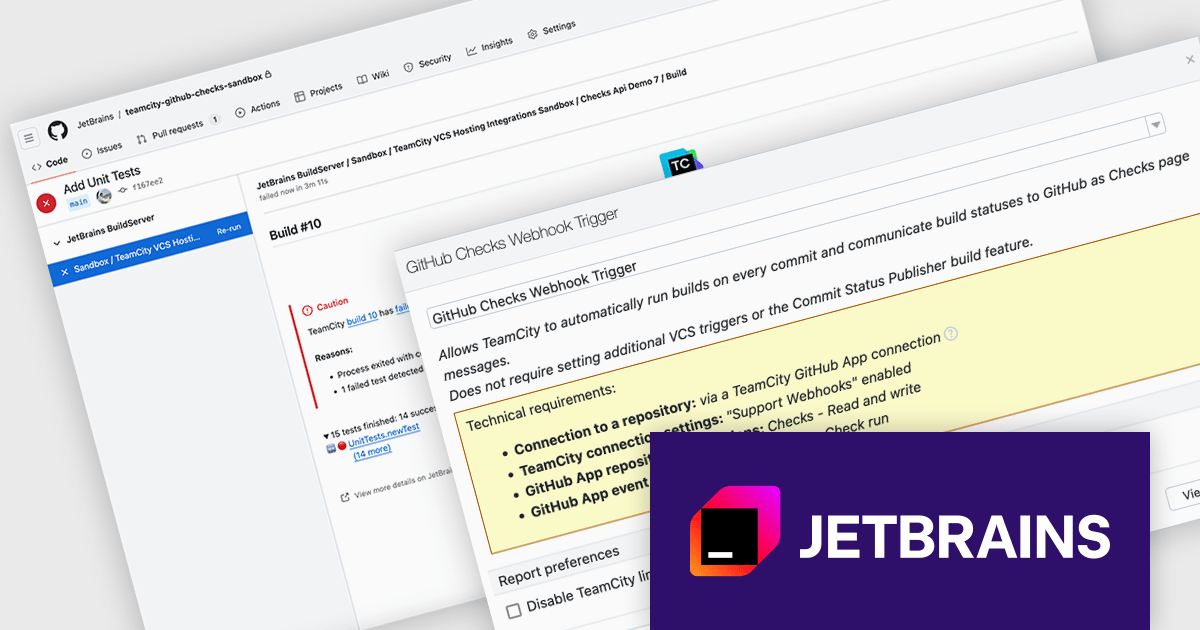
TeamCity by JetBrains is a continuous integration (CI) server that streamlines your software development workflow. It automates builds and tests upon code commits, allowing you to identify and fix integration issues early in the development cycle. TeamCity offers a user-friendly interface for configuration and integrates with popular IDEs, promoting efficient collaboration and improved code quality.
Version 2024.07 adds a new GitHub Checks webhook trigger that enhances your development workflow by establishing a direct link between your Git commits and CI builds. When you push a commit to GitHub, TeamCity will automatically queue a build thanks to the webhook. This eliminates the need for manual intervention and ensures immediate feedback. TeamCity will also publish the build status and details directly as GitHub checks, providing clear visibility into the build process. This streamlines communication and aids in faster troubleshooting.
To see a full list of what's new in version 2024.07, see our TeamCity Cloud release notes or TeamCity On-Premises release notes.
TeamCity Cloud is licensed per committer, and is available as a commercial annual license. See our TeamCity Cloud licensing page for full details.
TeamCity On-Premises is licensed per server and per build agent, and is available as a commercial perpetual license. See our TeamCity On-Premises licensing page for full details.
For more information, visit our TeamCity On-Premises or TeamCity Cloud product pages.
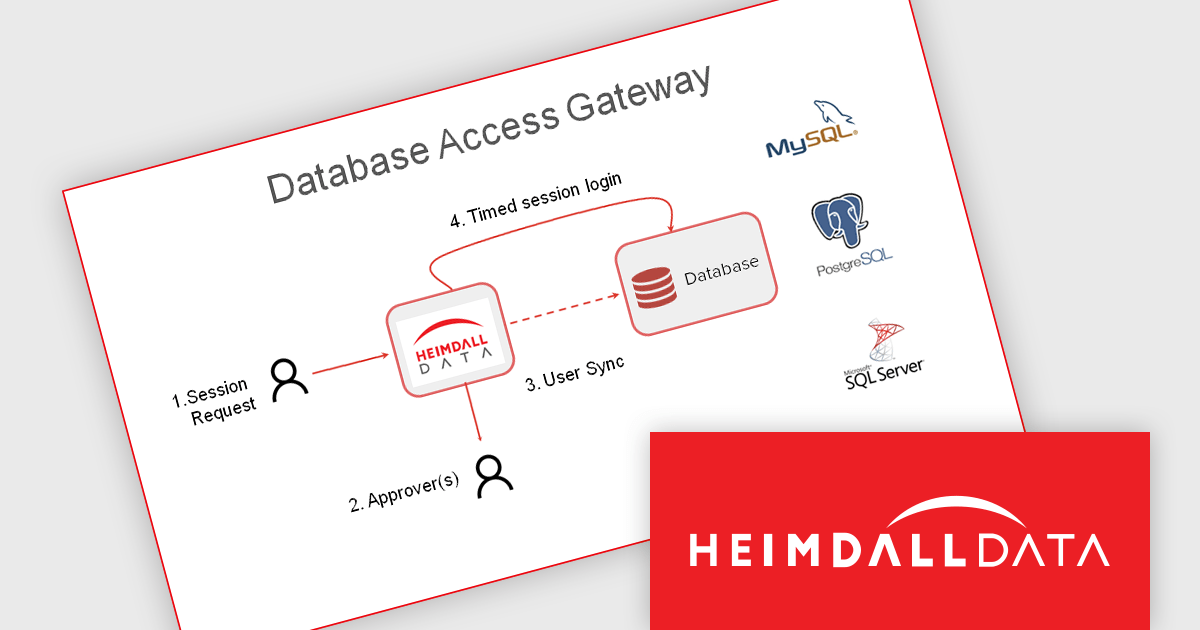
Heimdall Database Access Gateway integrates your existing ID management solution with databases to comply with data security regulations. It ensures user credentials authenticate against Active Directory / LDAP as a single source of truth.
Why Use Heimdall Database Access Gateway?
Organizations are mandated to demonstrate sensitive data is secured via SOX, SoD, SOC 2, GDPR, HIPPA, FINRA, or ISO/IEC 27001. Managing roles on the database is resource intensive, and most cloud deployments do not integrate with Enterprise Identity and Access Management (IAM) Solutions such as Kerberos. The Heimdall Database Access Gateway simplifies data access management and ensures compliance by providing:
Heimdall Database Access Gateway is licensed per user on an annual subscription basis. See our Heimdall Database Access Gateway licensing page for full details.
Learn more on our Heimdall Database Access Gateway product page.
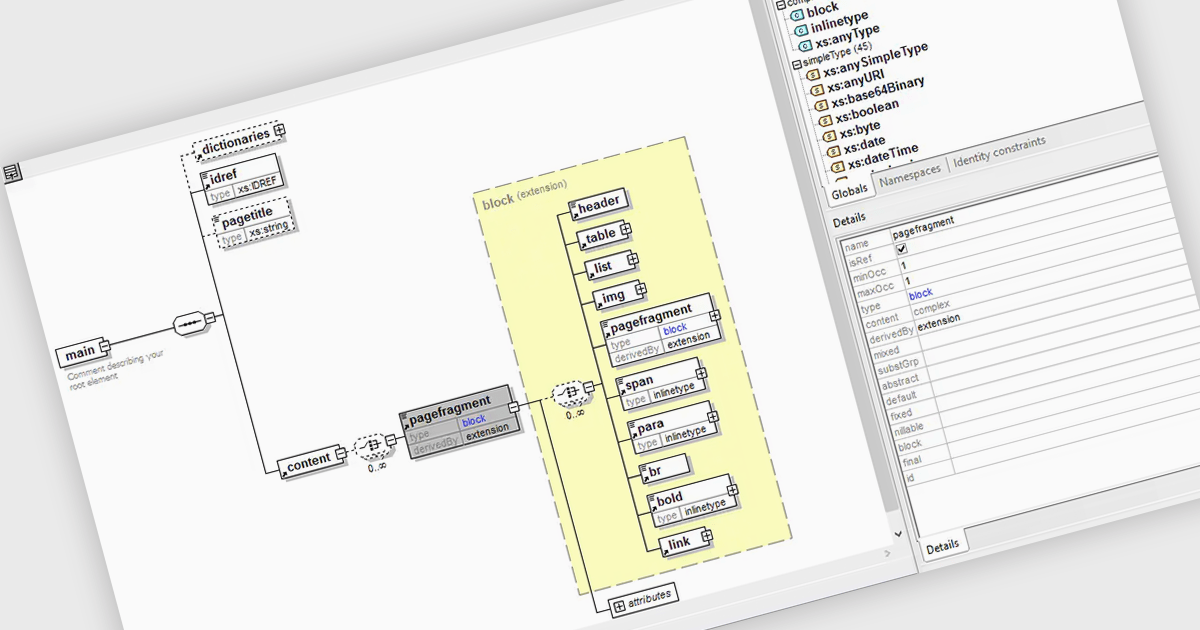
An XML schema editor is a specialized development tool that simplifies the creation and editing of XML schemas (XSDs). These schemas define the structure and validity rules for XML documents, ensuring data consistency within your application. By providing features like code completion, syntax highlighting, and visual representations of the schema structure, XML schema editors can significantly improve developer productivity and reduce errors during schema creation.
Several structured document tools include an XML schema editor, including:
For an in-depth analysis of features and price, visit our structured document tools comparison.

Wijmo by MESCIUS is a comprehensive JavaScript library offering a suite of high-performance UI components and data grids specifically designed to streamline the development of modern enterprise applications. It emphasizes reduced development time and improved maintainability, along with a focus on performance through its efficient design and small module size. Wijmo integrates seamlessly with popular JavaScript frameworks like Angular, React, and Vue.js, and supports cutting-edge technologies like TypeScript, making it a versatile solution for building complex web applications.
The Wijmo 2024 v1 (Build 5.20241.19) update introduces full support for Angular 18. The latest Angular release prioritizes application performance with several key advancements. Build times are reduced through an enhanced optimizer and differential loading. Streamlined code splitting and lazy loading techniques ensure modules are loaded only when needed. Zoneless change detection, powered by signals, replaces the Zone.js dependency, offering a lighter-weight and more efficient approach to managing state updates. These optimizations combine to deliver faster load times and a smoother user experience. Wijmo’s support for Angular 18 means that it can take advantage of these enhancements, resulting in more performant web apps.
Wijmo is licensed per developer. Developer Licenses are perpetual and include 1 year Subscription which provides upgrades, including bug fixes and new features. See our Wijmo licensing page for full details.
Learn more on our Wijmo product page.
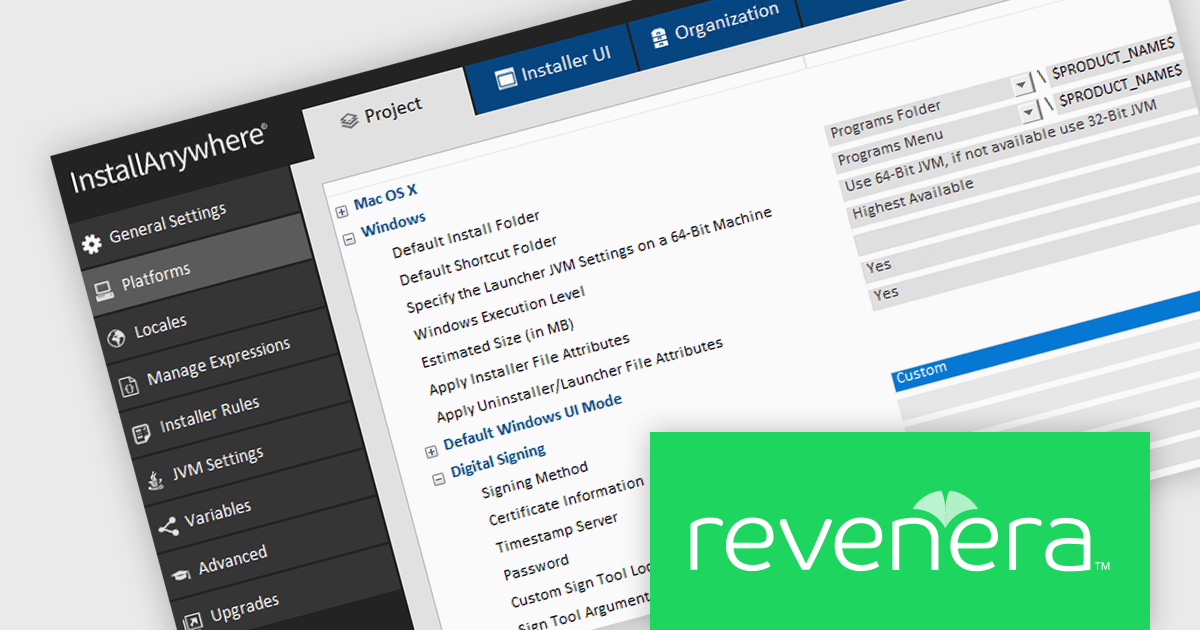
InstallAnywhere by Revenera, is software designed to streamline the creation of professional multi-platform installers. As a developer, it allows you to build reliable installations for various environments, including physical, virtual, and cloud deployments. This includes on-premise platforms like Windows, Linux and macOS, along with packaging for Docker containers. InstallAnywhere empowers you to create a consistent user experience across these platforms with a user-friendly interface and advanced features for customization.
The InstallAnywhere 2024 R1 release expands your signing options with a new Custom Signing feature. This allows you to avoid built-in signing methods and integrate your own preferred third-party signing solution during the build process. This is ideal if your organization already has a trusted signing solution in place, or if you have specific signing requirements that are not met by the standard InstallAnywhere options. With Custom Signing, you can digitally sign all your Windows Installer files, including the main installer (.exe), launcher, and uninstaller launcher, using your chosen signing tool. This streamlines your workflow and ensures your installers are signed with the appropriate credentials for your organization.
To see a full list of what's new in version 2024 R1, see our release notes.
InstallAnywhere is licensed per user and is available as a three year timed subscription. See our InstallAnywhere licensing page for full details.
For more information, visit our InstallAnywhere product page.





Tél : (888) 850 9911
Fax : +1 770 250 6199


