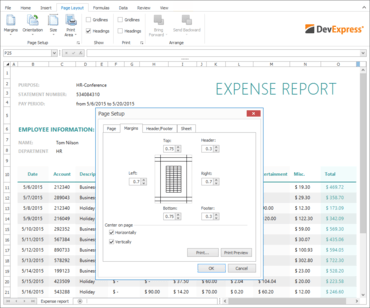
DevExpress WinForms 16.1.7

Améliore la suite XtraBars, la bibliothèque XtraEditors, la suite XtraGridet le contrôle XtraRichEdit.
Octobre 13, 2016
Nouvelle Version

Fonctionnalités

  • XtraBars Suite - RibbonForm - Enable the full-screen mode in code.
  • XtraEditors Library - SplitContainerControl - Add methods to save and restore a layout.
  • XtraGrid Suite - TileView - Add the capability to change control appearance.
  • XtraRichEdit - Provides a built-in capability to copy values of the Document.DefaultCharacterProperties and Document.DefaultParagraphProperties properties.

Correctifs

XtraBars Suite

  • An exception is raised if RibbonForm is shown in a non UI thread and BackStageView is going to be shown.
  • "Object reference not set to an instance of an object" exception is thrown in the BarEditItemLink.GetToolTipInfo method.
  • A memory leak connected with the BarManager.onLoadForm field.
  • AccordionControl - Changing appearance properties of a single element leads to performance issues on repainting.
  • AccordionControl - The SelectedElementChanged event is not fired when the control is minimized.
  • Docking - Docking a panel from a floating container with 2 panels to TabbedView makes the second panel unusable.
  • DockManager - A float panel is moved to the main screen from the second one when the maximized panel container is destroyed.
  • DocumentManager - An exception is thrown when changing a layout of documents by using the designer.
  • DocumentManager - Documents without content are created when docking a tabbed container of DockPanels as tabbed documents.
  • DocumentManager - NullReferenceException is thrown in the DocumentManager.QueueSelectNextControlCore method.
  • DocumentManager - RibbonForm that was shown in a MDI mode shows empty groups after being closed.
  • DocumentManager - Switching from TabbedView to NativeMdiView is flickering.
  • GalleryControl - Multiple item selection performance is slow.
  • It's impossible to resize a RibbonsForm using its shadow on touch devices if the Office 2013 skin is applied.
  • NavigationFrame - NullReferenceException is thrown when the AllowTransitionAnimation option is enabled.
  • NullReferenceException occurs when a float panel is being dragged.
  • OfficeNavigationBar - Navigation link image is not updated when the image of the linked NavBarControl group's is modified.
  • Ribbon - Merged pages of MDI child windows disappear when a ribbon is minimized.
  • RibbonControl - NullReferenceException is thrown in the RibbonItemViewInfoCalculator.DrawItem method when switching documents by using CTRL+TAB.
  • RibbonControl - The menu disappears when a child form becomes inactive.
  • RibbonControl is not completely drawn in MDI children when making them floating if Office 2016 skins are used.
  • Setting the RibbonControl.DrawGroupCaptions property to False does not have any effect when the RibbonControl is minimized.
  • TabbedView - An error occurs when the CreateNewDocumentGroup method is called.
  • The BarCheckItem image is scaled when High DPI is used.
  • The NullReferenceException occurs when the application menu is shown using the keytip.
  • The RibbonControl.SaveLayoutToXml method changes captions of custom RibbonPageGroups.
  • TileNavPane - No property to control whether images have to be scaled.
  • WaitForm is shown behind a BackStageView when the RibbonControl.RibbonStyle property is set to Office2013.
  • XtraForm - The form is unaccessible after closing the BackStageViewControl if the form's FormBorderStyle property was set to FormBorderStyle.None.

XtraCharts Suite

  • A Crosshair displays DateTime arguments with different formats when ChartControl is bound to PivotGrid.
  • Bar series is drawn on an incorrect position and overlaps other bars if the series order has been changed at runtime.
  • Bubble Series - The Series.SeriesPointSorting property is not effective (SeriesPointsSortingKey = Value_2).
  • Chart Control incorrectly aggregates data If GridAllignment and MeasureUnit are set to Week.
  • Chart Designer - The AppearanceName property does not provide a combo box selector to select from available appearance types.
  • Common axis properties are not preserved after changing the Series view type at runtime.
  • Documentation - The default SeriesBase.LabelsVisibility property behavior is described incorrectly.
  • Documentation - ValueAsDuration formatting options are not described.
  • Enabling the ChartControl.CacheToMemory option causes incorrect "Empty Chart" text rendering.
  • End-User Report Designer - The View.MarkerVisibility item is displayed twice in the Series property grid in the Chart Designer.
  • Memory consumption is constantly increasing when refreshing the ChartControl on the minimized form.
  • The crosshair cursor labels are shown incorrectly for the Stacked Line series if the CrosshairLabelMode property is set to ShowForEachSeries or ShowForNearestSeries.
  • Unhandled error occurs when restoring a chart layout from a file in certain situations.
  • Unhandled exception occurs when adding the Text Annotation element at runtime in certain situations.

XtraDiagram

  • DiagramControl doesn't create a ribbon menu in the second tab when the first tab already contains it.
  • The scroll speed in DiagramControl decreases when the document is zoomed out.

XtraEditors Library

  • BreadCrumbEdit - The separator image is invisible when the Sharp skin is applied.
  • DateEdit - A today cell is invisible when the HighlightTodayCell property is set to false and the Money Twins skin paint scheme is used.
  • DateEdit - Clicking a day in the calendar triggers the Form.Deactivate event.
  • DateTime - StringId.FilterCriteriaToStringFunctionIsOutlookInterval~ strings are incorrectly translated into German.
  • FilterEditorControl - ArgumentOutOfRangeException and NullReferenceException may occur under certain circumstances.
  • ImageCollection - Provide the capability to use the IsDPIAware feature when using a referenced assembly.
  • InvalidOperationException is thrown when calling the CheckedListBoxControl.InvertCheckState method if items are sorted.
  • It is impossible to change the MinValue and MaxValue property values in an in-place DateEdit.
  • LookUpEdit - The GetDisplayValueByMultipleKeyValues method throws the "Destination array was not long enough" exception.
  • SimpleButton - Settings of the AppearancePressed.Font property are ignored.
  • The "Segoe MDL2 Assets" font name is not shown in the FontEdit's dropdown list .
  • The EditorButton does not raise the Click event when the corresponding editor is used in BarEditItem.
  • ToolTipController - The interaction of the AutoPopDelay and CloseOnCLick properties.
  • TrackBarControl - InvalidCastException is thrown for DBNull.Value.
  • TreeListLookupEdit - The focused node is selected if the popup window was closed by clicking the editor.
  • XtraEditors - EditorButton's images are always taken from the default skin.

XtraGauges Suite

  • A tickmark shape is disaligned after modifying the ShapeScale property.
  • LinearGauge is not updated if the Logarithmic property is turned on.
  • Tickmarks are shown at incorrect positions if an unproportional ShapeScale is set.

XtraGrid Suite

  • WinExplorerView - ItemDoubleClicked does not fire on a click by a non-editable field.
  • Data Grid - GridView is not scrolled to the first row if the embedded navigator's First button is clicked or the Ctrl+Home key combination is pressed.
  • Documentation says that the OptionsLayoutGrid.FullLayout property returns OptionsLayoutGrid.
  • EntityInstantFeedbackSource - LocateByValue fails when data is grouped by date column.
  • Grid - Long text is displayed in a single line and trimmed when the MemoEdit is used and the RTL is enabled.
  • Grid Printing - Long text is displayed in a single line and trimmed when MemoEdit is used and RTL is enabled.
  • GridControl - If you set the FocusedRowHandle property to AutoFilterRowHandle, it stays with this value even if the GridView.OptionsView.ShowAutoFilterRow property is set to false.
  • GridControl - NullReferenceException is thrown in the ColumnView.CanIncrementalSearch method after pressing ESC if a built-in CheckBox column is destroyed and no focusable columns exist.
  • GridControl - The built-in PrintPreview does not match the original layout when the RightToLeft setting is enabled.
  • Possible cross-thread collisions in the GridPainter class.
  • WinExplorerView - An item is not hot-tracked after re-setting a data source.
  • WinExplorerView - Changes made in an object implementing the INotifyPropertyChanged interface don't let the view refresh.
  • WinExplorerView - Items are re-arranged while scrolling.
  • WinExplorerView - Marquee selection doesn't disappear when ItemSelectionMode is Press.
  • WinExplorerView - Several items can be selected when OptionsSelection.MultiSelect = false.
  • WinExplorerView - Wrong selection appears when multiple items are selected with the CTRL key.

XtraLayout Suite

  • DataLayoutControl - The ResourceType attribute is not applied when the AutoGenerateField property is set to false.
  • LayoutControl - A LayoutGroupHitInfo object does not provide information that a caption image is clicked.
  • LayoutControl - A row cannot be moved to another location in Table Layout Mode.
  • LayoutControl - Custom header buttons stay focused on mouse hovering.
  • LayoutControl - Layout items are not removed when a parent column is removed in Table Layout Mode.
  • XtraLayout - A Layout item is missing after a form with the Table Layout is reopened.
  • XtraLayout - Wrong HitInfo calculation in a Table group.

XtraMap

  • Exception is raised on loading KML file if it contains HTTP links and Internet connection is unavailable.
  • It is impossible to use the Search and Route data providers created from background threads.
  • The DoDragDrop method breaks scrolling by the mouse feature.

XtraNavBar

  • NavBarControl - Groups are not selectable when NavBarControl in the NavigationPane style is used with OfficeNavigationBar.

XtraPivotGrid Suite

  • OutOfMemoryException is raised on selecting a large number of cells.
  • The PivotGridField.CollapseValue method does not work with XtraPivotGridOthersValue.

XtraPrinting Library

  • CreateDocument hangs when printing a text and image link with the BreakSpace set in the CompositeLink.
  • Documentation - It should be specified that the LinkBase.ExportToXlsx method does not take into account the XlsxExportOptionsEx class settings.
  • NullReferenceException when exporting reports to XLS or XLSX.

XtraReports Suite

  • "Report scripts were found in the application while the script execution is denied." error is thrown in the Visual Studio XtraReport designer when an XtraReport with scripts is previewed in a Web Application.
  • A report field list does not contain all fields from the dataset in 16.1.4.
  • Aggregated functions in a report's Calculated Fields are not working for collections when EFDataSource is used.
  • ASPxReportDesigner - It is impossible to copy/paste cross-band controls.
  • Automatic Drill-Down Report - Some unexpected detail items are getting expanded.
  • Boolean parameter values aren't localized in the Document Viewer.
  • Calculated fields - The currently processed data record is not recognized by a custom field name supplied through the IDisplayNameProvider interface implementation.
  • Cannot use data sources that implement both IListSource and IList without duplicate entries in DataSource pickers.
  • Custom report storage - The report designer tab caption is not updated when the XtraReport.DisplayName is changed in the Save method.
  • Data aware controls in Sub-Band - Data source settings are occasionally lost.
  • Documentation - The code provided in the BookmarkNode help topic contains obsolete member calls.
  • DocumentPreviewControl - Cannot suppress the export dialog using the PrintPreviewOptions.ShowOptionsBeforeExport option.
  • End-User Report Designer - A red cross appears on removing a cell from Report Explorer if its editor is active.
  • End-User Report Designer - A tooltip is shown over XRShape even if the LockedInUserDesigner option is enabled.
  • End-User Report Designer - NullReferenceException is thrown when the designer is closed.
  • End-User Report Designer - The "Format String Editor" window for the XRLabel control has an incorrect caption.
  • End-User Report Designer - The Custom Totals dialog for XRPivotGridField has an incorrect caption.
  • End-User Report Designer - The Up and Down buttons are always enabled in the Custom Totals dialog for XRPivotGridField.
  • End-User Report Designer - Toolbox is not reset after closing a floating tab.
  • End-User Report Designer: Picture Box image alignment is set only when the corresponding property editor is closed.
  • Field List - Item captions are truncated under certain circumstances.
  • Formatting Rule Sheet Editor - Formatting rules with private modifiers aren't displayed in the Report Explorer panel of an inherited report.
  • GroupHeader is not repeated on every page when a report operates in DownThenAccross multi-column mode.
  • IMenuCreationService - A custom menu item is shown twice under certain circumstances.
  • Invisible subreports are not shrunk with XRSubreport.CanShrink = True.
  • PrintableComponentContainer - The Default PrintMode is treated as AsImage when the control is in a sub-band.
  • Removed report components remain to be accessible by the ReportDesigner.
  • ReportDesigner - No dynamic properties are exposed by the ReportDesigner.
  • RTF text lines are incorrectly split between pages.
  • Serialization - XRSerializationException is thrown on an attempt to load a report when a machine with the touch display and Windows 10 Anniversary Update is used.
  • The Report Template Editor throws "Unable to read Report Layout from current file" exception on on attempt to open a report definition file with a serialized EFDataSource instance.
  • Web End-User Designer - Particular PageBreak enumeration options are not displayed.
  • XRLine - It is possible to set LineWidth to 0.
  • XRPivotGrid designer's fields are empty until preview.
  • XRRichText - The RTF content is displayed incorrectly in XtraReport.
  • XtraReports - Creation of a document hangs when the MapControl is printed with the help of the PrintableComponentContainer.
  • XtraReports - It is not possible to use a few controls for the drilldown.

XtraRichEdit

  • A broken image is created when exporting a document to a multi-page Tiff image using the Print Preview window.
  • A table cell is resizable if the row's HeightType property value is set to HeightType.Exact.
  • Additional line breaks are added for numbered list items.
  • All bookmarks are removed from the document after the document loading if the Bookmarks.ConfliftNameResoltion option is set to ConflictNameAction.Skip .
  • Buttons located on the bottom of the "Spelling Options" form are cut when the form's font size and scaling factor for the touch UI mode are large.
  • If the context menu was invoked on a right click in the document field's start position, the caret position is located inside the field result after the context menu is closed.
  • NullReferenceException is raised on an attempt to show the "Language" dialog after selecting several paragraphs in a document.
  • Remove a hyphen from the Normal style name displayed in the Modify Style dialog.
  • RichEditControl allows creating a style without a name in the Modify Style dialog.
  • System.FormatException occurs when exporting a specific DOC file to the DOCX format.
  • System.NullReferenceException is thrown on the field export when saving a specific DOCX file to the DOCX format.
  • Table font changes when a specific file table is copied from Word to the RichEdit control.
  • The ampersand sign located right before the "</" tag disappears after exporting an HTML document to PDF.
  • The first page header reflects the primary header's content when typing in the first page header or updating the field in the primary header.
  • The FirstPageNumber property value is not taken into account when the PAGE field is inserted into a section that is not first.
  • The RichEdit control doesn't correctly apply LineSpacingType and LineSpacing properties in a specific document.
  • The text format in the RichEdit control is incorrect when a hyperlink is pasted from an HTML document.

XtraScheduler Suite

  • "The supplied DateTime represents an invalid time." exception is thrown after switching SchedulerControl to the next month in the "E. South America Standard Time" time zone.
  • A calendar in the scheduler report doesn't display a time interval that is chosen in the 'Page Setup' dialog.
  • An application freezes on an attempt to show a Peek Form containing the scheduler with the Agenda view as an active view.
  • An application freezes on an attempt to show a Peek Form containing the scheduler with the Agenda view if mapping to the Label property is set.
  • Appointments disappear in the Timeline view when navigating by using Date Navigator.
  • Headers of ResourcesTree nodes are not synchronized with TimeLine headers under different DPI screens.
  • Selected intervals are not recalculated after the DateNavigator.DateTime property is set.
  • System.ArgumentException is thrown when maximizing a form after minimizing if the Agenda view is active and the animation is enabled.
  • System.Exception is thrown when the Scheduler layout is restored from XML.
  • The Agenda View action tooltip does not contain a period.
  • The reminder alert time is calculated incorrectly when a client time zone differs from a server one.
  • The time ruler doesn't display 15,30, and 45 minute values in the scheduler report even if the time scale is set to a time interval of 15 minutes.

XtraSpellChecker

  • Dictionaries are not loaded when the Spellchecker control is used to check spelling in the MemoExEdit control and the SpellCheckMode .AsYouType mode is active in version 15.2.11.
  • TextEdit - System.InvalidOperationException is thrown on closing an application if the SpellChecker component is assigned and the autocomplete feature is used.

XtraSpreadsheet

  • An errors occurs when opening a file with pivot tables that is re-saved with Spreadsheet in Excel.
  • Display format is calculated incorrectly for combined cell styles.
  • Formulas in the SpreadsheetControl document are re-calculated incorrectly in the "Manual + Recursive" mode.
  • Only 16384 rows are pasted into the Spreadsheet control from Excel when copying a range that contains 65536 rows and more than one column.
  • Setting the Scaling.AutoMax and Scaling.AutoMin properties to true does not result to applying "auto-scaling" to a current chart series.
  • Split positions get modified on inserting the first row/column without frozen panes.
  • SpreadsheetControl incorrectly renders Pie charts with enabled VaryColors option.
  • The CHOOSE function operates incorrectly if a cell range is used as the function parameter.
  • The column width is calculated incorrectly when printing the SpreadsheetControl document on Windows 10 OS (Version 1607).
  • The 'PivotTable Fields' dialog is not shown when inserting a pivot table if the dialog was closed before the insert the pivot table.
  • The Spreadsheet control doesn't display anything if the text is too long.
  • The Spreadsheet.OptionsBehavoir.Paste property doesn't work.
  • The System.NullReferenceException is thrown when a new row is inserted to the specific XLSX file.

XtraTreeList Suite

  • Certain nodes have a red foreground color in the resulting MS Excel file when exporting TreeList in data-aware mode.
  • TreeList - A popup window of an in-place editor is opened after three clicks in multi cell select mode even if the TreeList.OptionsBehavior.ShowEditorOnMouseUp option is enabled.
  • TreeList - Conditional Formatting Unique Rule does not work properly.
  • TreeList - InvalidCastException is thrown when filtering an unbound column and it contains error values.
  • TreeList - The "No" cursor appears when dragging multiple nodes.
  • TreeList - The DevExpress.Printing.v16.1.Core assembly is loaded if a navigation key is pressed.
  • TreeList data aware export - NullReferenceException appears if a format condition is applied.

XtraVerticalGrid Suite

  • PropertyGridControl causes an unhandled exception when using the CloseEditor method in the RepositoryItemCombobox.EditValueChanged event handler.
  • VGridControl - CategoryRow's expand/collapse icons are not shown in several skins when the TreeButtonStyle property is set to ExplorerBar.
  • VGridControl - Prevent changing of a focused record when validation is not passed.
  • VGridControl - The first record cannot be focused in the SingleRecordView mode.
DevExpress WinForms

DevExpress WinForms

Toutes les suites de composants et bibliothèques WinForms produites par DevExpress réunies dans un seul package.

Vous avez une question ?

Discutez en direct avec l'un de nos spécialiste des licences DevExpress .