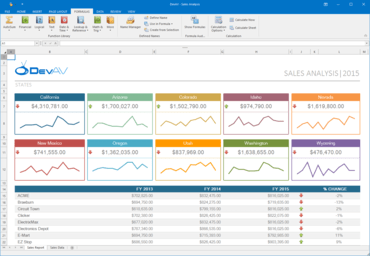
DevExpress WinForms 17.1.5

Version de maintenance incluant plusieurs corrections de bogues.
Août 3, 2017
Nouvelle Version

Correctifs

All WinForms Controls

  • Add a note in the Visual Studio Design-Time settings menu that Visual Studio restart is required.
  • SkinEditor - Auto-generated code snippets are provided for C# only without VB.NET programming language support.
  • WinForms Ribbon Customization Form crashes when the Esc key is pressed twice.

Data Access Library

  • Data Source Wizard - Parameters of CustomSqlQuery are lost when the Query Builder window is closed.
  • ObjectDataSource - The "Cannot find default constructor" error occurs on choosing certain types in the Data Source Wizard.
  • The DBCommandTimeout property value isn't taken into account if a custom implementation of the IConnectionProviderServier interface is registered.
  • The SqlDataSource.ConnectionOptions.DBCommandTimeout property is ineffective in Visual Studio Report Designer.
  • Visual Studio Report Designer - Report Wizard lacks the "Inherited Report" option.

Data-Aware Export

  • Data-aware export - A regular Random class is used instead of a trusted cryptographic random number generator in the XlsDataAwareExporter.CreateEncryptionHeader method.
  • Export to XLS - Cell formats cannot be applied via toolbar buttons in the resulting Excel file.

Scaffolding Wizards

  • Scaffolding Wizard - FileNotFoundException is thrown when connecting to Oracle.

Snap

  • InvalidCastException occurs on an attempt to convert SnList located in a table to paragraphs.
  • It is impossible to access the Chart if a field used in this Chart is missing in the data source after updating the data source schema.
  • KeyNotFoundException when setting a data source in SnapControl.
  • Snap document images are exported with the low quality.

XtraBars Suite

  • BarManager - Bar items are hardly visible in the Customization Window in particular skin paint schemes.
  • DockManager - ArgumentOutOfRangeException occurs on an attempt to undock a dock panel from a panel container.
  • DockPanel is not shown when hovering over its header in auto-hide mode when a parent form is located within an MDI child form.
  • DocumentManager - ArgumentException is thrown in the DocumentClosedContext constructor.
  • DocumentManager - Documents are not resized after the Form is maximized.
  • OfficeNavigationBar — The maximal number of visible items can be set to 0.
  • RibbonControl - A tooltip is shown at an incorrect position when the Windows taskbar is shown on the left side of the screen.
  • RibbonControl - QAT's buttons are shown in the RibbonPageCategory's header if there is no unassigned RibbonPages.
  • RibbonControl's layout gets mixed up with high DPI settings.
  • RibbonGalleryBarItem - The GalleryItem.ItemClick event isn't raised for items shown in the popup.
  • SuperToolTip is shown above the BarButtonItem if the former is located on the RibbonStatusBar and there is no enough space to display the SuperToolTip.
  • TabbedView - DocumentGroupProperties are not copied correctly in DocumentsHost mode.
  • TabbedView - The 'Float All' command makes a document floating if its AllowFloat property is disabled.
  • TabbedView - The LayoutUpgrade event is missing.
  • TabForm - Items are still visible at run time even if their visibility set to never.
  • TileBar - Animated effects are not disabled when the WindowsFormsSettings.AnimationMode property is set to DisableAll.
  • WidgetView background is changed with a delay when switching skins if the WidgetView resides on an MDI child form.

XtraCharts Suite

  • A series point Annotation created by Chart Designer at runtime disappears.
  • Chart - ArgumentOutOfRangeException is thrown when the chart is bound to BindingList and DataFilters are applied.
  • Chart Annotations are preserved, but not loaded from XML (or stream).
  • Chart Designer - It is impossible to cast an object of the ValueDataMemberCollection type to the ChartElementModel type.
  • ChartControl does not display circle markers when their size is one pixel.
  • InvalidCastException occurs on an attempt to change the TextPattern property for series labels in the Chart Designer.
  • PaletteException occurs when the layout of a chart with a custom palette is restored in certain cases.
  • SetSeriesLabel throws the "Value cannot be null" message.
  • The NullRefferenceException occurs when adding annotations to XRChart in the BoundDataChanged event handler.
  • The stackoverflow exception occurs when the XYDiagram.DiagramToPoint method is called in the XRChartControl.CustomDrawSeriesPoint event handler.
  • The XtraChart Series with empty ValueDataMembers causes an issue in v17.1+.

XtraDiagram

  • It's impossible to remove DiagramImage's padding.
  • Property attributes are not taken into account when CustomGetEditableItemProperties is raised for the second time.

XtraEditors Library

  • A value disappears from RepositoryItemTreeListLookUpEdit on losing focus if the ValueMember is empty.
  • BreadCrumdEdit - A foreground color is not applied to a node's text when the BreadCrumbMode property is set to Select.
  • CheckEdit - The check glyph isn't aligned to Top when GlyphVAlignment is set to Top with the multi-lined caption.
  • ContextButtons - The AppearanceNormal.ForeColor property doesn't change a button's color when AllowGlyphSkinning is enabled.
  • Form borders are shown when the form is hidden and the FormBorderEffect property is set to Glow.
  • PopupGalleryEdit - Setting the EditValue property to null does not clear a selected value.
  • ProgressBarControl - A progress color looks similar to a selected row background color in the Office 2016 Dark and Visual Studio 2013 Dark skin paint schemes.
  • RepositoryItemTimeSpanEdit uses a different DisplayFormat in GridView than in standalone mode.
  • TabFormControl - A tooltip is not displayed when a particular item is hovered.
  • TextEdit - The NumericMaskLogic.RefineInput method accesses the first character of the NumberFormatInfo.CurrencyGroupSeparator property even if its value is empty.
  • The AccessibleName property is not taken into account by TextEdit if the PasswordChar is set.

XtraGrid Suite

  • A view cannot be removed by pressing the Delete key in a grid designer.
  • CheckedComboBoxEdit - The Format exception occurs if a string is entered and the editor is populated using Enum.
  • CSV Export Options - The QuoteStringsWithSeparators option doesn't work.
  • Data-Aware Export - Excel's row and column limit is in effect on exporting to CSV.
  • ExcelFilter - Support parsing the Empty value filter from the Is Null filter.
  • Excel-Inspired Filter Dropdown is not shown in Spanish.
  • Grid - A master expand button is in an incorrect state after scrolling.
  • Grid - ArgumentNullException is thrown when opening the Excel Filter Popup for the second time and the 'Not Equal' operator is used.
  • Grid - Cannot scroll horizontally using the middle mouse button when ColumnAutoWidth is enabled.
  • Grid AutoFilterRow - The MinDate value appears in a DateEdit cell when clearing the filter value using Backspace.
  • GridControl - Incorrect display format for the GridStringId.MenuFooterMinFormat and GridStringId.MenuFooterMaxFormat localization strings in the pt-BR language.
  • GridControl - Rows of partially visible Detail Views are duplicated after the RefreshData method is called.
  • GridControl - The "Show Auto Filter Row" menu item is shown when the Embedded mode is used.
  • GridControl - The current AutoFilterRow criteria is not saved in the layout.
  • GridControl - The Preview Data button is not shown in the grid designer's Layout section.
  • GridControl isn't updated when the underlying source implements the INotifyPropertyChanged interface and the in-place editor is RadioGroup.
  • GridView - Auto Filter Row is not populated with filter values after restorying a layout if a grid does not have a data source at this moment.
  • GridView - Focus is moved to a previously focused row after calling the BindingSource.ResetBindings method and cancelling a filter criterion of AutoFilter.
  • GridView - InvalidCastException is thrown when showing an Excel filter popup window if RepositoryItemLookUpEdit is assigned to a column and the GridView.OptionsFilter.ColumnFilterPopupMaxRecordsCount property is set to 0.
  • GridView - Values are shown in incorrect cells for a short moment when updating data in a background thread.
  • Office365UI doesn't allow selecting a row if only one row exists.
  • Popup Menu paints white for a short time on showing when a dark skin is used.
  • ProgressBar ignores the GridView.CustomColumnDisplayText event.
  • PropertyGrid - The scroll position is not updated after hiding rows.
  • Rapidly opening and closing a form with a WinExplorerView causes an unhandled NullReferenceException.
  • RowAutoHeight ignores the UserCellPadding value.
  • The XlsExportOptionsEx.CustomizeCell event does not allow changing the display format of summaries and cell appearance simultaneously.
  • TileView - Default settings of the obsolete TileView.AppearanceGroupText property are serialized after the designer's code is re-generated if a non-default language is set for a parent form.
  • TileView - Graphical artifacts appear when using a view as a detail view.
  • WinExplorerView - Images are updated every time GridControl is resized in Content mode.
  • WinExplorerView - Tiles' tooltips are always shown with the OptionsView.Style property set to Tiles no matter whether Description's column text is fully visible or not.
  • WinExplorerView does not display data correctly when it is used as a detail view.
  • XtraGrid - Issues with caching cell information in the CustomDrawCell event.
  • XtraGrid - No RepositoryItemDateEdit is used in AutoFilterRow for a date column when AllowAutoFilterConditionChange = DefaultBoolean.False.

XtraLayout Suite

  • LayoutControl - Changing tooltip options does not update the LayoutControl.IsModified property.
  • LayoutControl - NullReferenceException is thrown on disposing of the control at design time.
  • LayoutControl uses another color when WizardControl is in AeroWizard mode.

XtraMap

  • System.InvalidCastException is thrown when printing MapControl.
  • Unhandled exception occurs when modifying the MapPolygon point coordinates in certain situations.

XtraPivotGrid Suite

  • A lot of time is required to restore a layout if the OLAP data source is used and the AutoExpandGroups Property is enabled.
  • OLAP - The Out Of Memory error when updating the Pivot Grid layout when a large hierarchy is displayed.
  • PivotGrid - Running Totals on two fields show incorrect values in server mode.
  • Scrollbars are rendered incorrectly after the control is resized in certain cases.
  • Vertical Scrolling is very slow if a lot of data is displayed.

XtraPrinting Library

  • DOCX Export - Provide the capability to export floating pictures.
  • Print Dialog - An application crashes after the "Preferences" button is clicked if no printers are installed on the machine.
  • ReportPrintTool - SavePrinterSettings doesn't save the SaveToFile and FileName options.
  • ReportPrintTool - SavePrinterSettings shouldn't save the PrintFileName if it's invalid.
  • The PrintableComponentLink.ExportToXlsx method generates an invalid output file.

XtraReports Suite

  • A drop-down list for the SortBySummaryInfo.Field property is empty in the XRPivotGrid control designer.
  • Chart Wizard - The "Specified Method Is Not Supported" exception is thrown when modifying the chart in certain cases.
  • Document Viewer - The ParametersRequestValueChanged event occurs when a parameter editor value isn't changed.
  • DocumentViewer - The parameters panel cannot be displayed if the CreateDocument method is called with a true argument.
  • Export to DOCX - The first report page is repeated in the resulting file.
  • Export to PDF - IndexOutOfRangeException is thrown when a page contains a link to a page that is not exported.
  • Only scrollbars of one DocumentViewer control are visible if several DocumentViewers are placed into SplitContainerControl and each SplitContainerControl is placed into a separate page of TabControl.
  • Report Designer - A typo in the Russian localization.
  • Report Designer - The label size is not always set as expected.
  • Report Designer - ToolboxItem.OnComponentsCreated is not called in version 17.1.
  • The XRPictureBox control does not copy to the clipboard.
  • There is no drop-down list for the SortBySummaryInfo.FieldName property in the MS Visual Studio property grid.
  • Visual Studio Report Designer - The 'Add Report DataSource' smart-tag option is truncated on a high-DPI monitor.
  • XRTableCell - A merged cell cannot be resized by the displayed resize grip.
  • XRTableOfContents - Navigation works incorrectly after changing document page margins.
  • XtraReport  - Borders of a table cell with row span greater than 1 are displayed only on the first page.
  • XtraReports requires the DevExpress.Charts.v17.1.Core.dll and DevExpress.XtraCharts.v17.1.dll assemblies at runtime.

XtraRichEdit

  • A comment becomes not editable if its content is completely deleted.
  • Changes made for the TableCellBorder.LineThickness, TableCellBorder.LineColor and TableCellBorder.LineStyle properties in the "Modify Style" dialog don't affect the style.
  • Exceptions are thrown when a specific report document is exported to a DOCX file.
  • Hyperlinks aren't imported if the DocumentCapabilities.Fields option is set to Disabled.
  • IndexOutOfRangeException occurs on an attempt to load a specific file.
  • MHT document content consisting of a "base64" encoded string and regular text cannot be loaded into RichEditControl.
  • NullReferenceException is raised after deleting a text and executing the Redo operation with a custom ISyntaxHighlight service is implemented.
  • Reviewing Pane - Displayed comments are not correctly synchronized with document comments.
  • RichEditControl doesn't apply a custom separator specified with the "\d" switch of the TOC field.
  • The "Borders and Shading" dialog layout is broken when the German culture is used.
  • The entire line is highlighted with the custom syntax highlighting service when the end position of the last token isn't added to the positions collection.
  • The white color is applied to the paragraph background when the "No Color" button of the Paragraph Shading editor is clicked for a paragraph located in a table cell.

XtraScheduler Suite

  • 17.1 - Usability - Content of the new Flyout tooltip cannot be customized at runtime.
  • An incorrect appointment is selected for editing in the Edit Appointment Form when the form is invoked by double clicking a corresponding record in the Agenda view.
  • More Buttons are not repainted when the SchedulerControl DayView content is scrolled using a vertical scrollbar's thumb.
  • Non worktime cells are indistinguishable in the Office 2016 Black skin.
  • ResourcesTree displays resources that are not visible in SchedulerControl.
  • The Appointment Flyout isn't shown if the IsMdiContainer property is set to true for the scheduler's parent container.

XtraSpreadsheet

  • A corrupted document is generated after importing data and changing the document appearance using the Workbook API.
  • A corrupted document produced after copy a Pivot Table from another workbook.
  • A document containing pivot tables generated by the SpreadsheetControl becomes corrupted if the View.DataCaption property value was set to String.Empty.
  • ASPxSpreadsheet - An .xlsx file is corrupted after changes made to ASPxSpreadsheet are applied.
  • Cell content is lost on executing Clear Content for cells that contain a hyperlink.
  • Clipboard data is cleared while moving with the mouse over SpreadsheetControl scrollbars.
  • Execution of the FindCommand results in creating and showing an additional "Find & Replace" form instance even if this form has already been shown.
  • NullReferenceException is thrown in the Visual Studio 2015 designer on an attempt to close a form containing SpreadsheetControl.
  • NullReferenceException on an attempt to close a form containing SpreadsheetControl after changing selection using FillHandle.
  • SpreadsheetControl does not display dashed borders properly after copying a range.
  • SpreadsheetControl loses cell content when the Document.History.IsEnabled property is set to False.
  • StackOverflowException when calling the SaveDocument method within the CellValueChanged event handler.
  • The AutoFilter.Columns collection is empty if a filter is applied in UI.
  • The LookUpEdit.Properties.Columns and LookUpEdit.Properties.Columns1 property values are serialized on the ConditionalFormattingRulesManager, GenericFilter, PivotTableTop10Filter, and Top10Filter forms.
  • The Range.CopyFrom method does not copy formatting of worksheet cells which do not contain values.
  • TouchUI mode - Layout is calculated inccorectly in SpreadsheetControl's dialogs.
  • Usability - There is no way to specify the greater than or equal rule in the New Conditional Formatting Rule dialog.

XtraTreeList Suite

  • NullReferenceException is thrown on setting ActiveFilterString in TreeList.
  • TreeList - A checked state is not updated for a focused node.
  • TreeList - Format rules do not take a custom display text into account if the TreeListColumn.FilterMode property is set to DisplayText.
  • TreeList - HideException is thrown when closing an active editor.
  • TreeList - KeyNotFoundException is thrown when calling the TreeList.Nodes.Clear method.
  • TreeList - NullReferenceException is thrown when setting the Enabled property to false if the ForceInitialize method was not called before assigning a data source.
  • TreeList - NullReferenceException is thrown when unchecking items in the Excel filter popup.
  • TreeList - The NullReferenceException occurs on calling the RefreshDataSource method when the LockReloadNodes method is used.
  • TreeList - The NullReferenceException occurs when the AutoFilterCondition property is set in unbound mode.
  • XtraTreeList - Calling RefreshDataSource in the DragDrop event handler causes an exception.

XtraVerticalGrid Suite

  • PropertyGridControl - Cannot select a key in the Keys editor's drop down.
  • PropertyGridControl - Rows are drawn incorrectly after resizing.
  • The size of the drop-down window is incorrectly calculated for rows of the DateTime type.
  • VGridControl - Cell content is not visible when a horizontal scrollbar is hidden.
  • XtraVerticalGrid does not send correct MSAA / UIAutomation Focus events for Screen Reader Accessibility.
DevExpress WinForms

DevExpress WinForms

Toutes les suites de composants et bibliothèques WinForms produites par DevExpress réunies dans un seul package.

Vous avez une question ?

Discutez en direct avec l'un de nos spécialiste des licences DevExpress .