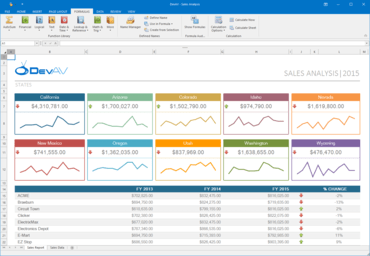
DevExpress WinForms 18.2.4

Améliore les contrôles Grid, Spreadsheet et Scheduler.
Janvier 2, 2019
Nouvelle Version

Correctifs

All WinForms Controls

  • BarButtonItems are duplicated in a successor when Visual Inheritance is in effect
  • BehaviorManager - Setting the e.Cursor parameter doesn't work when e.Handled is set to True
  • Custom header buttons aren't highlighted in a selected DockPanel in the Bezier skin
  • DirectXPaint - Skin colors are not applied when the DirectX painting is enabled
  • Flickering occurs when the color popup window is opened in VGridControl
  • FlyoutPanel - A flayout form is not shown when it is located within a nested non-top level form
  • Magnifier - Provide a way to visually see the selected color
  • PropertyGrid can be hidden in Designers if they are opened on a lower resolution monitor
  • PropertyGridControl - The Readonly attribute does not work with a custom editor
  • Skin Colors don't work in some skins
  • Skin Editor - ArgumentNullException is thrown on deleting a custom skin
  • Svg Image - An element's color is not changed according to the current palette when the element does not have a style
  • Swatch Picker displays a wrong palette name when Office 2019 Colorful is applied
  • The Bezier palette - Different names in the palette selector and palette gallery
  • The RepositoryItemTreeListLookUpEdit.OptionsView.ShowCheckBoxes property incorrectly behaves in the 18.2.3 version
  • ToastNotificationManager throws NullReferenceException on an attempt to show a notification from another thread

Coded UI

  • It is not possible to check if DXTestControl has focus
  • Unable to catch the moment when OverlayForm is closed

Data Access Library

  • Data Source Wizard - If the JSON source is specified incorrectly, it is impossible to close the wizard or return to the previous page
  • FilterEditControl is incorrectly sized when WindowsFormsSettings.DefaultFont is set to a non-default value
  • JsonDataSource - InvalidOperationException is raised when populating the JsonSchemaNode.Nodes collection
  • Query Builder - Diagram's scroll position is reset each time a query is modified
  • Relation Editor - Auto-Size a table item based on the longest column name
  • SqlDataSource - SP schema validation fails with the [dbo] prefix specified

MVVM Framework

  • Generic service interface in ViewModel does not work

PDF Viewer

  • API - The CurrentPageChanged event is not raised in certain cases
  • Localization - The 'PDFFileFilter' string contains an incorrect file mask in several localizations
  • Usability - Document creation and modification dates should be shown in the local time

Snap

  • It is impossible to bind the SNHYPERLINK field to a parameter
  • System.InvalidCastException is thrown on accessing the SnapList.RowTemplate property of SnapList located in the document header

XtraBars Suite

  • A bar item's ContentHorizontalAlignment is not taken into account
  • A new group is expanded when AccordionControl is not visible
  • AccordionControl - Flickering occurs on expanding Fluent Design AccordionControl groups
  • AccordionControl - The control is incorrectly scrolled if its container's height is greater than the control's height
  • AccordionControl - Transitions provided by TransitionManager operate incorrectly when DirectX is enabled
  • AccordionControlElement's caption is scrolled slower than HeaderControl when AccordionControl is scrolled   
  • AlertControl - A popup appears and then resizes when AutoHeight is set to true and FormShowingEffect is set to SlideHorizontal
  • BackstageViewControl - The Close method doesn't work when the ShowApplicationButtonContentControl method is called in a form's constructor
  • BarButtonItem - Memory is not released after items are displayed in a popup menu and then deleted
  • BarCheckItem - Background is displayed if the item's check box is visible
  • BarDockingMenuItem -"Reset Window Layout" is shown when all documents are closed
  • BarMDIChildrenListItem highlights an incorrect item if dock panels are used as tabbed documents
  • BarSubitem - The state is reset to normal when a popup is shown
  • BarToggleSwitchItem - An editor is not shown in a popup menu after the upgrade to v18.2
  • CustomizationForm/CustomizationControl throws an InvalidCastException when clicking the command grid
  • Default text in SkinPaletteRibbonGalleryBarItem isn't localizable
  • DocumentManager - The AddFloatDocument method doesn't take FormStartPosition set to CenterScreen into account
  • DocumentManager - The ObjectDisposed exception is thrown when ScrollUIMode is set to Touch or Fluent
  • FluentDesignForm - BarItems' dropdown cannot be shown in the form header
  • FluentDesignForm - HamburgerMenu has an incorrect color when the EnableAcrylicAccent property is false
  • FluentDesignForm does not refresh BarEditItem when its properties are changed
  • FluentDesignForm doesn't allow docking AccordionControl to right
  • Form instance implementing the IDocumentHostWindow interface sometimes is not created on drag and drop
  • HamburgerMenu - Selection isn't painted when skinning is disabled
  • KeyTips are not shown when two items are in a column and ItemsVertAlign is ItemsVertAlign.Top
  • NullReferenceException is thrown in the GetLinkMultiColumn method
  • Opening and closing backstage view moves the main form
  • Page Categories are missing when a form with the Ribbon control is maximized in an MDI form
  • PopupControlContainer is not scaled on a high DPI
  • PopupGalleryEdit - Context buttons are not visible on the popup form
  • RadialMenu - NullReferenceRxception is thrown in the GraphicsInfoArgs.SetTextRenderingHint method
  • Ribbon.ApplicationMenu appears at an incorrect location on multi-monitor systems
  • RibbonControl - A custom BarButtonItem registered at design time is not shown in the Ribbon Designer
  • RibbonControl - BarItems disappear when switching Ribbon Pages in the Office 2019 style and the RTL mode is enabled
  • RibbonControl - ExpandCollapseButton is not displayed
  • RibbonControl - Item links of BarSubItem are not shown in Ribbon Runtime Customization Form
  • RibbonControl - Labels are not shown for RepositoryItemTrackBar with vertical orientation
  • RibbonControl - Unable to hide the "More Commands" button
  • RibbonControl is incorrectly drawn at design time when the ShowApplicationButton option is disabled
  • RibbonControlDesigner - Different visual artifacts appear in the Dark theme
  • RibbonControl's popup overlaps a child dialog when the ribbon is minimized
  • RibbonOptionsTouch: Add SVG options for Touch Mode images
  • SkinEditorV2 - It is impossible to locate WaitForm and SplashScreen skin elements
  • Tab captions are mixed when RibbonControl's width is decreased in the Office 2019 style
  • TabbedView document header's underline is not scaled on High DPI screens
  • TaskBar flickers when BackStageView is hidden
  • The "Page Number" bar item height is too small if the OfficeUniversal Ribbon style is applied
  • The "Parameter must be positive" exception is thrown on 200% DPI if the skin image is set at runtime
  • The Arithmetic Overflow exception is thrown in the RibbonStatusBar.WndProc method if a project configuration is x64
  • The ColorScheme property affects the FilterPanel color
  • The MDI main form has an incorrect color when a current skin is changed and DefaultBarAndDockingController is used
  • The Tag property is reset when its item is disposed of
  • The ActivePanelChanged event is not raised when a dock panel is docked
  • Tooltips do not take into account a control's RightToLeft settings
  • When an MDI child RibbonForm is minimized, its caption's buttons are barely noticeable in the Office 2016 Colorful skin
  • WidgetView - A child document is not maximized
  • WidgetView - How to save/restore the position of a floating panel placed outside a form in FreeLayout mode
  • WidgetView - Setting WindowsFormsSettings.BackgroundSkinningMode to BackgroundSkinningMode.Legacy doesn't affect a widget caption text color
  • WindowsUIView - DocumentTile's text is drawn without anti-aliasing
  • XtraBars.Docking.DockPanel.DockAsTab throws an exception after updating DevExpress from v14.2 to v.18.2.3.

XtraCharts Suite

  • Aggregate functions do not skip empty points while calculating the points count
  • Axis Labels can require unnecessary space and increase the distance between panes
  • Chart - Memory leaks when a large number of points with the enabled Crosshair is used
  • ChartControl does not display the Step Area's line in certain cases
  • Crosshair - The ShowForNearestSeries option does not work correctly in the Gantt chart
  • Simple Diagram series sometimes decrease if multi-line layout is applied
  • The ArgumentOutOfRange exception is raised when the data source is changed if a chart contains an empty series or a series filled with points
  • The Chart Designer generates wrong data members for nullable nested properties
  • The diagram is scrolled when moving the mouse pointer in the diagram area if the mouse button was pressed outside this area
  • The secondary Y-Axis adjustment affects the primary X-Axis calculation behavior in certain situations
  • Usability - There is no capability to rotate Y-Axis labels in the Polar Diagram
  • WinForms localization works incorrectly with certain chart properties
  • XRChart - The data source field in the Series Label pattern is not processed at runtime
  • XtraReport / XRChart do not throw an exception if a data source has double.NaN

XtraDiagram

  • ConnectionChanging is not raised when a connector is moved and detached from items
  • DiagramItems that belong to a container are not clipped if they are located outside the container's boundaries
  • Only intermediate connection points are displayed when end points are located outside the current viewport area
  • The ConnectionChanged event is called several times for the same connection points

XtraEditors Library

  • An SVG image disappears when a large size is used
  • BreadCrumbEdit - "\\" is cut off from the path in the QueryChildNodes and PathChanged event handlers
  • ButtonEdit - An image assigned to a button is lost when a form's language is changed to Default
  • CalcEdit interprets user input using InvariantCulture instead of the current one under certain circumstances when no mask is used or a non-numeric mask is assigned to the editor
  • CalendarControl - A year is not changed when the UpdateDateTimeWhenNavigating property is set to false
  • CheckedListBoxControl - The auto height feature does not operate properly if the AllowHtmlDraw option is not enabled for a list box shown within the Excel filter's drop-down window
  • Color Editors - A text appears in the editor box with high DPI, while it is invisible with 96 DPI
  • ColorScheme affects the SimpleButton color
  • CustomHeaderButton is drawn incorrectly when the ImageToTextAlignment property is set to LeftCenter
  • DataTable cannot be moved to XtraForm from the Data Source window
  • Documentation - The BaseEdit.OldEditValue property is read-only
  • DPIAwareImageCollection - Images disappear when a form is designed at 216 DPI
  • Drop-down editors incorrectly position their popup windows when a window is set as AppBar
  • DXPopupMenu - SkinMenuManager is not used when a menu is invoked by DropDownButton
  • FilterControl - Applying the IsLike filter with an empty parameter raises an exception
  • Fluent Design Form - Buttons on ControlBox do not reset the Hover state on dragging
  • Fluent Design Form - CalendarControl placed into AccordionControl is incorrectly drawn when the DirectX acceleration is disabled
  • GridLookUpEdit does not update its display text if the text was cleared using the Backspace key
  • How to change the color of an XtraTabControl tab header in version 18.2
  • HyperTextLabel - The Copy operation key combination does not have the Ctrl+Insert synonym
  • ImageListBoxControl - Incorrect images are shown when data is changed
  • ImageSlider - Animation stops after re-sizing a form
  • ItemLinks in tittle bar are drawn incorrectly when FluentDesignForm is maximized
  • Overlay Form - Form can be shown outside the parent form's boundaries
  • PictureEdit displays an old image after a new SVG image is assigned to SvgImage in version 18.2
  • RepositoryItemSearchLookUpEdit - Search results are incorrect when a popup is opened for the first time and ViewType = TileView
  • SVG - Rounded line borders are not rendered correctly
  • ToggleSwitchEdit changes its state without animation if a user clicks its text
  • TreeListLookUpEdit - The Nodes collection is empty after hiding a parent control
  • XtraForm - A form cannot be re-sized if the Bezier skin is used on Windows Server 2008
  • XtraForm has an incorrect border color when the RTL mode is enabled
  • XtraMessageBox - Provide a static image collection to globally replace the default system MessageBoxIcon
  • XtraOpenFileDialog - Clicking a BreadCrumbEdit node does not change the current directory
  • XtraOpenFileDialog/XtraSaveFileDialog - DropDown does not display existing files when a file name is typed
  • XtraTabControl - The button settings are reset when the AppearanceDisabled.ForeColor property is set

XtraGrid Suite

  • AdvancedBandedGridView - EditFormInplace height is incorrect when the AllowPixelScrolling option is enabled
  • ArgumentException is raised when Print Preview is repeatedly shown and ImageComboBox is assigned to one of printed columns
  • ButtonEdit - EditorButtons that are ledt-aligned are hidden when the TextEditorStyle property is set to HideTextEditor
  • COMException is thrown in the DevExpress.Utils.DirectXPaint.DWriteProvider.GetFontFace method when a custom font is used
  • COMException is thrown in the DevExpress.Utils.DirectXPaint.DWriteProvider.GetFontFace method when GridControl's data source is set
  • GridControl - A column header checkbox is not updated when changing underlying data and data bound selection is used
  • GridControl - GroupPanel incorrectly synchronizes a skin in certain cases
  • GridControl - HTML text is not shown in Excel Filter popup items when the DataItem.HtmlText property is set in the FilterPopupExcelData event handler and the column's FilterMode is set to DisplayText
  • GridControl - IndexOutOfRangeException is thrown when DirectX rendering is enabled
  • GridControl - RGB colors are not saved to a layout in version 18.2.3 if the current culture is not English
  • GridControl - Scroll annotations are not supported in Server Mode
  • GridView - A custom in-place editor doesn't appear in the list of in-place editors when the list is displayed for the first time
  • GridView - Data is slowly exported to an Excel document when this data is grouped by several columns
  • GridView - FormatException is thrown when an enum column is filtered using a custom filter
  • GridView - Gaps are shown on maximizing a form with all expanded master rows
  • GridView - Rows are painted incorrectly after scrolling when cells have multiple lines
  • GridView - The unhandled exception is thrown if the DateTime column has the RegEx mask and is filtered in the Excel filter
  • GridView - Сells are empty when using RepositoryItemButtonEdit with HTML and WordWrap
  • GroupFooter Appearance is not taken into account when GridView is exported to Excel
  • LayoutView - IAnyControlEdit assigned to a column is painted incorrectly when DirectX rendering is enabled
  • LayoutView's field captions aren't aligned when LayoutView is exported
  • NullReferenceException is thrown in the UpdateLevelSelector method at design time when the form is closed
  • NullReferenceException is thrown when a form with TileView is closed at design time
  • NullReferenceException occurs in PopupBaseSizeableForm.get_CurrentSizing when a column filter popup is displayed    
  • PreviewRow uses an incorrect ForeColor for a focused row when light Bezier palettes are applied
  • The first opennning of a Data Source Wizard causes a Visual Studio crash
  • The GridView.FocusedObjectChanged event isn't raised for the first data row after a data source is refreshed and an auto filter row is focused
  • Tiles aren't displayed correctly in TileView with Kanban mode applied in RTL when HorizontalContentAlignment = Near
  • TileView - NullReferenceException is thrown in the tileView1_ContextButtonCustomize event handler in GridMainDemo
  • TileView - Tiles are incorrectly displayed in RTL mode when OptionsTiles.HorizontalContentAlignment is Near and a user resizes the Data Grid
  • WinExplorerView - A focused row is not highlighted
  • WinExplorerView - An item does not become visible when it is already focused and its rowhandle is set to FocusedRowHandle
  • XtraGrid - The Next/Previous buttons in the Find Panel aren't localizable
  • XtraLayout Suite
  • The "Add Item" element from the context menu is not localized in De language
  • The row height is not reset when all its items are hidden in Table mode

XtraMap

  • An unhandled exception (NullReferenceException) occurs when the vector layer data source is updated frequently
  • ArgumentException is thrown when MapPath is dragged near the longitude of 180
  • Cartesian map loses dimensions when you enable CartesianMapCoordinateSystem for the second time
  • It is impossible to build VB MapMainDemo in DEBUG configuration
  • KML - Certain elements are not parsed
  • Map Editor - A different map item is modified instead of the highlighed one when map items are shown in the same location
  • Map Editor - The toolbar state is not updated after a new polyline or a polygon item is created
  • Map Editor - Unable to modify inner segments of the polygon element
  • MapControl throws NullReferenceException when drawing a MapPath
  • Small mouse pointer size on HiDPI displays
  • Support clustering of Pie items
  • The MapPath fill style is initialized incorrectly in certain situations
  • The ZoomToFitLayerItems method does not work immediately after a Cartesian map is created
  • Usability - Map Editor UI tooltips cannot be localized
  • Usability - There is no capability to determine pending requests in the Layer.DataLoaded event handler
  • WMS - The maximum image size is not extracted from the server in certain situations

XtraNavBar

  • NavBar Popup Form is not repainted on resize
  • NavBarControl - Images are incorrectly aligned with text when the AllowHtmlString option is on
  • NavBarControl - Images from SvgImageCollections are not drawn

XtraPivotGrid Suite

  • Customization Form - All folders are expanded when the SearchBox is used
  • DataProcessingEngine.LegacyOptimized mode - Performance degradation of a field's CollapseAll / ExpandAll methods
  • NullReferenceException occurs in the PivotGrid control if a field with the specified GroupInterval contains null values
  • OLAP - Fields calculated using the OLAPExpression property have an incorrect icon in the Field List
  • OLAP - PivotGridControl allows adding unbound fields calculated using the UnboundExpression property
  • Pivot Grid - How to change Separator during CSV export
  • Pivot Grid - The PivotQueryExceptionEventArgs.ShowErrorPanel property has an incorrect setter
  • Pivot Grid raises a few internal exceptions if a data field bound to a String data source field is added
  • Pivot Grid raises a lot of internal exceptions if you add a data field bound to a custom class
  • PivotGrid does not display data correctly when it is bound to ChartControl
  • PivotGridControl - Column widths in HighDPI mode are scaled incorrectly
  • PivotGridFields generated at design time aren't removed along with PivotGridControl
  • The "ArgumentException: A circular control reference has been made" error occurs when the Prefilter dialog is invoked in the PivotGrid control placed on an MDI form
  • The BestFit method behavior is changed in the PivotGridControl.EndRefresh event handler

XtraPrinting Library

  • The document content is not clipped on being exported to an image in SingleFile mode
  • Export to DOCX - The XRRichText content is lost if it's split between pages (the merged RTF cells issue)
  • The “FromPage“ and “ToPage” properties are not restored when the ReportPrintTool.LoadPrinterSettings method is used
  • UI - The 'F3' and 'Shift+F3' hotkeys don't work in the Search panel of the Document Viewer

XtraReports Suite

  • ChartControl - The 'The datasource doesn't contain a data member with the "..." name.' error occurs when assigning a data source to a chart whose series contains a value member with the nullable type
  • Data Source Wizard - EFDataSource cannot be added to a report
  • Designer - Expression editor - The PrintOnPage event should not contain DataSource
  • Designer - PropertyGrid crashes after converting data bindings to expressions
  • End-User Report Designer - A report layout displays incorrect reserved space in multi-column mode
  • End-User Report Designer - Dock panels disappear when the designer is switched to the Preview tab and then to the Designer tab if the designer's ribbon is merged with the main window ribbon
  • End-User Report Designer - Expression Editor should show all tables in "Advanced Bindings" mode
  • End-User Report Designer - Provide SVG support for ColumnImageProvider
  • End-User Report Designer - ResourceManager should not be used to retrieve localized resources for the base XtraSchedulerReport class
  • End-User Report Designer - System.NullReferenceException is thrown on selecting a control in a report if the main application form uses the Office2003 style
  • End-User Report Designer - System.NullReferenceException is thrown when closing the floating Design Panel
  • Export to DOCX - An image placed to the XRRichText control is not exported if a text was displayed prior to this image
  • Export to DOCX - The "Index was out of range" exception is thrown for certain reports
  • Export To Pdf - An extra blank line at the end of text should be trimmed
  • Export to PDF - Wrapped text is truncated in the produced document
  • Expression Bindings - A control doesn't show any value if its expression is set to the DataSource.CurrentRowIndex or DataSource.RowCount variables
  • HTML5 Document Viewer - A brick added to the page on the report's AfterPrint event is not visible on the preview
  • Invoke a Filter Editor form for XtraReport at runtime to modify the report's FilterString expression
  • Print Preview - Text selection is very slow
  • Report Designer - Fit Bounds To Container command may work incorrectly for controls put into an XRTableCell with borders
  • Report Designer - Intersection of the control's bottom bound is not highlighted as an export warning
  • Report Wizard - A data member of a report data source is selected by default when DataSet is used as a report's data source
  • ReportPrintTool - Expanding a drill-down report makes it disappear from the print preview
  • SqlDataSource - Calling the Dispose method right after BeginFillList throws an unhandled exception
  • The "DXperience.Reporting" tracer does not log XRPictureBox control's image loading errors
  • The content of a specific report disappears on preview when a certain XRCrossBandLine control is visible
  • The DevExpress.XtraReports.Wizards.XtraReportModelUI class is missing in version 18.2
  • The same image is displayed for all master rows in XRPictureBox when this picture box is drawn inside the XRSubreport control
  • The Save message does not appear on an attempt to close the modified report in the End-User Report Designer
  • The size of the control created in the FillEmptySpace event handler changes when the report is previewed
  • The XRChart control doesn't show data for detail records in a master-detail report
  • The XRSubreport.CanShrink property does not work in certain report layout configurations
  • Visual Studio crashes with System.NullReferenceException when opening a report in Visual Studio Report Designer with the WebSite project type
  • Visual Studio Report Designer - The undo/redo hotkeys do not work in the script tab
  • Visual Studio Report Designer crashes on an attempt to expand a drill-down report (the ConnectionProvider issue)
  • VS Report Designer - It is possible to create a parameter whose name is equal to a property name of the XtraReport class
  • XPObjectSource - Filtering by a multi-value parameter does not work
  • XtraReport - The EvaluateBinding event arguments do not provide any information about a bound report parameter
  • XtraReport - Changing preview margins resets the page summary value (the ITypedList issue)
  • XtraReport - 'The datasource doesn't contain a data member with the "..." name' error occurs when loading a specific report with a chart
  • XtraReport hangs VS 2017 in Expression builder
  • XTraReport.CreateDocument throwns a NullReference exception in the ExpressionBindingEvaluator.SaveInitialPropertyValues method
  • XtraSchedulerReport - ReportDayView is removed from the Views collection when a report is saved to a .schrepx file

XtraRichEdit

  • A document image isn't displayed if a document contains a different image with the same Id
  • Certain DOCX documents cannot be properly loaded
  • Images in RichEditControl are blurry after upgrading to 18.2
  • Memory leaks when opening the Print Preview dialog in RichEditControl
  • RichEditControl cannot load a specific RTF document
  • RichEditControl incorrectly wraps text in the Simple view if the control is located on a child MDI form whose state was set to Minimized before form showing
  • RichEditControl shows the "Section break" formatting mark for all kinds of section breaks
  • RTL - Caret and Tab navigation and selection operate incorrectly in right-to-left text
  • RTL - Complex cell borders in RTL tables are drawn incorrectly
  • RTL - Nested tables disappear if placed inside an RTL Table
  • RTL - Undo\Redo break text and Document history
  • Shapes - Connectors are not properly rendered in RichEditControl
  • TextBox - It is impossible to select the entire row by clicking the left margin
  • The bottom image part isn't displayed for the specific OpenXml document
  • The CalculateDocumentVariable event is raised for the locked DocVariable field when the UpdateLockedFields option is set to Never
  • The RichEditControl.GetBoundsFromPosition method returns incorrect bounds for a text box' document position
  • There are no raster images for ReadingDirectionRightToLeft and ReadingDirectionLeftToRight bar items

XtraScheduler Suite

  • An appointment content isn't displayed in version 18.2 if AppointmentAutoHeight is disabled and AppointmentHeight is set
  • SchedulerControl - IndexOutOfRangeException is thrown in the DayViewMoreButtonsCalculator.CalculateTargetViewStart method
  • A recurrent appointment with the delete exception raises the RequestError when a Google calendar is synchronized
  • A row has the unchanged state if an appointment is modified when SchedulerDataStorage is used
  • Cloned appointments have the same identifiers when these identifiers are bound to custom fields
  • DivideByZeroException is thrown when appointments are deleted in a current Google calendar
  • GoogleApiException is thrown when SchedulerControl adds a new appointment with a reminder
  • iCalendarParseErrorException is thrown in the CreateProperty method when the Google calendar is synchronized
  • NullReferenceException is thrown in the AppointmentEventMapper.SetExtendedField method when the Google calendar is synchronized for the second time
  • NullReferenceException is thrown on editing an existing appointment if Google synchronization is used
  • Reminders are called for past events when the DXGoogleCalendarSync component is used
  • ResourceID is not saved when SchedulerDataStorage is used and ResourceSharing is set to False
  • SchedulerControl - An appointment flyout is shown at a wrong position
  • SchedulerControl - An appointment's flyout panel has a wrong layout when the Subject property is empty and the ShowReminder option is disabled
  • SchedulerControl - Appointment text is not shown in the Print Preview
  • SchedulerControl - It is not possible to get TimeRuler's ViewInfoTextItem time
  • SchedulerControl - Navigation Buttons are missing in TimeLineView in 18.2.3
  • SchedulerControl - NullReferenceException is thrown before showing a flyout
  • SchedulerControl - NullReferenceException is thrown in the AppointmentViewInfo.get_Description() method
  • SchedulerControl - The AllowAppointmentEdit and AllowAppointmentResize events are raised multiple times when SchedulerControl is re-sized or scrolled
  • SchedulerControl - The AppointmentsChanged event is raised unpredictably
  • SchedulerControl - The EditedAppointmentCopy method returns an incorrect appointment when using a custom appointment
  • SchedulerControl - The FetchAppointments event fires twice when DateNavigator is used
  • SchedulerControl - The MonthView scrolling hangs applications when using multiple CollectionSource.Criteria and HighDPI
  • SchedulerControl - The NullReference exception is thrown in the AppointmentChangeHelper.GetSourceAppointment function
  • SchedulerDataStorage - NullReferenceException is raised when saving appointments imported from ICS to XML
  • SchedulerStorage - ArgumentOutOfRangeException is raised when there are pattern appointments and AppointmentMappingInfo.Type is specified
  • The "An item with the same key has already been added" exception is thrown when a Google calendar is synchronized

XtraSpellChecker

  • Spelling suggestions may be incorrect when using ISpell and Custom dictionaries together
  • The "1 is not a supported code page. Parameter Name: codepage" error occurs on loading a specific dictionary when the "en-NL" culture is used
  • The custom dictionary isn't loaded when opening the SpellChecking demo directly

XtraSpreadsheet

  • Focus moves to an incorrect document after closing an inplace editor if SpreadsheetControl is used in an MDI child
  • Specific chart data series are incorrectly rendered in SpreadsheetControl after filling value ranges with data
  • SpreadsheetControl additionally escapes a string with quotation marks in text copied to the Clipboard in the UnicodeText format
  • SpreadsheetControl incorrectly processes certain quotation mark types
  • The "The data you're pasting isn't the same size as your selection. Do you want to paste anyway?" message is not shown in v18.1
  • The cell text is changed to "e" when calling the.OpenCellEditor(CellEditorMode.Enter) method if this cell uses a custom cell editor
  • The height of rows is calculated incorrectly in a specific XLSX file
  • The ROUND function in SpreadsheetControl returns incorrect results as compared to MS EXCEL
  • The use of RepositoryItemLookUpEdit to display custom editors causes a memory leak
  • The use of the SetInsideBorders method locks cells even if their Locked property is set to False

XtraSunburst

  • Data source fields are not displayed when configuring the data adapter data members (LabelDataMember, ValueDataMember)
  • Slow performance when rendering a big number of group levels
  • Usability - There is no capability to limit the group detail level

XtraTreeList Suite

  • A detail TreeList isn't updated when a master TreeList is filtered using a column filter popup
  • ArgumentNullException is thrown after any filter value is selected in the Text Filters tab of a column filter
  • ArgumentOutOfRangeException is thrown on calling GetVisibleIndexByNode when EndCurrentEdit is used to commit changes
  • AutoFilterRow loses focus when filter text is entered
  • Column widths change each time a layout is restored using the HighDPI mode
  • DragDropBehavior does not allow dragging and dropping records between TreeLists if DataTable is used as a data source
  • NullReferenceException is thrown when scrolling TreeList with fixed columns horizontally
  • The BeforeFocusNode event is not raised when an associated SearchControl is used
  • TreeList - A topmost node is incorrect when closing FindPanel
  • TreeList - ArgumentNullException when showing the footer's summary type menu
  • TreeList - ArgumentOutOfRangeException is thrown in the designer when the ParentFieldName property is used
  • TreeList - Column and summary captions are not localizable in the Print Designer dialog
  • TreeList - NullReferenceException is thrown on the MoveLast method call when the control does not have nodes
  • TreeList - NullReferenceException is thrown when the ExpandAll method is called
  • TreeList - The control is drawn as a gray rectangle when BeginUpdate is used
  • TreeList - The FocusedNodeChanged event is raised twice on collapsing a node if a child one is focused
  • TreeList does not take the WindowsFormsSettings.DisableAccessibility property into account

XtraTreeMap

  • TreeMapControl does not implement the DevExpress.XtraPrinting.IPrintable interface after the upgrade
  • Usability - There is no capability to center the leaf label vertically

XtraVerticalGrid Suite

  • Documentation - The code snippet given in the "Organize Properties into Tabs in Code" section of the Office View help article is incorrect
  • PropertyGridControl - The browsable attribute for enum items doesn't work
  • PropertyGridControl - A default dialog is shown regardless of assigning a different repository item to a collection property in the CustomRecordCellEdit event handler
  • PropertyGridControl - A frame is shown around ToggleSwitch
  • PropertyGridControl - InvalidOperationException is thrown when using the ExpandableRowSettings attribute
  • PropertyGridControl - Searching and filtering does not take a property name defined with ComponentModel.DataAnnotations into account
  • PropertyGridControl - The first tab is not selected in Office View by default
  • PropertyGridControl - The ShowRootCategories property doesn't hide root categories on OfficeView tabs
  • PropertyGridControl does not destroy the previous data
  • RepositoryItemCheckEdit cannot be used in PropertyGridControl
  • The vertical scrollbar overlays a category row's expand button under certain conditions
  • VGridControl - In-place buttons aren't completely highlighted when hovering over them with the mouse
  • VGridControl - RepositoryItemButtonEdit's CustomDisplayText event gets an incorrect value
  • VGridControl - Row heights are scaled incorrectly in HighDPI mode
  • VGridControl - The control's designer sometimes stops showing actual rows after adding/removing a row in the Rows section
  • VGridControl throws NullReferenceException on clicking a cell when its OptionsBehavior.Editable is false
  • VGridControl does not take into account DataAnnotations with the ResourceType parameter
DevExpress WinForms

DevExpress WinForms

Toutes les suites de composants et bibliothèques WinForms produites par DevExpress réunies dans un seul package.

Vous avez une question ?

Discutez en direct avec l'un de nos spécialiste des licences DevExpress .