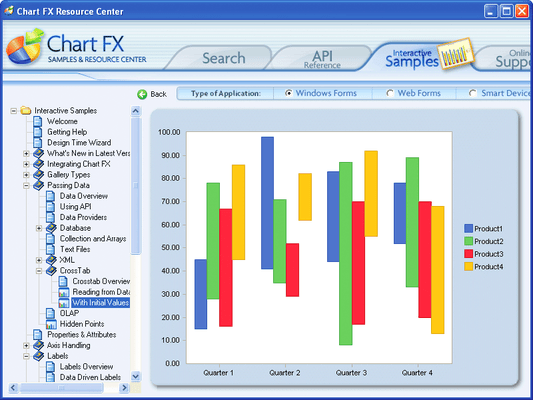
Chart FX for .NET was completely written in Microsoft Visual C# .NET to ensure that Chart FX exists within the Microsoft .NET Framework as fully managed code. Chart FX for .NET features: Windows Forms and Web Forms functionality, increased security, easier integration with XML Web services, enhanced XML support, new and improved API, a server component to generate JPEG, PNG, ActiveX or SVG and code generation through the improved designer. The new Resource Center includes life-saving tutorials and samples. New visual improvements and additions were made to the Chart FX for .NET presentation layer, such as new chart types, artistic borders, gradients, anti-aliasing, alpha-blending, transparency, background images, new color palettes, customizable legends, unlimited axes, per marker and per title attributes and improved zoom and scroll capabilities. Chart FX for .NET can populate charts through the API or databind directly from an ADO.NET DataSet. Chart FX for .NET can accept data via XML Files, text files, collections, arrays - even an array of arrays.
Chart FX for .NET Features Overview
Chart FX for .NET is Easy to Code & Integrate
- Wizard
- Tutorials & Samples Center
Chart FX for .NET Enhanced User Interface
- Menus & Dialog Boxes
- Multiple Export Formats
- Chart Save/Recall
- Toolbar
Chart FX for .NET Internet Capabilities
- Bit Stream Directory to Browser
- Auto Browser Detection
- Drill-Down Capabilities
- Server Component
Chart FX for .NET Visual Attributes
- Multiple Gallery Types
- Grid Lines
- Borders
- 2D/3D
- Color Palettes
- Constant Lines & Stripes
- Point Labels
- Background Images
- Legends
- Gradients
- Multiple Axes
- Multiple Panes
- Titles
- Antialiasing/Smoothing
Chart FX for .NET Data Analysis
- Highlighting
- Per-Marker Attributes
- Conditional Attributes
- Axis Sections
Chart FX for .NET Chart Population
- API
- DataBinding to a ResultSet
- Flexible Data Sources
Chart FX for .NET includes 20 different chart types, from the widely used Bar, Line, Area, Pie & Scatter, to those required by more demanding needs, such as Open-Hi-Lo-Close, Candlestick, Radar, Surface and Contour. Different galleries can be combined within the same chart. Most charts can be viewed in 2D or 3D, and rotated to specific angles and perspectives.