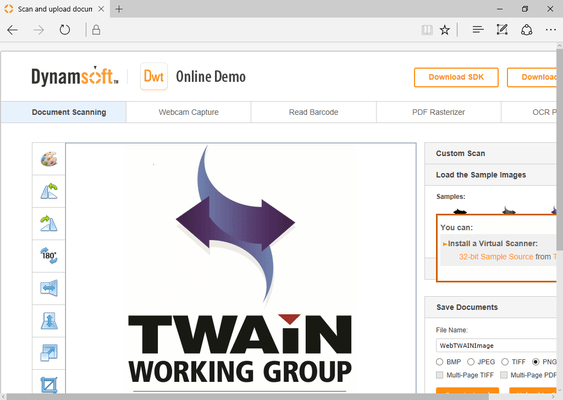
| Document Scanning and Image Capture |
| Supports up to TWAIN specification 2.3; WIA 2.0 |
Windows Client Only |
| Supports up to TWAIN specification 1.9; ICA compatible |
macOS Client Only |
| SANE compatible |
Linux Client Only |
| eSCL compatible |
|
| Optional disk caching mechanism for high volume scanning (thousands of pages) |
|
| Built-In Auto Document Feeder (ADF) and multiple image acquisition |
|
| Offers duplex scanning mode |
|
| Supports blank page detection |
|
| Built-in wizard mode intelligently manages TWAIN states |
|
| Supports setting up image acquisition parameters (resolution, pixel type, bit depth, brightness, contrast, page size, unit, etc.) |
|
| Provides native and disk file image transfer modes |
|
| Buffered memory transfer mode |
Windows Client Only |
| Document Editing |
| Provides GUI and non-GUI image editors |
|
| Built-in basic image editing interfaces such as Rotate, Crop, Mirror, Flip, Erase, and ChangeImageSize |
|
| Supports adding colored rectangles to images |
|
| Supports text annotation |
|
| Offers image swapping feature |
|
| Supports clearing specified areas of an image and filling cleared areas with color |
|
| Built-in zooming |
|
| Provides multiple image selection |
|
| Provides image de-skewing |
|
| Saving, Uploading and Downloading |
| Downloads / uploads images via HTTP/HTTPS |
|
| Downloads / uploads images via FTP (currently no FTPS support) |
|
| Save and upload images as BMP, JPEG, PNG, TIFF and PDF files |
|
| Supports saving images as multi-page TIFF and multi-page PDF |
|
| Offers saving images as a base64 string |
|
| Provides support for cookie and session integration |
|
| Supports binding cookie during the upload process |
|
| Provides RLE, G3, G4, JBIG2, LZW, PackBits, JPEG, JPEG2000, and TIFF compression options |
|
| Upload progress dialogue box allows you to cancel uploads at any time |
|
| Supports downloading from HTTP stream |
|
| Built-in JPEG, PNG, PDF and TIFF encoder enables compression of acquired images |
|
| Uploads metadata for each image to the server or database (SQL Server, MySQL, MS Access etc.) as part of the image upload process |
|
| Supports chunked uploading when the data size is large |
|
| Behind the scenes multi-thread uploading |
|
| Opening Local Files |
| With Dynamsoft’s PDF Rasterizer SDK (add-on module), supports loading text-based, image-based and hybrid PDF files |
|
| Supports loading local JPEG, PNG, BMP, single-page and multi-page TIFF files |
|
| Load DIB from the clipboard |
|
| Load images from Base64, and binary |
|
| Security |
| Opening Local Files |
|
| Should the SDK exit unexpectedly, all cached data is destroyed |
|
| There is optional domain binding in the licensing process |
|
| Configurable to respond to requests from specified origins only |
|
| Authorization required for accessing local files |
|
| Authorization required for accessing scanners or webcams (via webcam add-on) |
|
| Customize supported certificate to use in place of the Dynamsoft default |
|
| Digitally signed by VeriSign |
Windows Only |
| ActiveX Edition marked safe for initializing and scripting |
Windows Only |
| Supports Windows Authentication, Forms Authentication and Basic Authentication |
ActiveX Only |
| Compatible with Data Execution Prevention (DEP) and Protected Mode |
ActiveX Only |
| Proxy connections supported |
|
| Supports SSL for HTTP uploading and downloading |
|
| Scanned image data or cached scanned data is encrypted |
|
| Limits access of a scanner device to only the registered web scanning application |
|
| Integration |
| Citrix Environment |
|
| Electron Support |
|


 (6)
(6)