Released: Mar 1, 2017
Mises à jour de 2017 v1
Fonctionnalités
Xceed DataGrid for WPF
- The Windows 10 theme is now available for the TreeGridflowView view.
- Greatly improved performance when selecting many ranges of rows.
- Greatly improved performance when deselecting many ranges of rows.
- Improved UI Automation. Scroll bars are now part of the DataGridControl’s children when accessing them via UI Automation.
- StatRow can now automatically detect statistical functions and associate them to StatCells.
- It is now possible to show Statistics within a group header through the new StatGroupHeaderConrol class without having to retemplate the group header.
- Horizontal mouse wheel scrolling is now supported, either when the “ctrl” key is pressed or when there is no vertical scrollbar.
- A default ForeignKeyConverter is now assigned to a ForeignKeyConfiguration at construction. This now reproduces the same behavior a ForeignKeyDescription has.
- Column.GroupConfiguration is now considered when searching for a GroupConfiguration for a DataGridGroupDescription that is defined on a DataGridCollectionView.
- AutoCreateForeignKeyDescriptions on DataGridCollectionView/Source is now correctly evaluated before creating descriptions.
- A column that references indexers can now be correctly sorted.
- Cell editors are now properly displayed when scrolling, in accordane to the value set on the CellEditorDisplayConditions property on DataGridControl or ColumnBase.
- A System.FormatException is no longer thrown when using a default cell editor on a column having a converter that may change the type of the returned value.
- A StackOverflowException is no longer thrown while updating the layout when no data source is set on the grid.
- A trial license key is now generated when installing NuGet packages under Visual Studio 2015 and up.
- An MVVM sample is now provided to show how to use Xceed DataGrid for WPF with this programming pattern.
- The ForeignKeyConfiguration class now inherits from Freezable, and can have its properties be the target of a binding through DataContext in XAML, which enables MVVM scenarios.
- The DetailConfiguration class now inherits from FrameworkContentElement, and can have its properties be the target of a binding through DataContext in XAML, which enables MVVM scenarios.
- CurrentItem and CurrentColumn on DataGridControl are now DependencyProperties, and as such can be bound in an MVVM scenario.
- The ItemsSourceName property on DataGridControl is now a DependencyProperty, enabling it to be the target of a binding, including in an MVVM scenario.
- A new DependencyProperty, CurrentColumnFieldName, has been added on DataGridControl, so the CurrentColumn can be easily set in an MVVM scenario.
- Using a filter expression in a foreign key column FilterCell (using a TextBox as opposed to a ComboBox) now correctly filters items.
- It is now possible to synchronize the selected items of the DataGrid from the ViewModel (MVVM), by setting the SelectedItemsSource property of the DataGridControl to a notifying collection.
Xceed Toolkit Plus for WPF
- All the toolkit’s controls now support UI Automation.
- Major update to DataGrid control providing significantly improved performance, reliability and functionality.
- In PropertyGrid, searching propertyItem names in expandable Properties is now available.
- In TokenizedTextBox, the event ItemSelectionChanged is now raised when TokenizedTextBox.SelectedItems adds or removes items(visually or in code-behind).
- In the Windows 10 theme, windows will now have the proper default Foreground brush.
- In PropertyGrid, the new property IsExpanded on CategoryDefinition can now be used to define the expanded/collapsed status of a category at loading time.
- In PropertyGrid, using the attribute “RefreshProperties” on a property and modifying this Property, will now refresh the PropertyGrid and restore the categories states (expanded/collapsed).
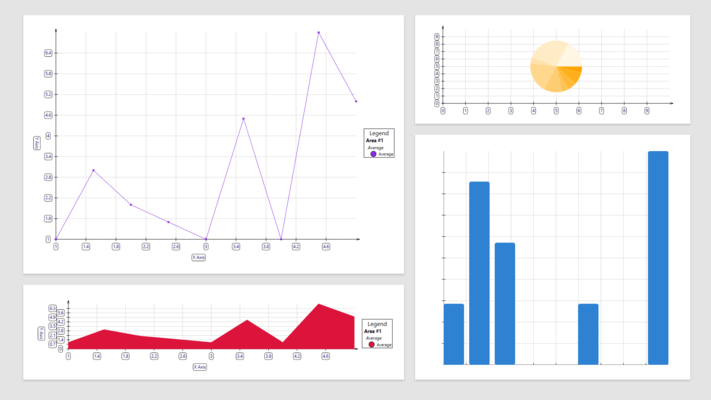
- In Chart, a binding on the Area.Title property will now work if the Chart is located in a DataTemplate.
- In MaterialTabControl, when space is limited, the MaterialTabItems will no longer be displayed on multi-lines. Instead, you will now be able to scroll between tabitems.
- In MaterialSlider, setting the orientation to vertical and modifying the thumb’s position will no longer crash or set a wrong final position.
- In PropertyGrid, Advanced option icons will now be visible when using multi-selected objects.
- In MessageBox, setting the owner with a window handle is now possible when using the new public methods “Show”.
- In CollectionControl, when the ItemsSource is null and items are added to a new list, changes will now be persisted.
- In CollectionControl, when the ItemsSource is null and items are added to a new array, changes will now be persisted.
- In PropertyGrid, the new event IsPropertyExpandable will now be raised for every PropertyItem in order to set the expandable status of each propertyItem.
- In AvalonDock, an AutoHide LayoutAnchorable will now always appear on top of other controls.
- In Zoombox, the viewbox factor will now be properly updated when the content of the zoombox changes its size.
- In Wizard, the “Cancel” button is now on right as in standard controls. Also, the “Finish” button will now appear in place of the “Next” button when the property “CanFinish” becomes true.
- In DateTimePicker, modifying the date will now keep the previously set time.
- In RichTextBox, binding the Text property one-way will now work as expected.
- In DropDownButton and SplitButton, the new property DropDownContentBackground can now be used to set the popup content’s Background.
- In ColorCanvas, omitting the ‘#’ character while setting a new Hexadecimal color will no longer reset to the old color. Instead, the ‘#’ will automatically be applied.
- In ColorCanvas, ByteUpDowns are now used to edit the ARGB values.
- In AvalonDock, LayoutAnchorables can now be closed when their CanClose property is set to true. Or, they can now be hidden when their CanHide property is true.
- In AvalonDock, pinning a LayoutAnchorable to a LayoutAnchorSide will no longer crash after loading a Layout.
- In AvalonDock, Deserializing a layout with AutoHidden LayoutAnchorables will no longer crash.
- In AvalonDock, un-hiding a LayoutAnchorable after deserialization will no longer make the Layoutanchorable disappear.
- In PropertyGrid, the new property ShowHorizontalScrollBar can now be set to show/hide the horizontal scrollbar.
- In ColorPicker, the new property DisplayColorTooltip can now be set to show/hide the popup preset color name tooltips.
- In PropertyGrid, properties of type TextBlock will now use a characterEllipsis text trimming.
- In CollectionControlDialog, cloning an object with no default constructor and clicking the Cancel button will no longer crash.
- In ColorCanvas, the conversion RGB to HSV is now correctly done.
- In DropDownButton, setting an ItemsControl as the DropDownContent will now show its items.
- In Magnifier, the new method “Freeze” is now available to stop/restart the magnifier from following the mouse position.
- In PropertyGrid, the propertyItem names that passes the filter will now be highlighted in yellow.
- In PropertyGrid, exceptions will no longer be thrown when trying to get the type of the editor attribute.
- In PropertyGrid, resetting a value will now be possible when the DefaultValue attribute is used.
- In DateTimePicker, TimePicker and DateTimeUpDown, clicking the spinner buttons will now immediately update the “Value” property.
- In CollectionControlDialog, opening a 2 dimensions array will no longer cause a crash.
- In CollectionControl, a TargetParameterCountException will no longer be thrown when the ItemsSource is a Collection of Collections.
- In AvalonDock, using a style selector (property DockingManager.LayoutItemContainerStyleSelector) with the DockingManager.DocumentsSource property will now apply the desired style.
- In AvalonDock, resizing a LayoutAnchorable after a theme change will no longer cause a crash.
- In AvalonDock, using a FloatingWindow will no longer display only parts of the content.
- In CollectionControl, modifying a value in a multi-dimensional array will no longer cause a crash or resets to a value of 0.
- In CollectionControl, cancelling the edition on multi-dimensional arrays will now work by reverting the values.