Migliora la chiarezza dei report con grafici interattivi
Consenti agli utenti di visualizzare facilmente dati complessi, potenziando le informazioni e il processo decisionale grazie all’integrazione dinamica dei grafici in tempo reale.
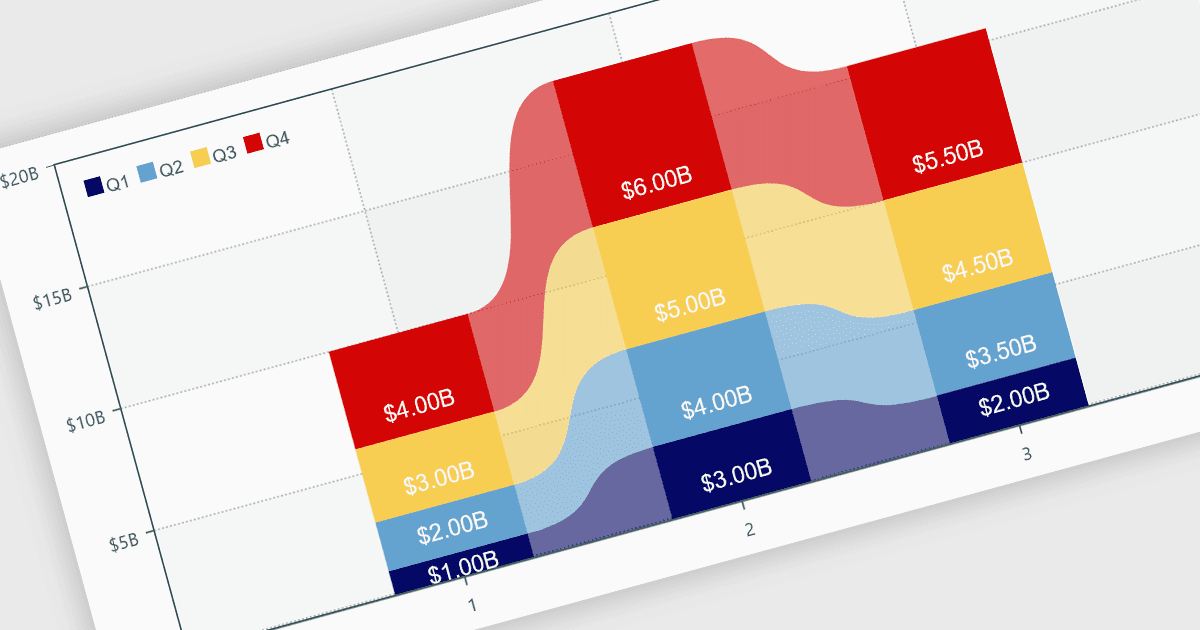
I grafici all’interno dei report sono rappresentazioni grafiche dei dati che consentono agli utenti di interpretare visivamente trend, confronti e pattern. Possono assumere varie forme, come grafici a barre, grafici a linee o grafici a torta, e in genere vengono integrati in dashboard o strumenti di reportistica per fornire informazioni chiare a colpo d’occhio. Semplificando la visualizzazione dei dati, i grafici migliorano l’esperienza utente e la rendono meno faticosa per gli utenti nell’interpretare informazioni complesse. I grafici possono essere aggiornati in modo dinamico con dati in tempo reale, consentendo una reportistica più reattiva e ricca di spunti nelle applicazioni.
Diverse .NET WPF controlli di reportistica offrono supporto per i grafici, tra cui:
- DevExpress Reports ti permette di creare report visivamente coinvolgenti con grafici personalizzabili, offrendo visualizzazione dei dati in tempo reale e capacità decisionali migliorate.
- ActiveReports.NET consente di progettare report dinamici con un’ampia varietà di opzioni di grafici, semplificando dati complessi in informazioni utilizzabili.
- Stimulsoft Reports facilita la generazione di report interattivi con funzionalità di grafica flessibili, aiutando gli utenti a prendere decisioni basate sui dati in modo più efficiente.
- MindFusion.Reporting ti consente di creare report dettagliati con grafici integrati, offrendo rappresentazioni visive chiare e concise di dataset complessi.
Per un’analisi approfondita delle funzionalità e del prezzo, visita il nostro confronto dei controlli di reportistica .NET WPF.