Migliora la visualizzazione dei dati in .NET con i grafici radiali
I grafici radiali, come quelli a barre circolari e sunburst, offrono un modo intuitivo per confrontare le categorie e scoprire le relazioni all’interno di un set di dati.
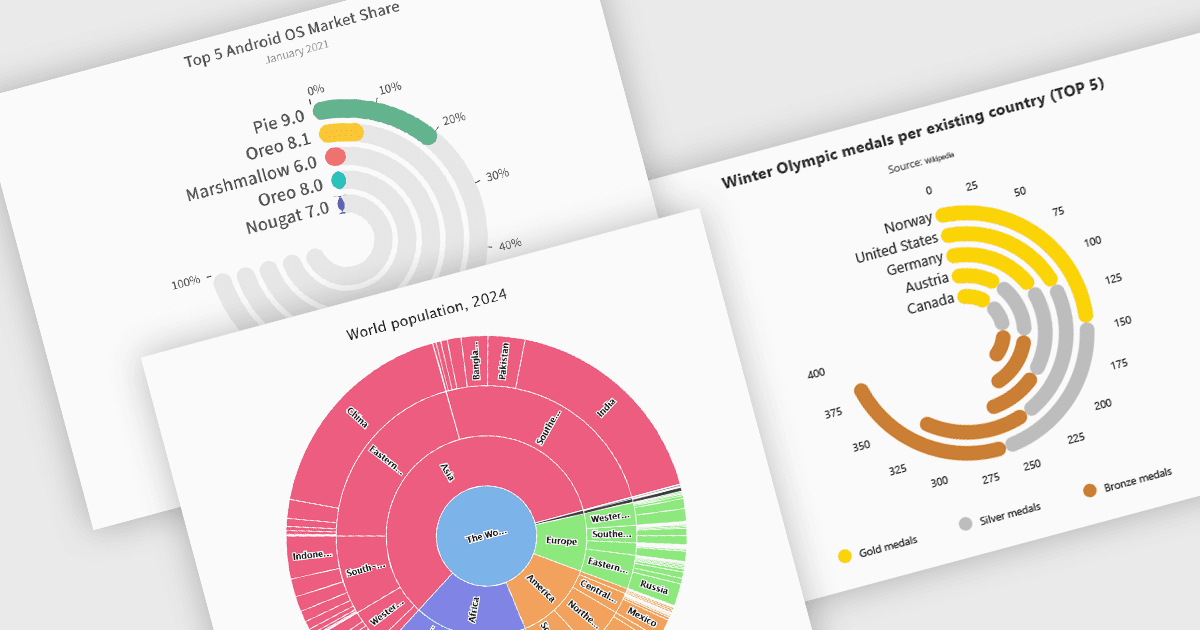
I grafici radiali offrono un modo intuitivo per visualizzare dati gerarchici e categoriali. Mostrano barre su un sistema di coordinate polari invece che su un sistema cartesiano, che utilizza una griglia x-y per la posizione dei dati. Questi grafici rappresentano i valori in una disposizione circolare, rendendoli ideali per confrontare proporzioni e relazioni tra i punti dati. I grafici a barre circolari, una variante del grafico a barre tradizionale, dispongono i dati in formato radiale per visualizzare confronti tra categorie. Sono particolarmente utili per visualizzare dati periodici o ciclici, come metriche basate sul tempo. I grafici Sunburst scompongono le strutture gerarchiche in anelli concentrici. Il centro del grafico in genere rappresenta la categoria radice, mentre gli anelli esterni raffigurano le sottocategorie. Vengono utilizzati per visualizzare le relazioni parte-tutto all’interno di un set di dati. Molti componenti di charting .NET supportano questi tipi di visualizzazione, consentendo agli sviluppatori di creare dashboard dinamiche, interattive e visivamente accattivanti nelle applicazioni .NET.
Diversi componenti di charting .NET offrono grafici radiali, tra cui:
- DevExpress WinForms Chart (parte di DevExpress WinForms) offre un controllo Sunburst con opzioni di configurazione estese per UI/UX, per visualizzare dati piatti e gerarchici.
- ComponentOne Charts for WinForms (parte di ComponentOne Studio WinForms by MESCIUS) consente agli sviluppatori di creare coinvolgenti grafici sunburst negli ambienti .NET.
- Highcharts.NET (parte di Highcharts Core by Highsoft) fornisce funzionalità per grafici radiali, tramite sia grafici a barre circolari sia grafici sunburst, per una rappresentazione efficace dei dati.
- FusionCharts Blazor Suite XT (parte di FusionCharts Suite XT) consente agli sviluppatori Blazor di utilizzare grafici radiali moderni e ad alte prestazioni per visualizzare e confrontare i dati.
Per un’analisi approfondita di funzionalità e prezzo, visita il nostro confronto tra componenti di grafici .NET.