Visualizza i dati con diagrammi interattivi
Trasforma strutture complesse come org chart e workflow in visualizzazioni chiare e dinamiche, facili da aggiornare e comprendere.
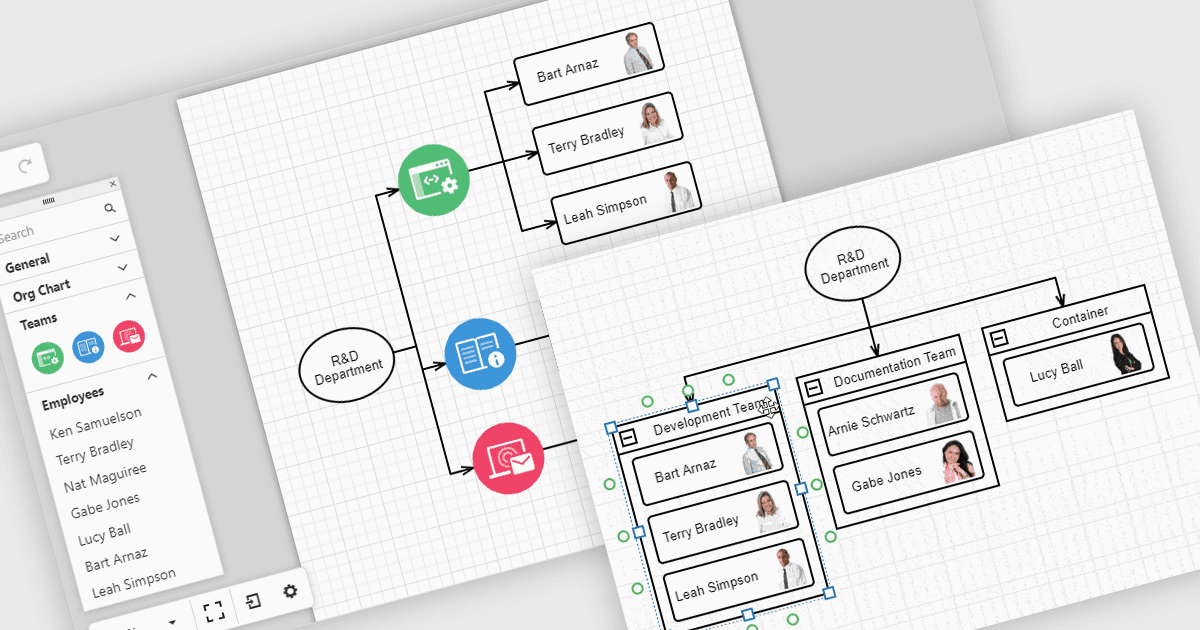
Le diagrammi nelle librerie UI aiutano a trasformare dati complessi in visualizzazioni semplici da comprendere, con cui i team possono interagire. Ad esempio, i diagrammi organizzativi mostrano la struttura dell’azienda e le linee di reporting in un layout che può essere aggiornato automaticamente dai dati HR. Questi diagrammi possono essere espansi, compressi o riorganizzati con strumenti di drag-and-drop, rendendo più facile comprendere le relazioni tra i team e mantenere le informazioni aggiornate. I diagrammi possono inoltre essere usati per workflow, alberi decisionali e mappe di rete, offrendo ai team un modo chiaro e flessibile per presentare e gestire le informazioni.
Diverse suite UI per React offrono controlli per diagrammi, tra cui:
- DevExtreme Complete di DevExpress ti consente di creare diagrammi interattivi, inclusi diagrammi organizzativi, flussi di processo e strutture di rete, con layout reattivi.
- SmartClient di Isomorphic Software facilita il diagramming avanzato, supportando org chart gerarchici, alberi decisionali e visualizzazioni di workflow.
- Syncfusion Essential Studio Enterprise ti permette di creare diagrammi ricchi con data binding, layout automatici e modifica interattiva per diverse applicazioni enterprise.
Per un’analisi approfondita di funzionalità e prezzo, visita la nostra React UI suite comparison.