








Fornitore ufficiale
In qualità di distributori ufficiali e autorizzati, forniamo licenze software legittime direttamente da più di 200 autori di software.
Vedi tutte le nostre marche
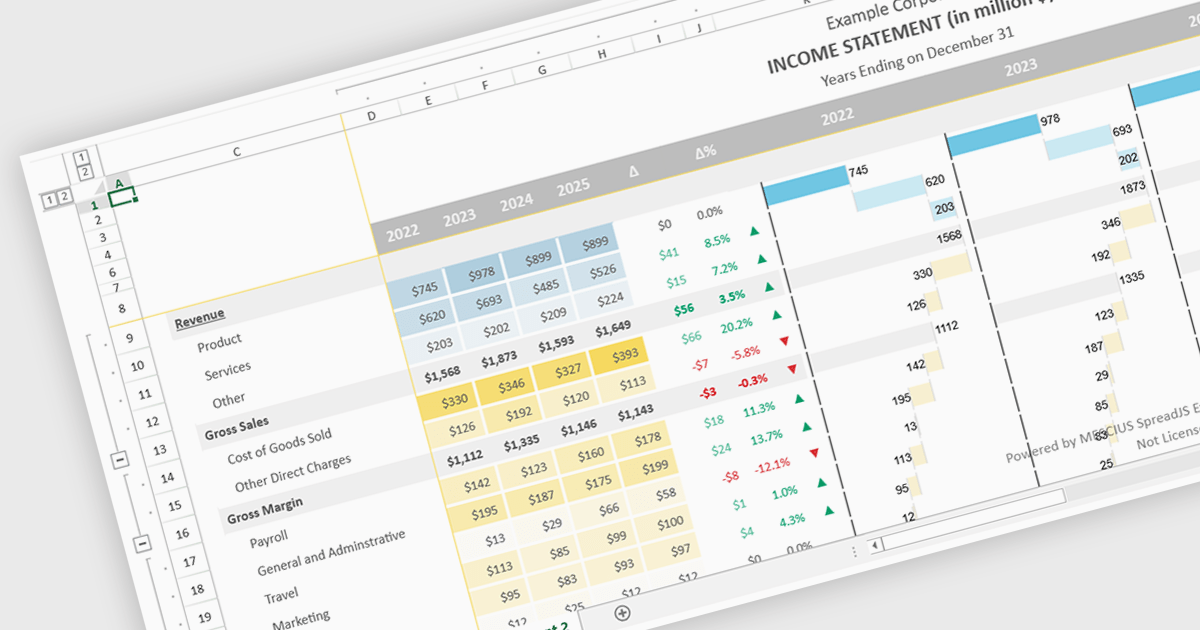
Conditional formatting support in a React spreadsheet component allows developers to apply dynamic visual styling to cells based on defined rules, values, formulas where supported, or predefined conditions, such as highlighting trends, thresholds, errors, or status changes as data changes. This capability improves data readability and usability by helping users identify important information quickly without manual analysis, while also enabling more interactive and responsive data-driven applications. For software developers, it provides a familiar spreadsheet experience within React applications, reduces the need for custom rendering logic, and supports the creation of dashboards, financial tools, reporting systems, and enterprise data management interfaces with clearer visual context.
Several React spreadsheet controls support conditional formatting including:
For an in-depth analysis of features and price, visit our React spreadsheet controls comparison.

A scheduling component is a prebuilt UI control that enables developers to add interactive calendar and appointment management features to applications quickly and efficiently. It includes capabilities such as multiple calendar views, recurring events, drag and drop editing, and responsive layouts that improve productivity and simplify planning. Scheduling components are commonly used in appointment booking systems, employee scheduling, project management tools, healthcare applications, and meeting room reservation platforms.
Several jQuery UI Suites feature a scheduler component including:
For an in-depth analysis of features and price, visit our jQuery UI Suites comparison.

Document Solutions for PDF JS by MESCIUS is a JavaScript PDF API that enables software teams to add PDF functionality to web applications. It supports use cases such as generating documents, modifying existing files, rendering pages, handling forms, converting content, and automating PDF-related processes across browser-based and server-side JavaScript environments.
Beyond core document processing, the product provides tools for creating richer document workflows within custom applications. Its WebAssembly-based engine is designed for efficient performance, while the optional viewer component supports interactive scenarios such as annotation, review, and form filling. This gives teams more control over how PDFs are handled and helps reduce reliance on separate PDF software in reporting, compliance, data collection, and collaboration scenarios.
Document Solutions for PDF JS is licensed per developer and is available in several license options for differing distribution needs. Team licenses are also available for multiple developers within the same organization. See our Document Solutions for PDF JS licensing page for full details.
Learn more on our Document Solutions for PDF JS product page.
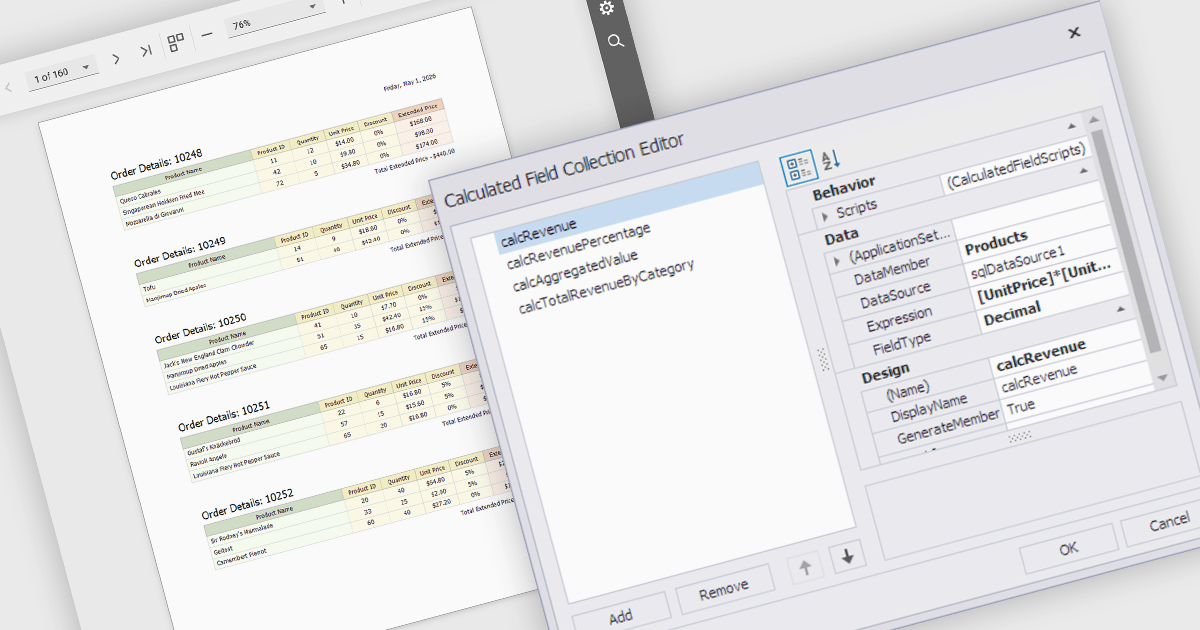
Calculated fields are dynamic values derived from existing data within reporting components. They enable complex data manipulations, calculations, and transformations, providing enhanced data analysis capabilities. By creating new fields based on existing data, calculated fields offer flexibility and efficiency, allowing users to perform calculations, aggregations, and logical comparisons directly within the report. This empowers users to generate insights, visualize trends, and make data-driven decisions without requiring modifications to the underlying data source, ultimately improving report accuracy and usability.
Several React reporting controls offer support for calculated fields:
For an in-depth analysis of features and price, visit our React reporting controls comparison.
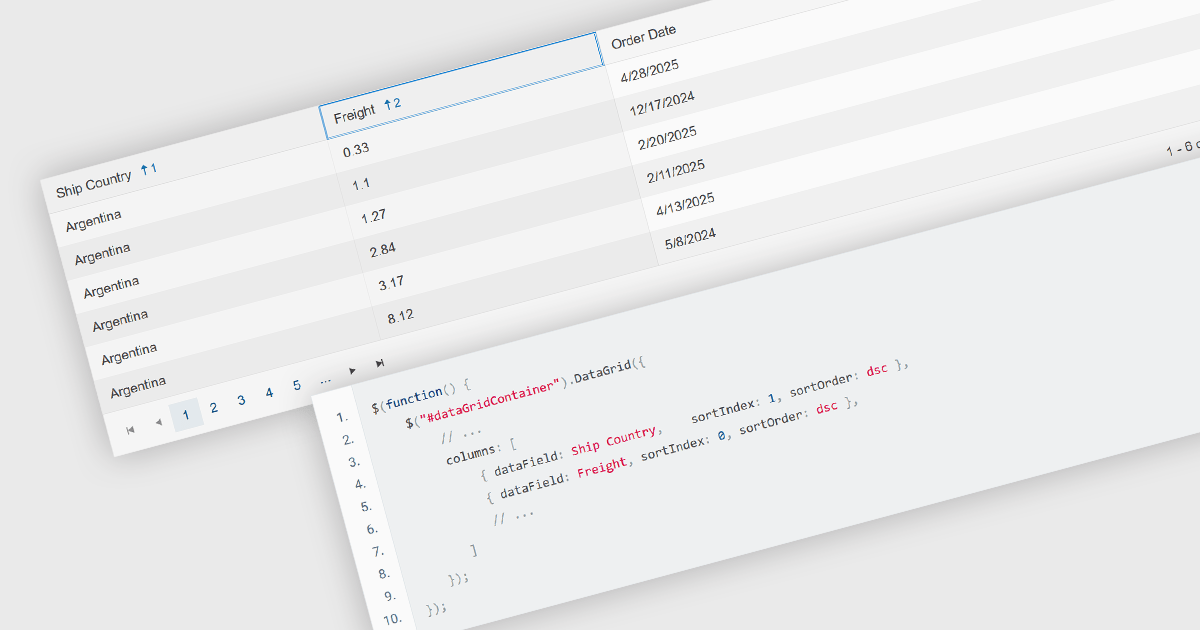
Multi-column sorting in a grid allows users to order data based on more than one column at the same time, applying a hierarchy of sort conditions. This means that when values in a primary column are identical, secondary or tertiary columns are used to further refine the order. The approach improves data exploration by enabling more precise organization, reducing the need for manual filtering, and supporting clearer comparisons across related fields. It is particularly useful in datasets where single-column sorting does not provide enough context to surface meaningful patterns.
Several jQuery grid components allow you to sort multiple columns, including:
For an in-depth analysis of features and price, visit our comparison of jQuery grid components.





Tel: (888) 850 9911
Fax: +1 770 250 6199


