








Fornitore ufficiale
In qualità di distributori ufficiali e autorizzati, forniamo licenze software legittime direttamente da più di 200 autori di software.
Vedi tutte le nostre marche
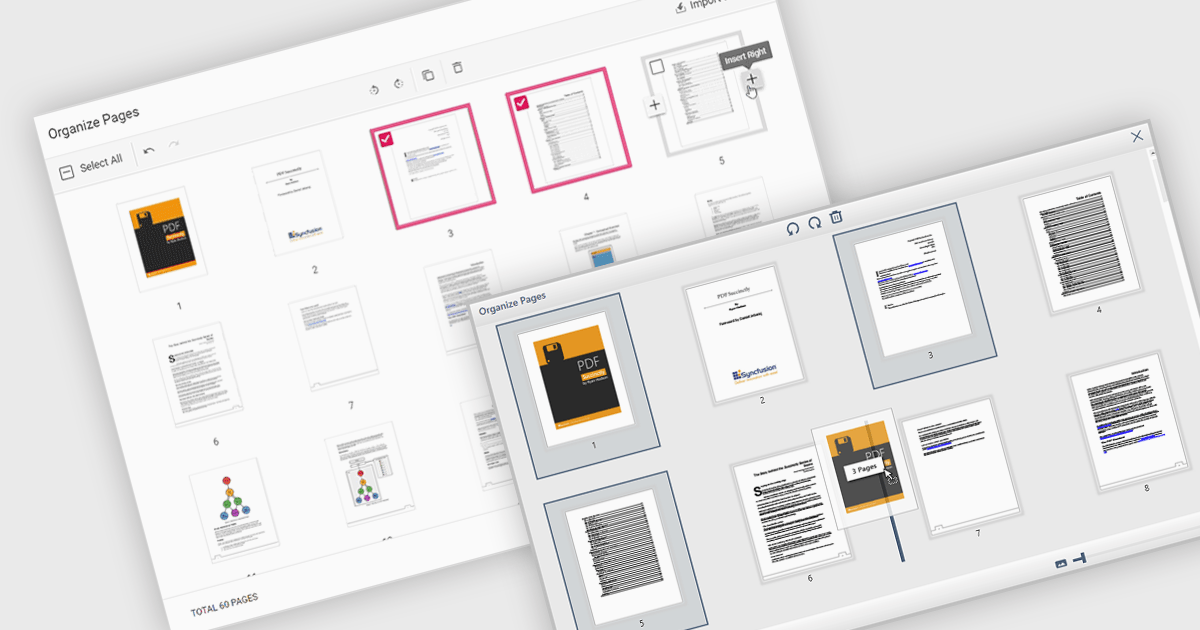
Moving pages in a PDF file refers to the ability to change the order of individual pages within the document. This is typically done by dragging and dropping pages into a new sequence or by specifying where a page should be relocated. The main benefit of this feature is improved document organization, especially in cases where content needs to be restructured for clarity, relevance, or compliance with formatting requirements. It also simplifies tasks such as compiling reports, merging multiple sources, or preparing documents for printing and distribution, making it easier to manage large or complex PDF files efficiently.
Several WPF PDF components allow you to move pages in a PDF, including:
For an in-depth analysis of features and price, visit our comparison of WPF PDF components.

Image editing in a data editor component helps users work with images alongside other data fields. This includes basic functions like cropping, rotating, resizing, and adding annotations. It's useful for tasks such as cleaning up user-uploaded files, adjusting product photos, or marking up visual references—all without switching to another application. This keeps image handling part of the same process as your data updates.
Several .NET data editor collections provide an image editor, including:
For an in-depth analysis of features and price, visit our .NET data editors comparison.

ComponentSource and combit have partnered for 15 years, providing developers worldwide with powerful reporting, reporting designers, and data visualization tools to build professional, data-driven applications.
combit is a leading provider of reporting components for software developers, best known for List & Label – a multiple award-winning reporting tool used by development teams around the globe. Their components make it easier to design and integrate customized reports, dashboards, lists, and labels into business applications. Through ComponentSource, customers can conveniently license, and maintain these combit products, confident they’re choosing proven technology backed by professional support and ongoing innovation.
Together, ComponentSource and combit help development teams deliver applications faster, with flexible licensing options, reliable updates, and expert assistance. As demand for advanced reporting and analytics continues to grow, this long-standing collaboration ensures customers can rely on a trusted combination of combit’s technology and ComponentSource’s global distribution and customer service for many years to come.
Learn more about combit.
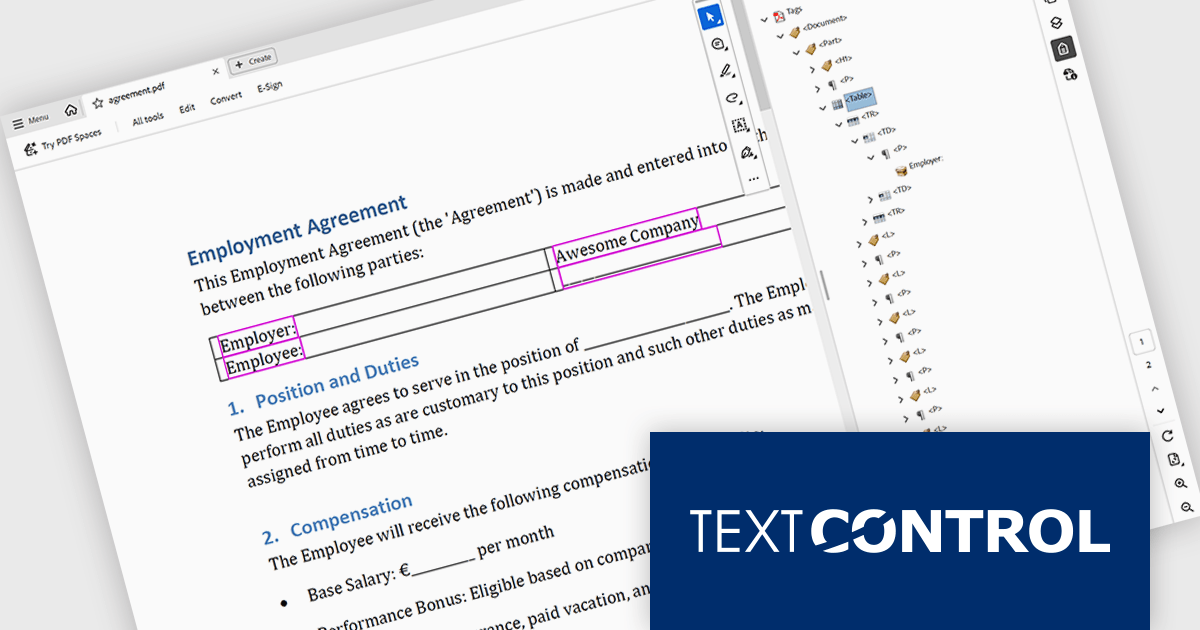
TX Text Control .NET is a royalty-free, fully programmable document editor that empowers developers to add rich WYSIWYG word processing to desktop and web applications across various platforms. It provides everything from comprehensive text formatting and mail merge to PDF creation and processing, all through a robust API and intuitive user interface.
The TX Text Control .NET 34.0 Enterprise now supports the PDF/UA (Universal Accessibility) standard, enabling developers to generate PDF documents that comply with ISO 14289-1 accessibility guidelines. This update ensures that documents are properly structured and tagged for assistive technologies like screen readers, helping organizations meet legal and regulatory requirements for accessible digital content. With this enhancement, TX Text Control makes it easier to deliver inclusive, compliant PDFs across industries where accessibility is essential, such as government, healthcare, and education.
To see a full list of what's new in version 34.0, see our release notes.
TX Text Control .NET for Windows Forms and TX Text Control .NET for WPF are licensed per developer and are available as a Perpetual License with a 12 month support and maintenance subscription. See our TX Text Control .NET for Windows Forms licensing page or TX Text Control .NET for WPF licensing page for full details.
TX Text Control .NET is available to buy in the following products:
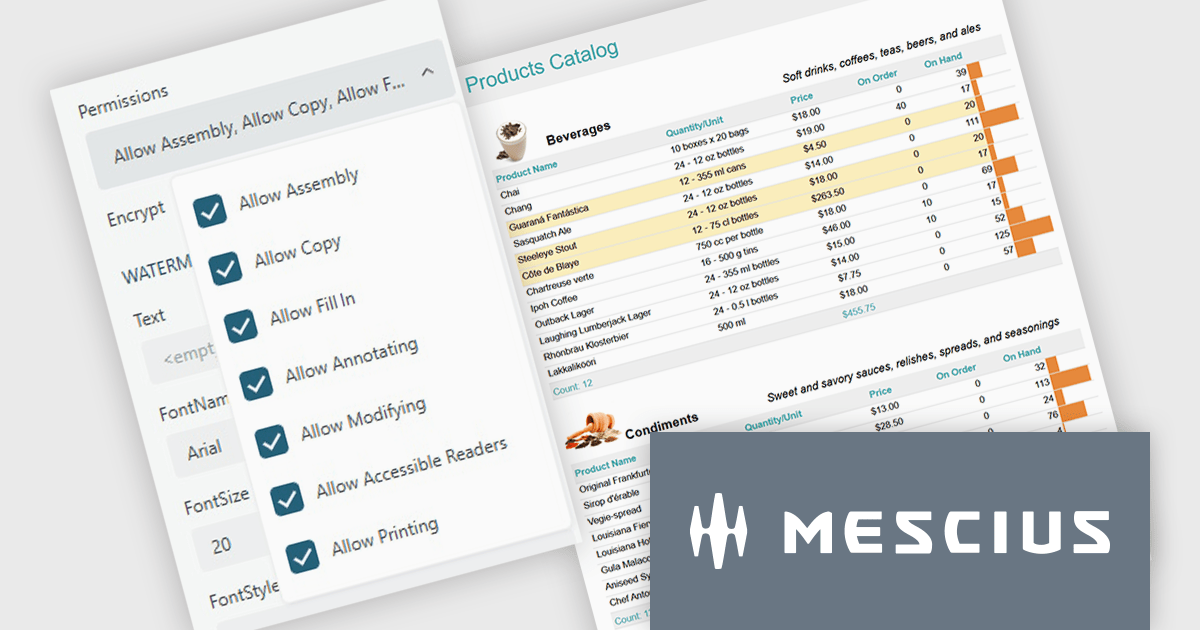
ActiveReports.NET from MESCIUS, is a comprehensive reporting solution for developers building applications in .NET. It helps you to design and deliver visually appealing reports through user-friendly designers and a wide range of controls. ActiveReports simplifies report creation and distribution with a versatile API, rich data source connectivity, and support for multiple export formats. This translates to increased developer productivity and improved end-user experience with powerful reporting functionalities within your .NET applications.
The ActiveReports.NET v19.2 update introduces configurable permissions for PDFs exported from Web Viewers, allowing developers to apply precise controls over how end users interact with generated documents. By enabling encryption and selecting permissions such as copying, printing, annotating, modifying, filling forms, and accessing content through assistive readers, developers can enforce security, compliance, and workflow requirements directly within the export process. This update optimizes permission management across the JS Viewer, Blazor Viewer, and ASP.NET WebViewer, providing a consistent and efficient way to govern document behavior without additional code or external tooling.
To see a full list of what's new in v19.2, see our release notes.
ActiveReports.NET is licensed per developer and is available with or without a 12 month support and maintenance subscription. See our ActiveReports.NET licensing page for full details.
Learn more on our ActiveReports.NET product page.





Tel: (888) 850 9911
Fax: +1 770 250 6199


