








Fornitore ufficiale
In qualità di distributori ufficiali e autorizzati, forniamo licenze software legittime direttamente da più di 200 autori di software.
Vedi tutte le nostre marche

Network management in communication and messaging components is essential for ensuring reliable, secure, and efficient data exchange between systems. These components handle the transmission of messages across distributed applications, whether within a local environment or over a network. Effective management enables seamless communication, optimizes performance, and ensures that messages are delivered in the correct order and without loss. By implementing robust network management strategies, organizations can improve system resilience, maintain real-time data flow, and enhance overall application stability.
Common features include:
For an in-depth analysis of features and price, visit our .NET communications and messaging components comparison.

Arrow annotations are visual tools that allow users to draw attention to specific elements within a PDF by using arrows as directional indicators. These annotations are especially useful for guiding readers through complex diagrams, workflows, or technical illustrations where clarity is critical. By pointing to key areas, arrows help eliminate confusion, ensure important details aren't overlooked, and streamline communication during document reviews or collaborative discussions. Common use cases include annotating engineering schematics, marking areas for revision in design drafts, and highlighting specific data points in reports. The result is a more intuitive and engaging document that effectively conveys its intended message. Many PDF processing libraries support creating, customizing, and manipulating arrow annotations programmatically, offering options such as color, thickness, transparency, and positioning to fit various use cases.
Several ASP.NET Core PDF components offer arrow annotations including:
For an in-depth analysis of features and price, visit our ASP.NET Core PDF components comparison.
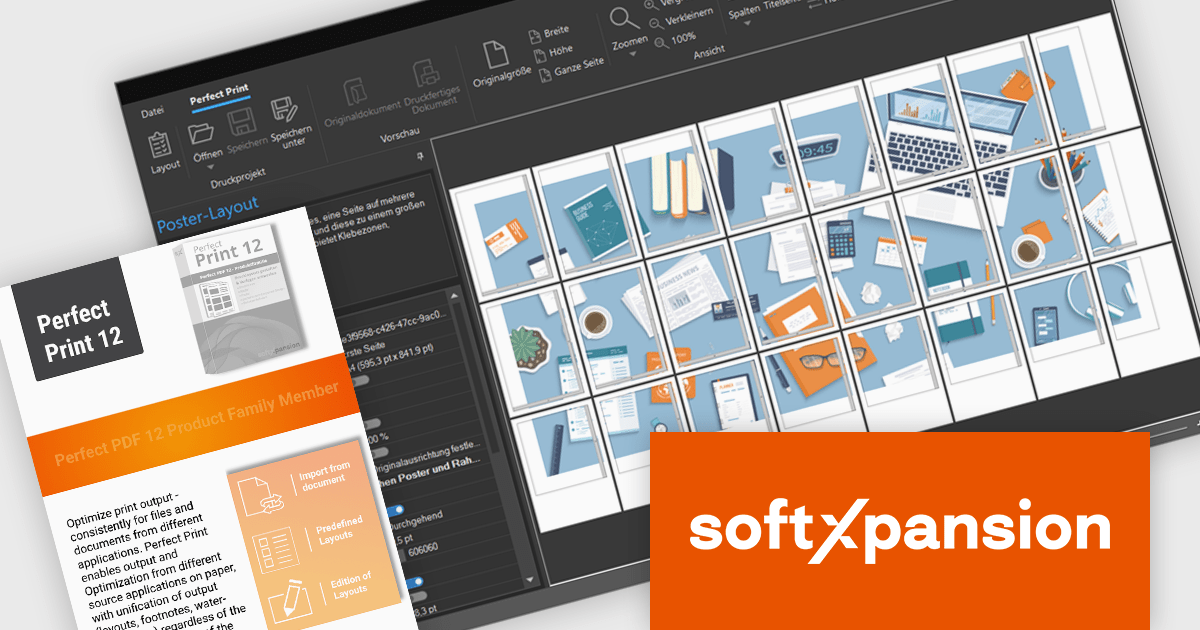
Soft Xpansion's PDF Xpansion SDK E-Invoicing equips developers with tools for integrating electronic invoice functionalities into their applications. This SDK supports processing common e-invoice formats like ZUGFeRD, Factur-X, and XRechnung. Developers can leverage functionalities for creating, editing, and displaying compliant invoices within their software. Additionally, the SDK facilitates data extraction from these invoices, enabling seamless integration with accounting or enterprise resource planning (ERP) systems.
The PDF Xpansion SDK - E-Invoicing (Receipt) v17 update introduces the Perfect Print feature, enabling software developers to efficiently generate large volumes of personalized PDF documents using customizable templates. This functionality ensures a consistent and professional layout across all documents by incorporating shared design elements such as letterheads, headers, and footers while allowing the inclusion of dynamic, customer-specific data. By automating the creation process, the feature minimizes manual effort, reduces the risk of errors, and significantly enhances productivity, making it an ideal solution for applications that require scalable and reliable document generation. Perfect Print is an add-on feature that is subject to an additional fee. It is available on separate request, please contact us for details.
To see a full list of what's new in v17, see our release notes.
Soft Xpansion is licensed per company location. Additionally, Maintenance Subscription is available which includes product updates and technical support for 1 year. See our PDF Xpansion SDK - E-Invoicing (Receipt) licensing page for full details.
Telerik Report Server is a comprehensive and flexible end-to-end solution for managing reports. Built with the Telerik Reporting library, it is a server-based Windows web application that provides centralized storage, organization, and previewing of reports, along with features for scheduling, delivery, and user management. Report Server can act as a standalone solution or be integrated within an application, allowing developers to create, manage, and distribute reports across multiple platforms including Blazor, Angular and Windows Forms.
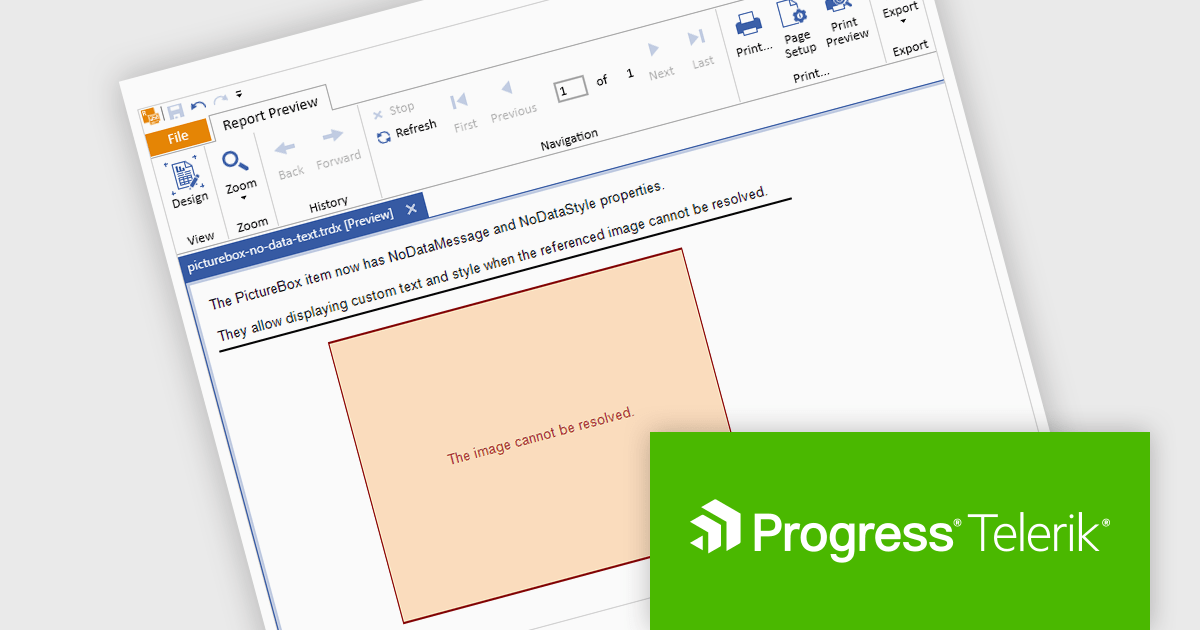
The Telerik Report Server 2024 Q4 update introduces enhanced handling for missing images in reports, providing greater control over how absent data is displayed. This is achieved through extended NoDataMessage properties, which allow developers to define custom messages or visuals that appear when data or images are unavailable. These enhancements improve the clarity and professionalism of report outputs, ensuring that users receive meaningful feedback even when expected content is missing. By addressing common disruptions caused by absent resources, the update helps developers maintain a seamless and polished reporting experience.
To see a full list of what's new in 2024 Q4 (10.3.24.1112), see our release notes.
Telerik Report Server is available as a perpetual license and is licensed per domain. Each domain license contains 15 Client Access Licenses and 1 year support and maintenance. See our Telerik Report Server licensing page for full details.
Telerik Report Server is available individually or as part of Telerik DevCraft Ultimate.
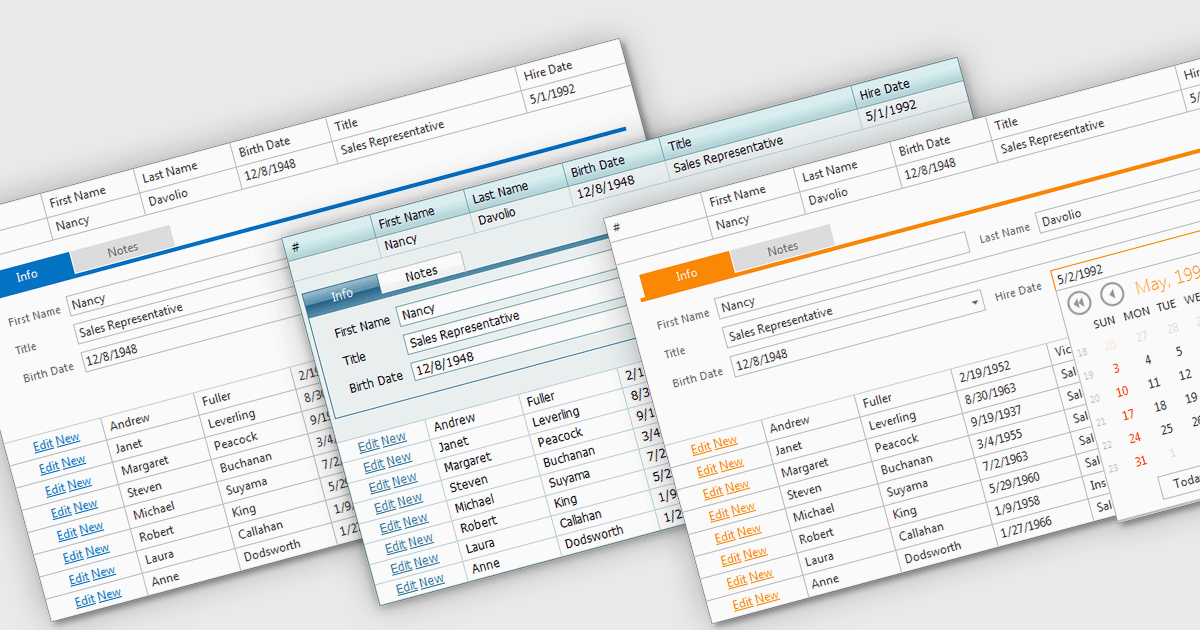
Built-in grid themes are pre-designed styling frameworks within components, providing developers with an efficient way to create visually consistent and professional grid-based interfaces. These themes streamline development by eliminating the need for custom grid designs, ensuring responsiveness across devices, and incorporating accessibility features such as proper color contrast and keyboard navigation. Built-in grid themes enhance the usability and scalability of data-intensive applications, making them ideal for business dashboards, analytics tools, and e-commerce platforms where clean, structured, and polished grid visuals are essential. By leveraging these themes, developers can prioritize functionality while delivering an intuitive, engaging, and inclusive grid experience.
Several ASP.NET Core grid components offer built in theme support including:
For an in-depth analysis of features and price, visit our ASP.NET Core grid controls comparison.





Tel: (888) 850 9911
Fax: +1 770 250 6199


