








Fornitore ufficiale
In qualità di distributori ufficiali e autorizzati, forniamo licenze software legittime direttamente da più di 200 autori di software.
Vedi tutte le nostre marche
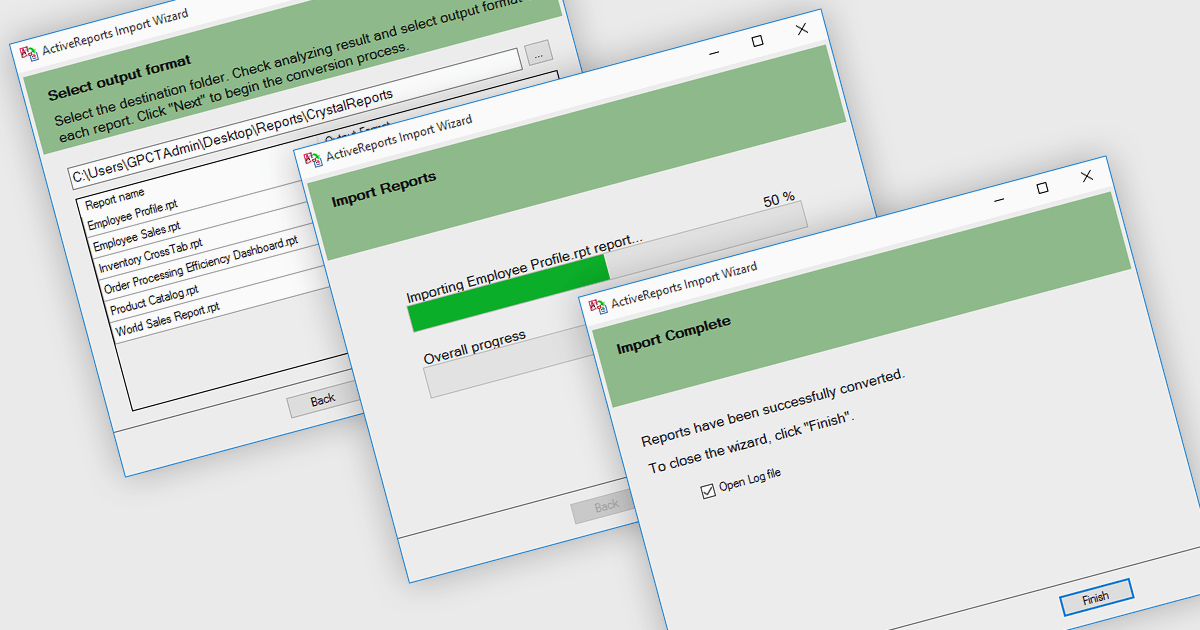
.NET reporting controls address the challenge of integrating existing reports into new .NET applications. These controls offer conversion tools that can import reports from popular third-party vendors, allowing you to seamlessly migrate your reporting functionality without starting from scratch. This not only saves development time but also ensures continuity for users familiar with the previous report format. These controls are ideal for scenarios where legacy applications are being modernized or when integrating reports from acquired systems.
Several .NET reporting controls offer third party report conversion, including:
For an in-depth analysis of features and price, visit our comparison of .NET reporting controls.
Syncfusion Essential Studio WPF, available as part of Syncfusion Essential Studio Enterprise, is a powerful suite of over 95 UI controls, 50+ charts, and document processing libraries designed to boost the development of high-performance line-of-business applications for the Windows Presentation Foundation (WPF) framework. With built-in themes, touch-friendly interfaces, and seamless Visual Studio integration, it empowers developers to craft modern, feature-rich, and cross-platform experiences with ease.
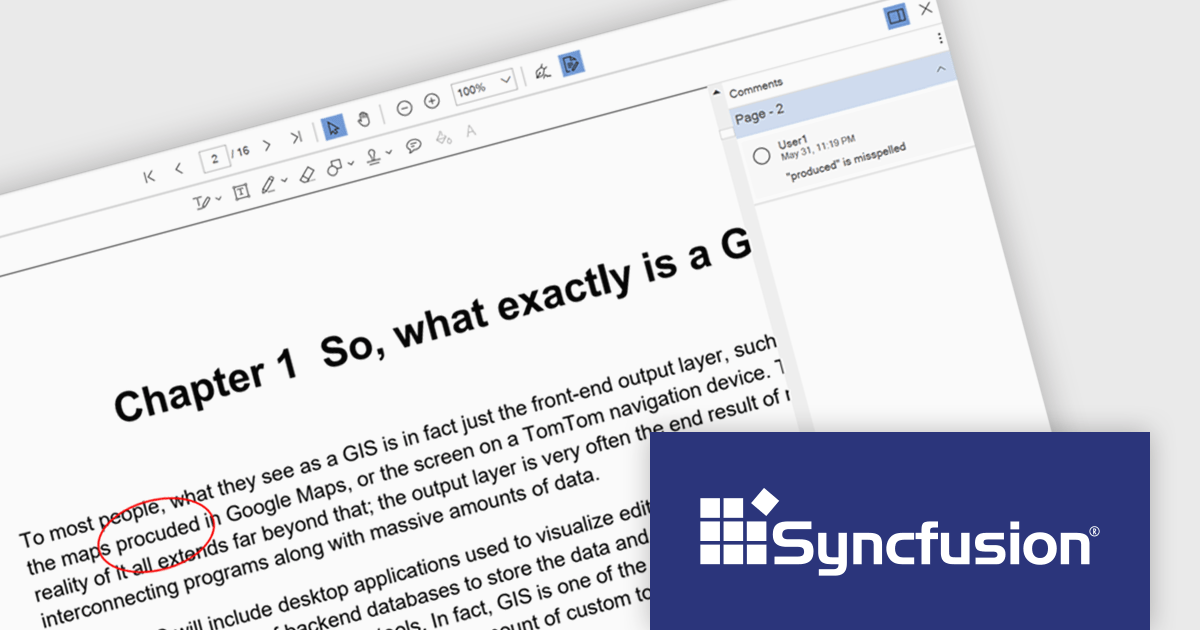
The Syncfusion Essential Studio WPF 2024 Volume 2 (26.1.35) release enhances the PDF Viewer by allowing users to add, edit, and delete comments on annotations within PDF documents. Users can reply to comments and set their status through the comment panel, facilitating dynamic and interactive document review. By enabling replies and status tracking, reviewers can have threaded discussions and ensure all feedback is addressed, improving the overall efficiency and clarity of the review process.
To see a full list of what's new in 2024 Volume 2 (26.1.35), see our release notes.
Syncfusion Essential Studio WPF is available as part of Syncfusion Essential Studio Enterprise which is licensed per developer starting with a Team License of up to five developers. It is available as a 12 Month Timed Subscription License which includes support and maintenance. See our Syncfusion Essential Studio Enterprise licensing page for full details.
Learn more on our Syncfusion Essential Studio WPF product page.
The DevExpress Office File API is a powerful .NET library designed to automate work with Microsoft Word documents, Excel spreadsheets, and PDF files without relying on any UI components. It empowers developers to programmatically create, read, edit, export, and print these crucial office files across various platforms, including Windows, Linux, macOS, and even Azure. Its feature set covers a wide range of tasks, from formatting text and inserting images in Word documents to manipulating data and generating charts in Excel workbooks, and even filling interactive forms or extracting text from PDFs. This comprehensive functionality allows developers to integrate seamless document handling directly into their applications, eliminating the need for external software and streamlining workflows.
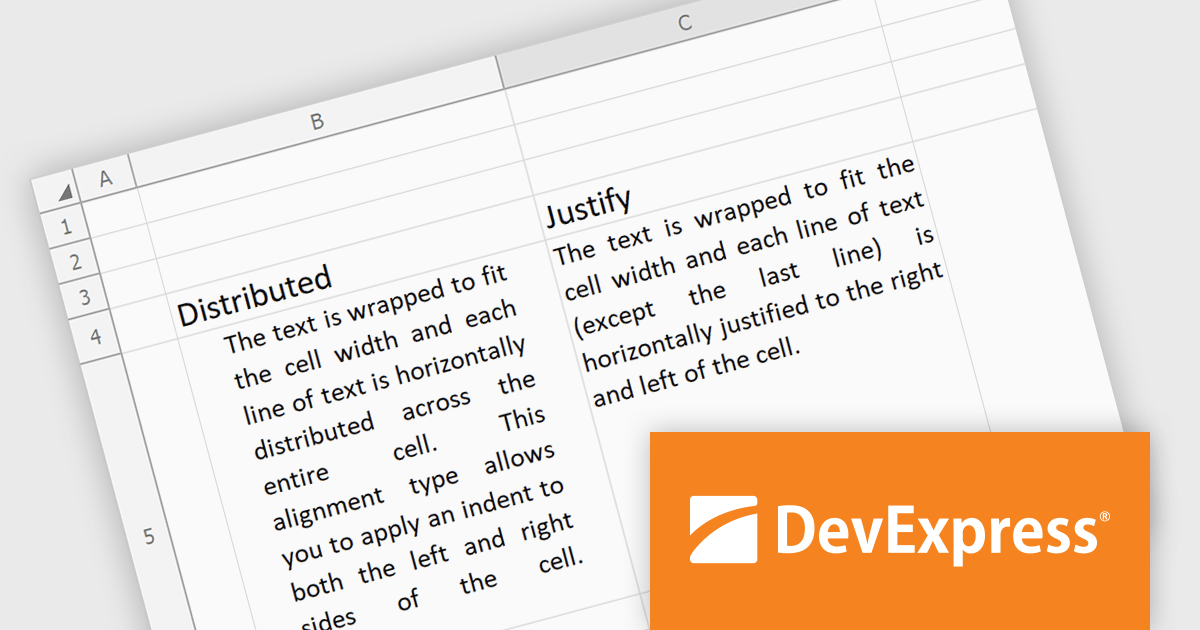
The DevExpress Office File API 24.1 release introduces justified and distributed text alignment to the Spreadsheet Document API. This means that text can now be spread evenly across the entire width of the cell (justified) or with a slight indent on both sides (distributed) - similar to how text appears in word processing software. These formatting options are preserved when exporting the spreadsheet to PDF, allowing users to maintain a consistent presentation across different document formats.
To see a full list of what's new in version 24.1, see our release notes.
DevExpress Office File API is licensed per developer and is available as a Perpetual License with a 12 month support and maintenance subscription. See our DevExpress Office File API licensing page for full details.
DevExpress Office File API is available to buy in the following products:
Eyeshot by devDept Software empowers you to integrate robust CAD functionalities into your .NET applications. Supporting both Windows Forms and WPF natively, it offers a comprehensive suite of tools accessible through the Visual Studio toolbox. These include Design for 2D/3D geometry creation and editing, Drawing for automatic 2D view generation, Simulation for geometry validation, and Manufacture for CNC toolpath generation and simulation.
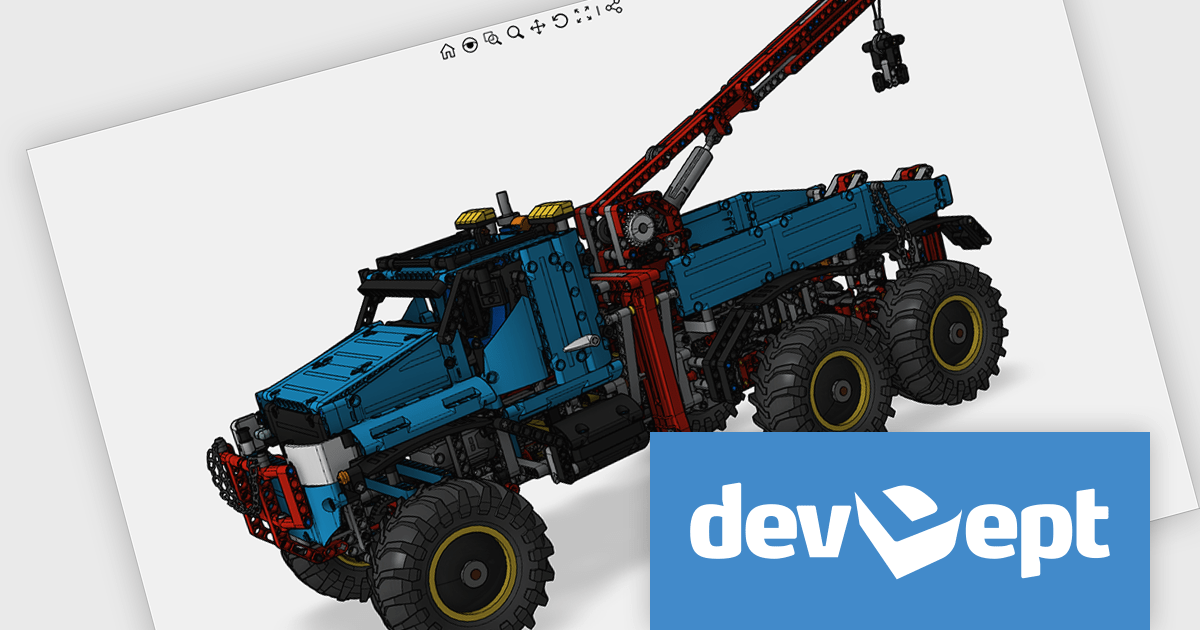
The Eyeshot 2024.2 release introduces a valuable new feature: the ScaleBar UI element. This on-screen tool acts as a visual ruler within your modelling environment, providing a quick and easy way to estimate the size of your 3D geometry directly in the viewport. Especially useful in the early design stages, the ScaleBar eliminates guesswork and ensures your model aligns with real-world dimensions. This streamlines your workflow by allowing you to design with confidence, knowing the true size of your objects at a glance.
To see a full list of what's new in version 2024.2, see our release notes.
Eyeshot is licensed per developer and is available as an annual license, with either Lite or Priority support. See our licensing pages for Eyeshot Pro, Eyeshot Ultimate, and Eyeshot Fem for full details.
Eyeshot is available to buy in the following products:
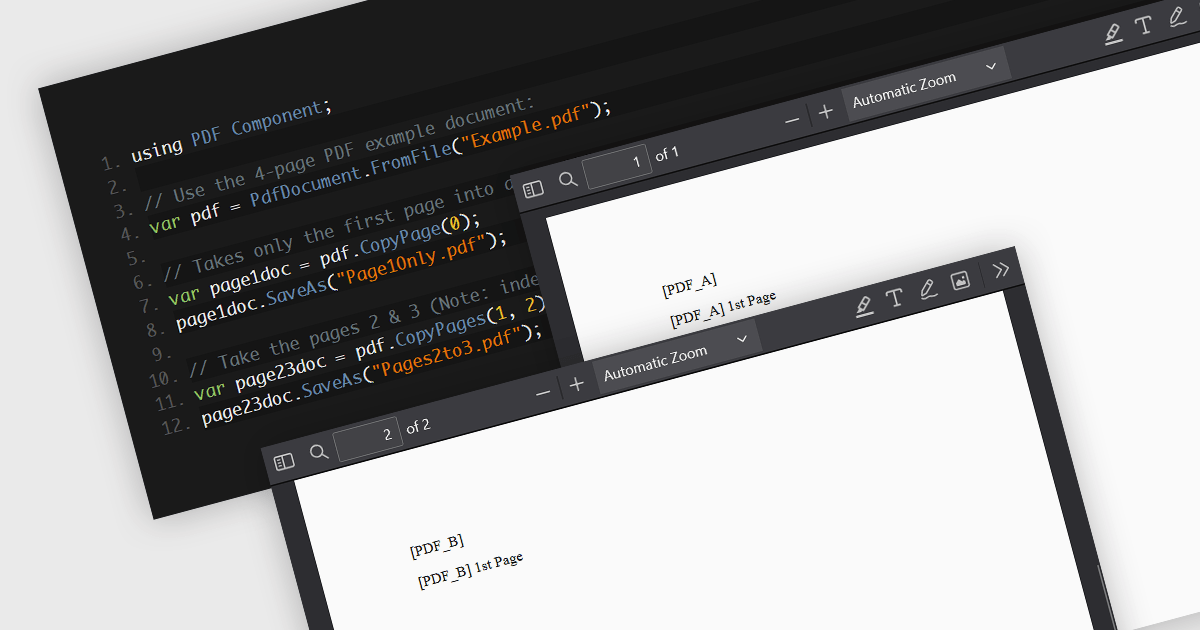
PDF splitting functionality enables users to divide a single PDF document into multiple smaller files, each containing a subset of the original document's pages. This capability is essential for managing large PDFs by breaking them down into more manageable sections, facilitating easier distribution, storage, and retrieval of specific content. The primary benefits of PDF splitting include improved performance due to reduced file size, enhanced organization by isolating relevant information, and increased flexibility in handling and sharing parts of the document without the need to manipulate the entire file. It can also simplify collaboration and review processes, as specific sections can be easily extracted and shared with relevant stakeholders.
Several .NET PDF components allow you to split PDF files, including:
For an in-depth analysis of features and price, visit our comparison of .NET PDF components.





Tel: (888) 850 9911
Fax: +1 770 250 6199


