








Fornitore ufficiale
In qualità di distributori ufficiali e autorizzati, forniamo licenze software legittime direttamente da più di 200 autori di software.
Vedi tutte le nostre marche

An AutoComplete cell type in a grid control facilitates efficient data entry by providing predictive suggestions as users type, drawing from a predefined data source to minimize errors and enhance user experience. This functionality, often implemented via lookup editors, custom cell editors, or event handling, streamlines data input by displaying a dropdown list of matching values, allowing for quick selection and reducing typing effort, ultimately contributing to faster and more accurate data management within the application.
Several .NET WinForms grid controls enable the AutoComplete cell type including:
For an in-depth analysis of features and price, visit our WinForms grid controls comparison.
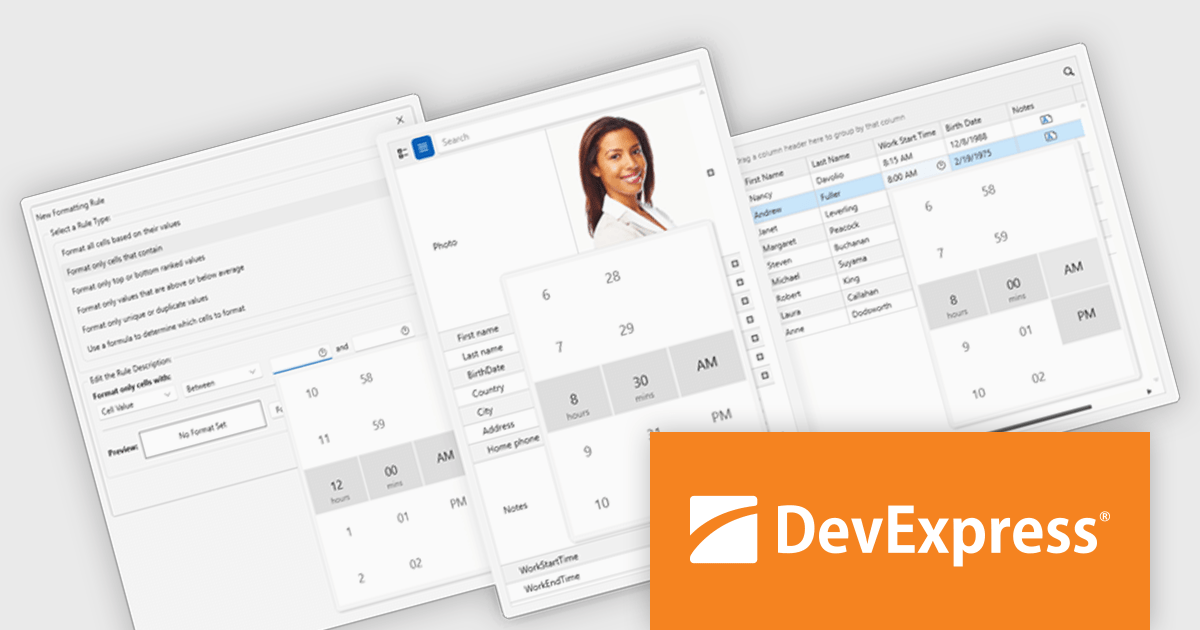
DevExpress WPF is a powerful suite of controls that enhances your WPF development toolkit. It offers data grids, ribbon menus, rich text editors, spreadsheets, charts, and more – all with beautiful themes and touch-friendly interfaces. DevExpress WPF empowers you to build professional-looking, responsive applications that meet modern user expectations, saving you time and effort while adding polish and functionality.
The DevExpress WPF v24.2 update enhances data handling in Grid, TreeList, and Property Grid by introducing automatic support for DateOnly and TimeOnly properties. This improvement ensures that the appropriate data editors are automatically assigned to cells, filters, and conditional formatting dialogs without requiring manual configuration. By streamlining the editing experience, the update provides a more intuitive approach to working with date and time values while reducing development effort. Users can now rely on built-in editor selection, improving efficiency and ensuring a seamless user experience across their applications.
To see a full list of what's new in version 24.2, see our release notes.
DevExpress WPF is licensed per developer and is available as a Perpetual License with a 12 month support and maintenance subscription. We can supply new subscriptions, subscription renewals, and additional licenses. See our DevExpress WPF licensing page for full details.
DevExpress WPF is available to buy in the following products:

Redgate Test Data Manager is a comprehensive software solution designed to streamline and automate test data management within database environments. It enables teams to provision realistic, production-like data while masking sensitive information to maintain compliance with data privacy regulations such as GDPR and CCPA. With data masking, synthetic data generation, and efficient provisioning, it creates reliable test environments that mirror real-world scenarios. This helps teams detect issues early, streamline debugging, and improve software quality while minimizing production risks and ensuring seamless deployments.
Lightweight clones in Redgate Test Data Manager enable software developers to rapidly create isolated, dedicated test environments without the overhead of full database copies. By referencing source data efficiently, these clones minimize storage requirements while maintaining full database functionality. Sensitive information is automatically handled to ensure compliance with security and privacy requirements, allowing developers to work independently with reliable test data while reducing infrastructure costs and accelerating testing cycles.
Redgate Test Data Manager is licensed on a capacity model based on the total volume of data in all production databases (priced per TB). You will need to purchase enough licenses to cover the total TB across all your databases and technologies (SQL Server, Oracle, Postgres SQL and MySQL). See our Redgate Test Data Manager licensing page for full details.
For more information, visit our Redgate Test Data Manager product page.
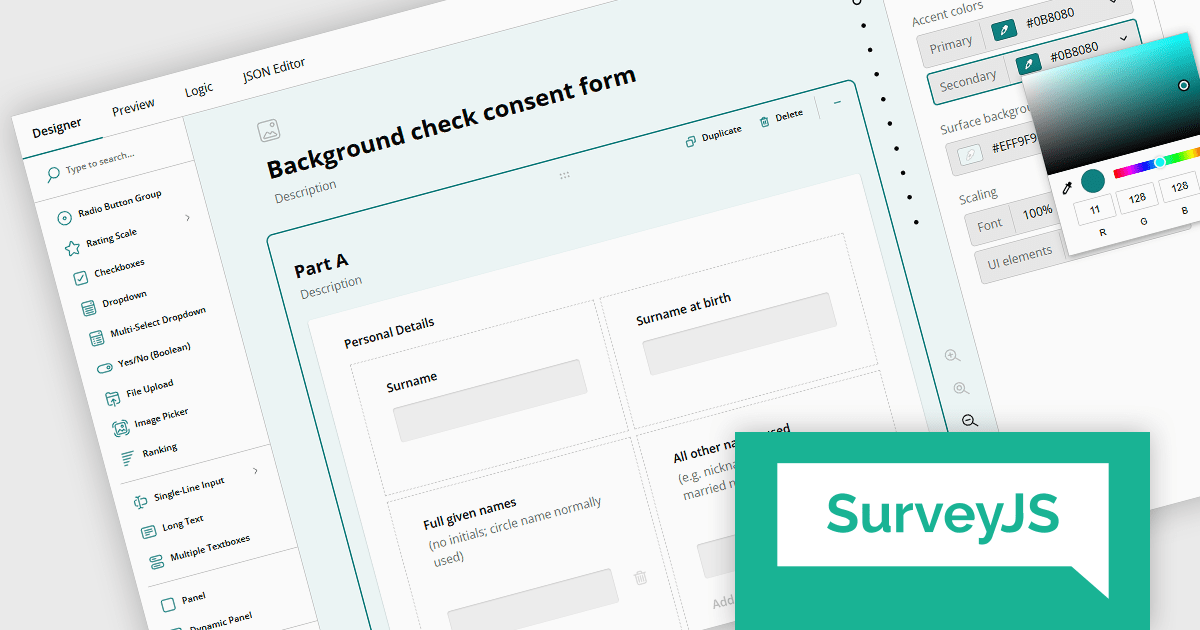
SurveyJS is a family of extensible JavaScript libraries designed to help developers build robust form management systems fully integrated into their web applications. These libraries work seamlessly with any backend system and are fully compatible with modern JavaScript frameworks, including React, Angular, and Vue 3.
SurveyJS Survey Creator is a powerful form-building UI component featuring an intuitive drag-and-drop interface that makes form creation accessible to all users. Its UI is fully customizable - from appearance and functionality to the UI language - allowing it to seamlessly blend into your application. Behind the scenes, SurveyJS leverages a JSON-based schema to define forms and surveys, making it easy to store, share, and dynamically render form structures across different environments.
Users can enjoy an intuitive survey-building experience with extensive UI customization options, available through a dedicated UI settings panel. Introduced in version 2.0 the settings panel includes three new predefined UI themes - Light, Dark, and Contrast (with WCAG 2.2-compliant colors). These themes can be used as-is or further customized with options for UI and font scale size, accent colors, and background colors. Along with other enhancements these UI options create a more flexible environment where each user can personalize the form builder UI to align perfectly with their personal preferences.
SurveyJS Survey Creator is licensed per developer with a one-time payment for indefinite use. Access to updates and technical support is available through a subscription. See our SurveyJS Survey Creator licensing page for full details.
Learn more on our SurveyJS Survey Creator product page.
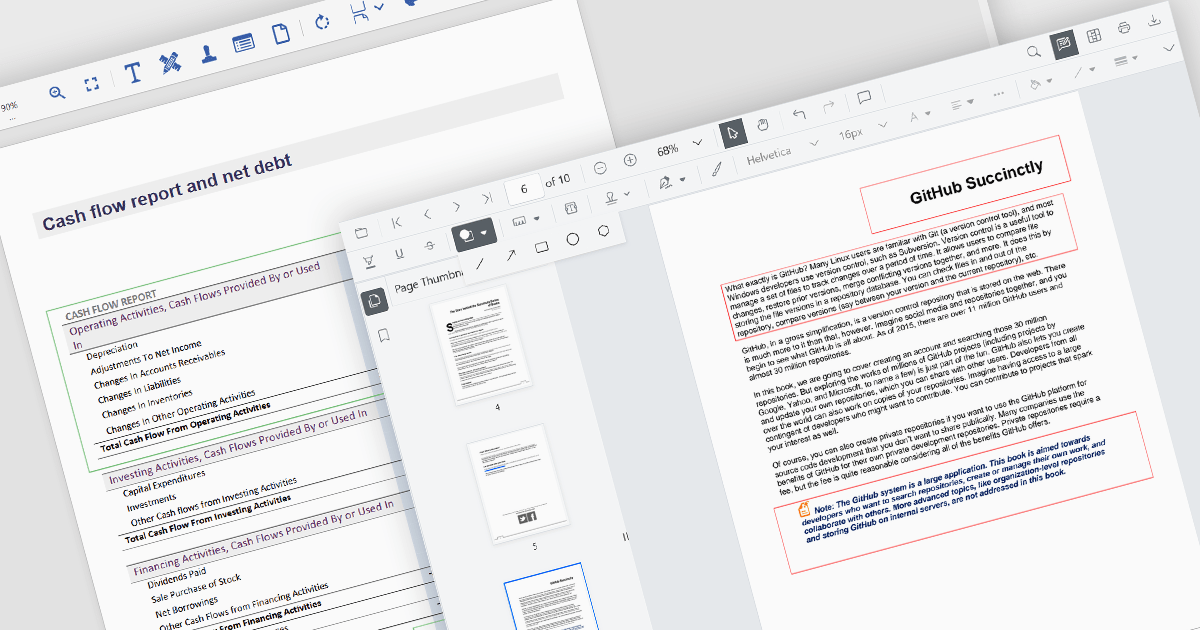
Rectangle annotations in PDF controls allow users to highlight specific areas within a document by drawing rectangular shapes. These annotations are useful for marking sections for review, redaction, or emphasis without altering the original document content. Typically, rectangle annotations support customization options such as border color, fill color, opacity, and line thickness, enabling users to tailor them to their needs. Many PDF viewer components also provide interactive features, such as the ability to move, resize, or delete annotations, ensuring flexibility in document review and collaboration workflows.
Several ASP.NET Core PDF viewer controls offer rectangle annotations including:
For an in-depth analysis of features and price, visit our ASP.NET Core PDF viewers comparison.





Tel: (888) 850 9911
Fax: +1 770 250 6199


