








Fornitore ufficiale
In qualità di distributori ufficiali e autorizzati, forniamo licenze software legittime direttamente da più di 200 autori di software.
Vedi tutte le nostre marche

Spell checking controls are tools within software applications that automatically identify and correct spelling errors. They offer features like real-time error detection, context-aware suggestions, autocorrect, and customizable dictionaries for specialized terms. These tools enhance communication quality, reduce documentation errors, and improve the professionalism of written content. Spell checking controls are essential in word processors, content management systems, and any platform where clear, accurate text is crucial.
Several .NET spell checkers can highlight misspelled words with red underlines including:
Explore our range of .NET spell checker controls within Input and Validation Components.
Need help to find the right software license, upgrade or renewal? Call, Email, or Live Chat with our experts.

Spread.NET by MESCIUS is a versatile spreadsheet component for .NET applications, enabling developers to integrate Excel-compatible functionalities into Windows Forms, WPF, ASP.NET, and Blazor. With features like advanced data visualization, pivot tables, conditional formatting, and customizable formulas, Spread.NET handles large data sets efficiently and allows seamless Excel import/export. This tool is ideal for applications needing robust data analytics and reporting, such as financial software and business intelligence solutions, enhancing user experience with a familiar spreadsheet interface.
In this blog post, MESCIUS Product Marketing Specialist Mackenzie Albitz shows you how to use Spread.NET to efficiently manage data within your applications when you encounter text that needs to be split into columns. Steps include:
Detailed sample code is included that you can use as a foundation for your applications.
Read the full blog to get started using this powerful capability of Spread.NET.
Spread.NET is licensed per developer and is available as a Perpetual License with a 12 month support and maintenance subscription. We can supply any Spread.NET license including new licenses, maintenance renewals, and upgrade licenses. See our Spread.NET licensing page for full details.
For more information, visit our Spread.NET product page.

The VectorDraw Developer Framework (VDF) is a comprehensive software library developed by VectorDraw that provides tools for creating, managing, and visualizing 2D and 3D vector graphics across a variety of applications. Designed primarily for developers, VDF includes a robust set of APIs for handling complex graphics, rendering CAD-style drawings, and supporting vector-based designs. With features such as Delaunay triangulation, advanced rendering capabilities, and support for diverse formats (including DWG, DXF, and SVG), VDF enables high-performance graphics processing in engineering, architectural, and design applications. This all-in-one framework integrates seamlessly with .NET and other development environments, allowing for efficient customization, rendering, and manipulation of graphics for both desktop and web-based solutions.
The VectorDraw Developer Framework (All in one) v11.3.1 update improves Delaunay triangulation performance and adds a new method to calculate the outline boundaries of a points collection. This results in a significant reduction in computation time for triangulating large point sets. For example, processing 261,000 points now takes approximately 150 milliseconds, compared to the 15 minutes required in previous versions. This improvement enhances the efficiency of applications that rely on Delaunay triangulation for tasks such as mesh generation, surface modeling, and spatial analysis.
To see a full list of what's new in v11.3.1, see our release notes.
VectorDraw Developer Framework (All in one) is licensed per developer, per year. During the annual license period you will receive all major and minor upgrades of the VDF libraries plus support from the VDF support team. To continue to use the software you will need to renew your license each year. See our VectorDraw Developer Framework (VDF) (All in one) licensing page for full details.
Learn more on our VectorDraw Developer Framework (VDF) (All in one) product page.

Gantt controls are invaluable tools for project management, particularly in visualizing and tracking the timeline of tasks, dependencies, and progress. These controls are ideal for illustrating project schedules, resource allocation, and critical paths. By providing a clear and concise overview of project milestones, Gantt controls facilitate effective planning, communication, and monitoring, ultimately helping organizations achieve project goals efficiently and on time.
Several React UI suites offer Gantt controls including:
For an in-depth analysis of features and price, visit our React UI suites comparison.
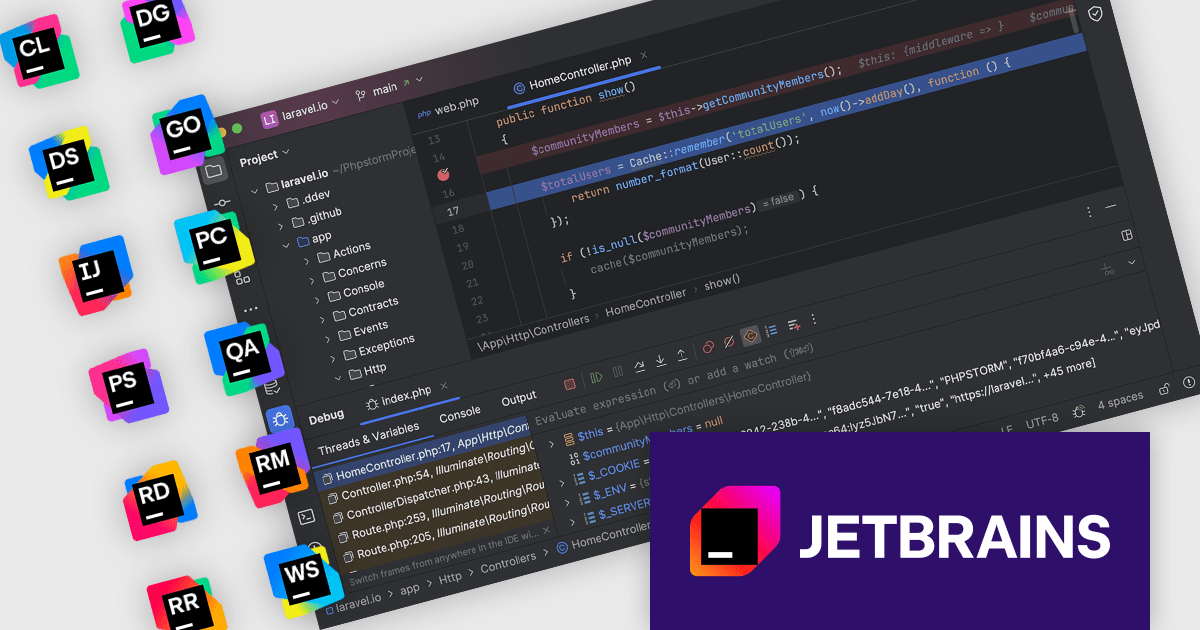
The JetBrains All Products Pack provides access to a comprehensive suite of JetBrains tools, including 12 IDEs, 3 extensions, and 2 profilers, all under one unified license. This flexible solution allows users to switch between tools across multiple machines, adapting to different projects with ease. With a single license, you benefit from simplified license management and significant cost savings - 12 IDEs for the price of two. The All Products Pack is designed to advance your skills by giving you unlimited access to industry-leading professional tools, empowering efficient, high-quality development across a variety of languages and platforms.
The JetBrains All Products Pack includes powerful, advanced debugging tools designed for a streamlined, efficient development experience. With multi-language support, developers can debug complex applications in Java, Python, JavaScript, and more within a unified interface. Key features such as precise breakpoints, real-time variable inspection, and remote debugging provide deeper insights into program behavior, allowing developers to swiftly identify and resolve issues. Ideal for distributed teams, large-scale applications, and production environments, these tools integrate seamlessly across the JetBrains ecosystem, enhancing productivity, reducing downtime, and supporting high-quality code development across every project phase.
The integrated debugger feature is available in the following IDEs: Aqua, CLion, DataGrip, DataSpell, GoLand, IntelliJ IDEA Ultimate, PyCharm, PhpStorm, Rider, RubyMine, RustRover and WebStorm.
JetBrains All Products Pack is licensed per user as a commercial annual subscription. We can supply new subscriptions, subscription renewals, lapsed subscription renewals, and additional developer licenses. See our JetBrains All Products Pack licensing page for full details.
For more information, see our JetBrains All Products Pack product page.





Tel: (888) 850 9911
Fax: +1 770 250 6199


