Architecture News

Migliora i programmi di installazione con un'efficiente compressione dei dati

Agosto 21, 2024
Scegli un programma di installazione con supporto per la compressione per ottimizzare le dimensioni del pacchetto di installazione, velocizzare i download e migliorare l'esperienza utente.

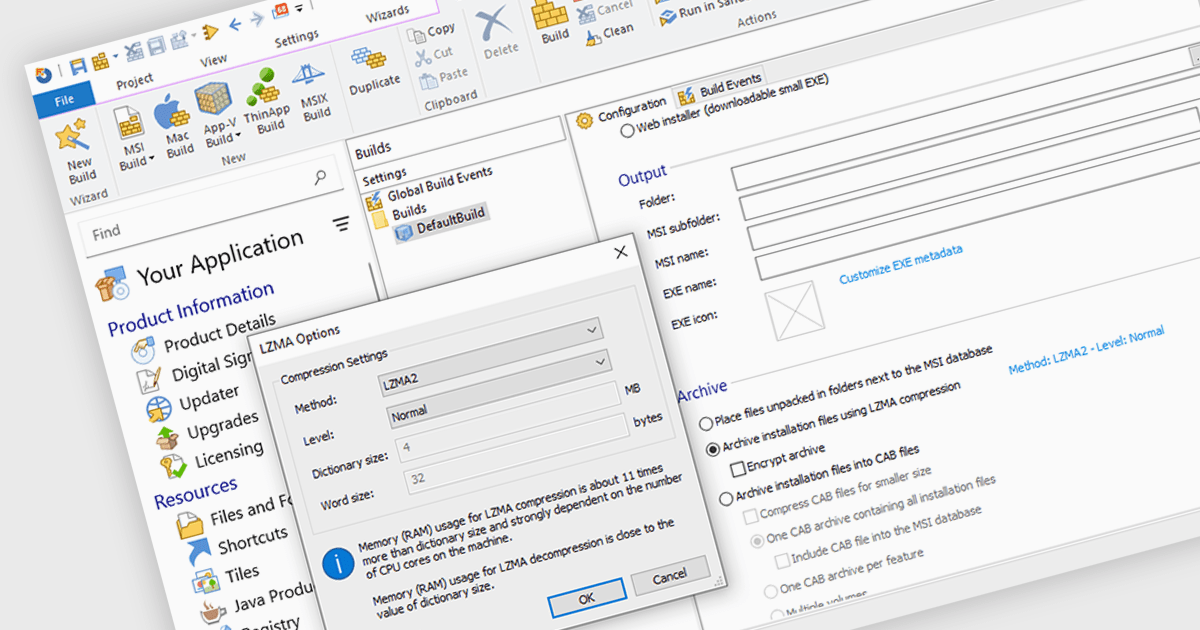
Data compression is a critical component of modern installation tools, enabling efficient delivery and reduced storage requirements. By reducing file sizes, compression accelerates download times, minimizes network bandwidth consumption, and optimizes installation package storage. Advanced compression algorithms specifically designed for software installation packages further enhance performance, ensuring swift and reliable deployment while preserving data integrity.

Several installation tools offer data compression including:

  • Advanced Installer Professional by Caphyon lets you optimize installation package size with LZMA compression for faster downloads.
  • InstallShield Professional by Revenera allows granular compression control for different file types to balance size and performance.
  • Setup Factory by Indigo Rose facilitates efficient file compression through various algorithms for streamlined installations.

For an in-depth analysis of features and price, visit our comparison of Installation Tools.
Compare Installation Tools

Crea report PDF condivisibili in pochi secondi

Agosto 20, 2024
Esporta report PDF personalizzabili e di alta qualità per comunicare in modo efficace i tuoi dati e approfondimenti ai tuoi clienti, stakeholder o membri del team.

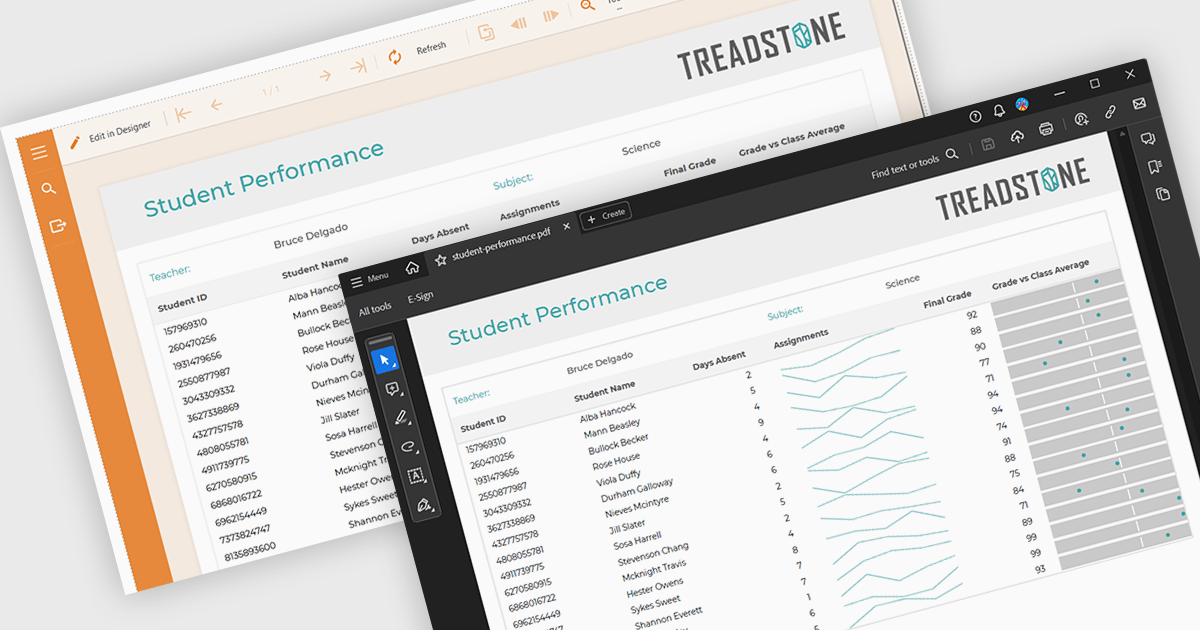
PDF export functionality within a reporting component enables the transformation of generated report data into a portable, high-fidelity PDF document. This capability offers significant advantages, including standardized document format compatibility, enhanced security through encryption options, optimized file size for efficient storage and transmission, and preservation of complex layout and formatting, ensuring consistent visual representation across different platforms and devices.

Several Angular reporting components offer PDF export support including:

  • DevExpress Reporting facilitates high-performance report PDF export with advanced customization options.
  • ActiveReportsJS by MESCIUS enables seamless report PDF generation directly from web applications.
  • Stimulsoft Reports.JS offers flexible report PDF export capabilities with a wide range of customization options.

For an in-depth analysis of features and price, visit Angular reporting components comparison.
Compare Angular Reporting Components

Visualizzazione di rappresentazioni visive di dati o processi

Agosto 20, 2024
I controlli per diagrammi .NET WinForms consentono di creare facilmente diagrammi complessi, diagrammi di flusso, organigrammi e altre rappresentazioni visive.

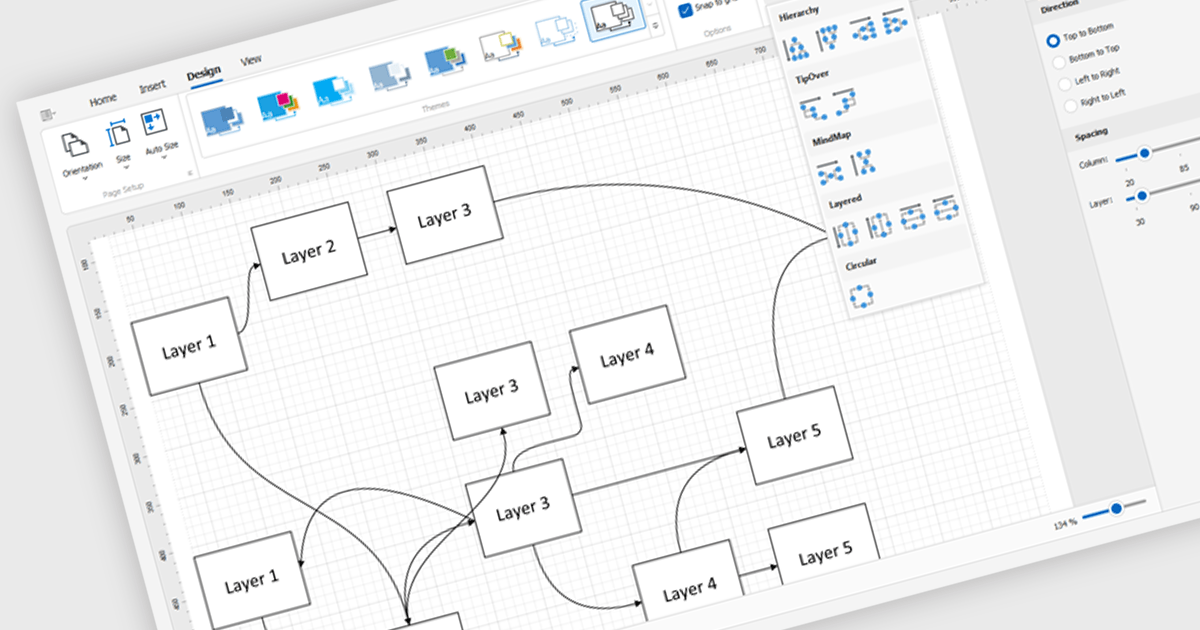
Diagram controls provide pre-built graphical elements for constructing various diagrams, flowcharts, and organizational charts within applications. These components accelerate development by offering customizable shapes, connectors, layouts, and interaction features, enabling developers to rapidly create visually appealing and interactive diagrams without extensive manual coding, thereby enhancing user experience and application functionality.

Many .NET WinForms UI Suite collections contain diagram controls including:

  • DevExpress WinForms offers a robust suite of diagram components for visualizing complex data relationships.
  • Telerik UI for WinForms provides a comprehensive collection of diagram components for effective data visualization and interaction.
  • Nevron Vision for .NET features a powerful set of diagram components for creating interactive and visually appealing diagrams.
  • MindFusion.WinForms Pack includes a versatile range of diagram components for flexible data visualization and customization.
  • Syncfusion Essential Studio Enterprise offers a comprehensive suite of diagram components for creating informative and visually appealing diagrams.

For an in-depth analysis of features and price, visit our comparison of .NET WinForms UI Suites.
Compare .NET WinForms UI Suites

Ottimizza la raccolta dei dati con l'invio di moduli PDF

Agosto 20, 2024
Le azioni di invio consentono alle applicazioni di inviare i dati dei moduli PDF a una posizione predefinita, semplificando la raccolta e l'elaborazione dei dati.

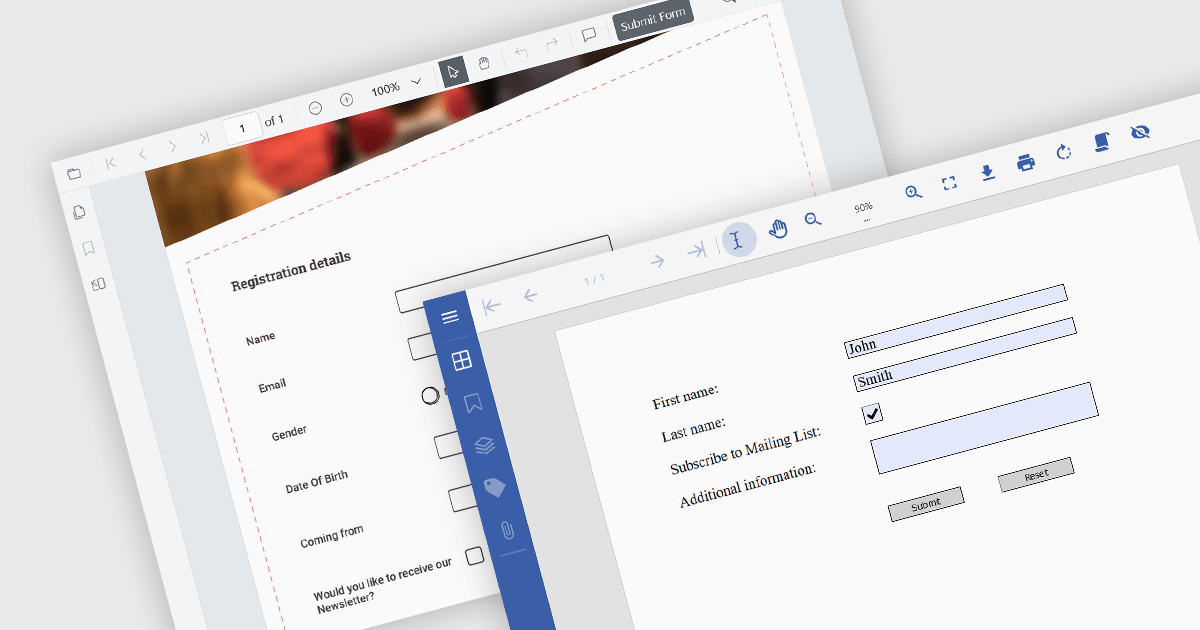
A submit action within a PDF form is a designated button or field that, when activated, sends the completed form data in a structured format, like FDF, XFDF, HTML, or PDF to a specified destination, such as a web server, email address, or database. This action streamlines data collection and processing, enabling quick and efficient transmission of information without requiring the user to manually extract or send the data. It enhances the usability of PDF forms, particularly in scenarios where timely data submission is crucial, such as in online applications, surveys, or order forms.

Several .NET PDF viewer components allow you to submit a PDF form, including:

  • Document Solutions for PDF by MESCIUS is a .NET API library containing a PDF viewer that enables users to fill, sign, and submit PDF forms for efficient data processing.
  • Telerik UI PDF for WinForms (part of Telerik UI for WinForms) augments applications with PDF form viewing and editing functionality for easy data submission.
  • XFINIUM.PDF CROSS PLATFORM EDITION offers a Viewer Edition which enables developers to add PDF form submission capabilities across various platforms.
  • Syncfusion ASP.NET Core PDF (part of Syncfusion Essential Studio Enterprise) provides web applications with PDF viewing capabilities, including a submit form action.

For an in-depth analysis of features and price, visit our comparison of .NET PDF viewer components.
Compare .NET PDF Viewer Components

Migliora l'organizzazione dei dati con le tabelle

Agosto 20, 2024
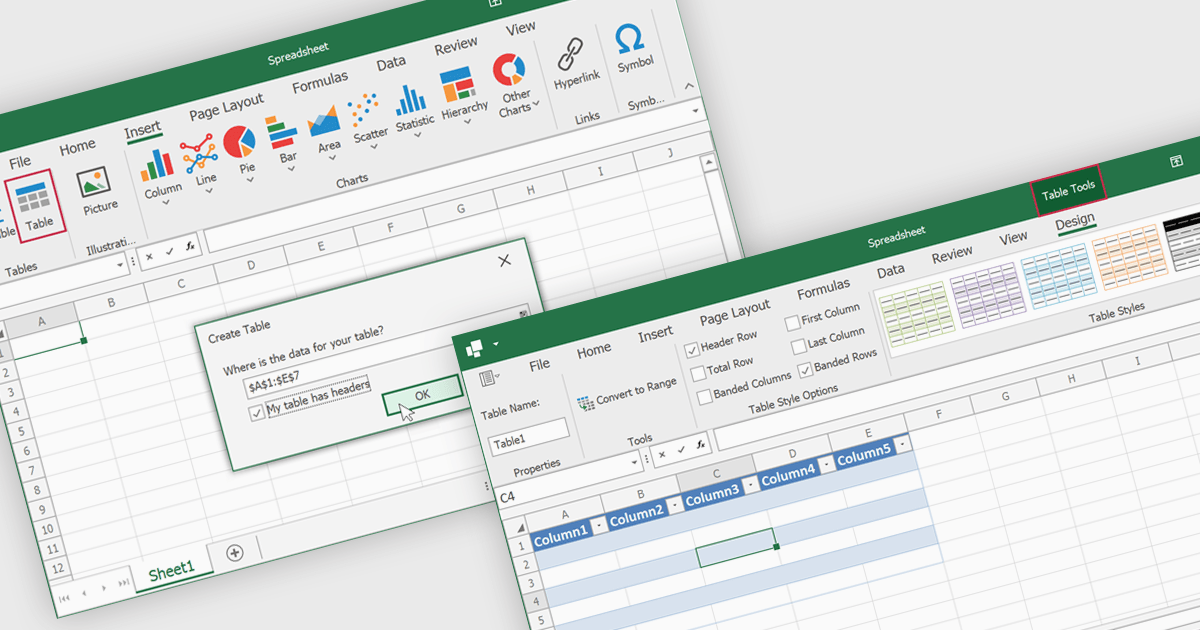
Le tabelle nei fogli di calcolo forniscono un modo strutturato per organizzare i dati, migliorare l'integrità dei dati e consentire analisi e report efficienti.

Spreadsheet tables are organized groups of data in a spreadsheet, often with a header row and a range of cells containing related information. They make data management easier by grouping related information, improving how it looks and how easy it is to use. You can use functions and formulas on entire tables to automate calculations and reduce manual work. Tables often let you filter and sort data based on specific criteria, making analysis and reporting easier. Common uses include financial analysis, inventory management, project tracking, and customer databases.

Several WinForms spreadsheet controls offer table support including:

  • DevExpress WinForms Spreadsheet (part of DevExpress WinForms) enables developers to create and manage tables with sorting, filtering, and data binding capabilities.
  • Aspose.Cells for .NET provides programmatic control over tables in Excel files, enabling creation, formatting, and manipulation.
  • Spread.NET WinForms (part of Spread.NET by MESCIUS) simplifies creating data-bound tables with automatic formatting and built-in filtering options.
  • Infragistics WinForms Spreadsheet (part of Infragistics Ultimate UI for Windows Forms) allows users to define and format tables, offering filtering and calculated columns.

For an in-depth analysis of features and price, visit our WinForms spreadsheet controls comparison.

Compare WinForms Spreadsheet Controls