








Fornitore ufficiale
In qualità di distributori ufficiali e autorizzati, forniamo licenze software legittime direttamente da più di 200 autori di software.
Vedi tutte le nostre marche

KWIZ Forms Enterprise enables SharePoint users to transform standard list forms into dynamic, feature-rich web tools without requiring coding skills. Built on familiar SharePoint interfaces, it eliminates the need to learn new systems while offering advanced functionality and intuitive design capabilities. Users can create intelligent, versatile forms that streamline workflows and enhance productivity, all within the Microsoft 365 ecosystem. Ideal for businesses seeking efficient form management, KWIZ Forms Enterprise saves time, boosts efficiency, and ensures seamless integration with SharePoint's native features.
KWIZ Forms Enterprise features native SharePoint integration, providing seamless compatibility with the Microsoft 365 ecosystem while ensuring robust data security. As a 100% client-side add-in, it ensures that all form data remains securely within the user’s SharePoint Online tenant, eliminating the need for external data transfers. This design allows developers to enhance and customize dynamic forms directly within SharePoint, leveraging its existing infrastructure without compromising performance or security. By aligning with SharePoint’s native architecture, KWIZ Forms Enterprise streamlines form development, making it an efficient and secure solution for modern business workflows.
KWIZ Forms Enterprise is licensed on an annual basis, requiring each user in your organization to be covered by an Annual Subscription license. Different levels are available to cater for different numbers of users. See our KWIZ Forms Enterprise licensing page for full details.
For more information, visit our KWIZ Forms Enterprise product page.

JetBrains WebStorm is a powerful and modern Integrated Development Environment (IDE) specifically designed for web development. It offers a feature-rich environment that supports popular web technologies like JavaScript, HTML, CSS, and Node.js. WebStorm helps you write cleaner, more efficient code with features like syntax highlighting, auto-completion, code refactoring, and built-in testing tools. It integrates seamlessly with various web frameworks and libraries, making it a versatile choice for both front-end and back-end development.
JetBrains WebStorm enhances the Tailwind CSS development experience by providing seamless integration with its intelligent coding tools. It supports the latest Tailwind features like cascade layers, custom properties, and container queries, offering autocompletion, hover previews, and real-time error detection to streamline development. With support for high-performance builds and accurate P3 color previews, WebStorm ensures developers can efficiently create visually rich, responsive designs while maintaining clean and optimized code. The IDE’s robust navigation and project-wide search capabilities further simplify managing Tailwind CSS configurations, making WebStorm an ideal choice for developers seeking speed, precision, and efficiency in their workflows.
WebStorm is licensed per user, and is available as a commercial annual subscription license. We can supply new subscriptions, subscription renewals (including continuity discounts), lapsed renewals, and additional user licenses. See our WebStorm licensing page for full details.
WebStorm is available to buy individually, or as part of the JetBrains All Products Pack.
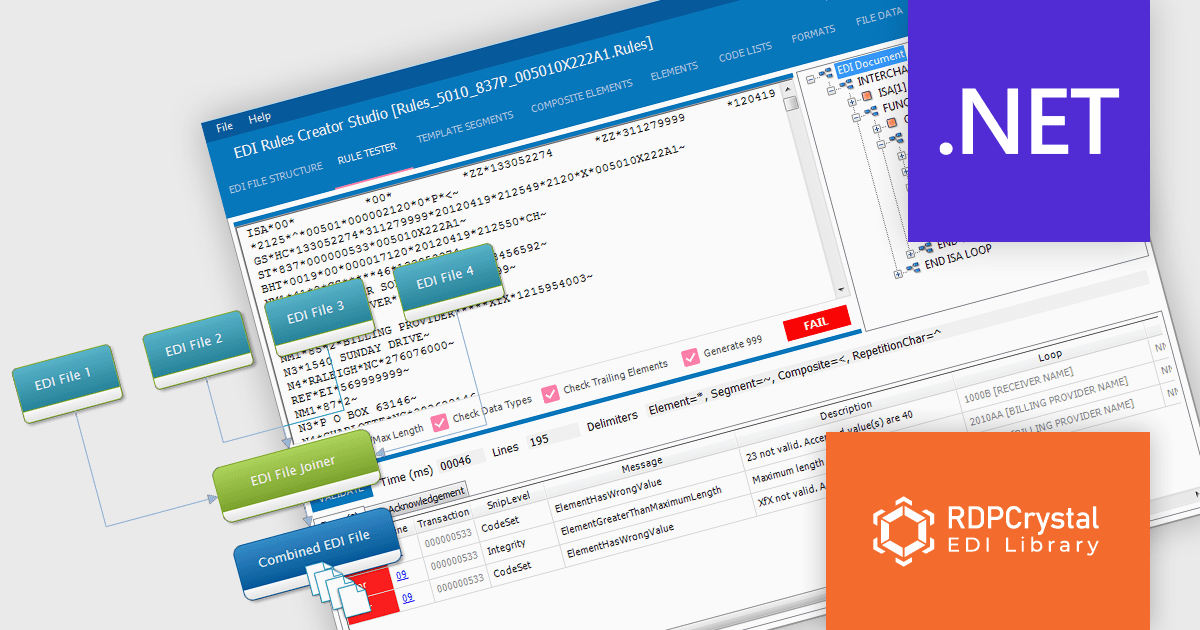
RDPCrystal EDI Library by Crystal Universe Software is a robust suite of components for .NET and .NET Core that simplifies working with X12 standard EDI files. Designed for developers, it enables seamless creation, manipulation, parsing, splitting, joining, and validation of EDI files. With cross-platform support, it runs on Windows, Linux, and macOS, making it versatile for modern development environments. The library integrates smoothly with WPF, WinForms, and Java applications (via Javonet) and supports any .NET language.
The RDPCrystal EDI Library enhances productivity for software developers by providing robust tools for creating, managing, and validating X12 EDI files with precision and efficiency. Its advanced features, including parsing, joining, and RDPScript-based validation, streamline complex EDI workflows while ensuring data accuracy and compliance. With cross-platform compatibility across Windows, Linux, and macOS, and seamless integration into .NET, .NET Core, WPF, WinForms, and Java applications, the library supports diverse development environments. This update delivers improved functionality and flexibility, enabling developers to optimize their applications for industries requiring reliable electronic data interchange.
The RDPCrystal EDI Library is licensed per developer, per year and includes technical support, component updates and upgrades. You must renew your license each year to continue to use the product. See our RDPCrystal EDI Library licensing page for full details. See our RDPCrystal EDI Library licensing page for full details.
For more information, visit our RDPCrystal EDI Library product page.
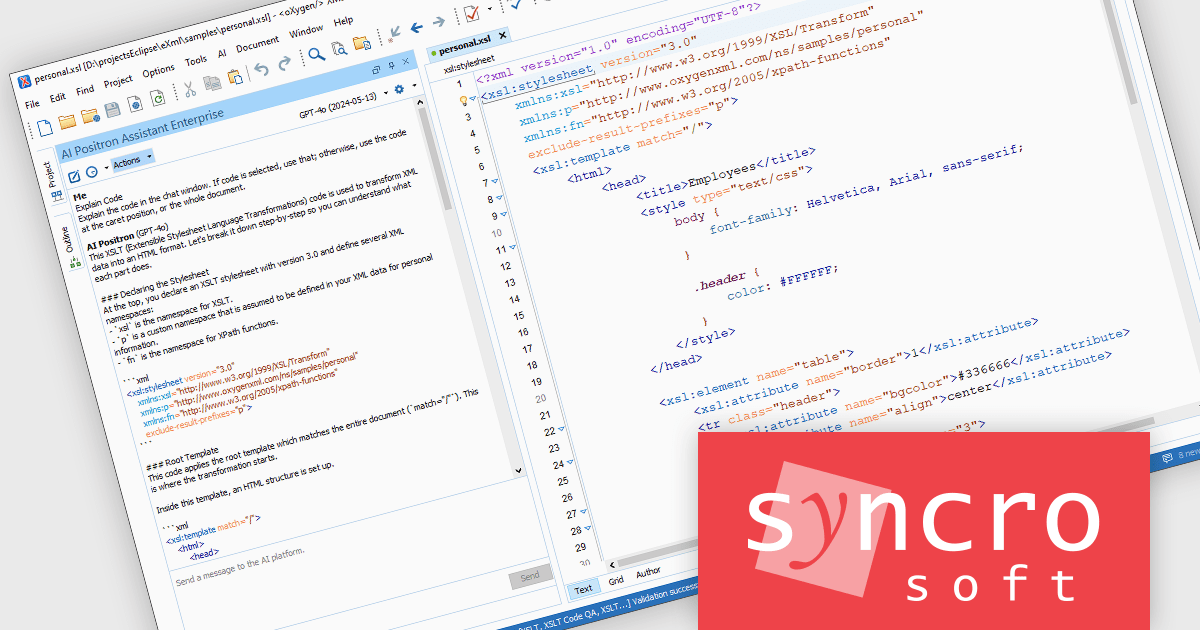
Oxygen JSON Editor is a specialized tool that simplifies working with JSON data. It provides multiple editing views: a text mode for familiar editing with features like content completion and validation, a grid mode for viewing JSON as nested tables for easy manipulation, and even an author mode that translates JSON into a visual XML structure. This flexibility, along with support for related formats like JSON Schema and YAML, makes Oxygen a powerful option for anyone who frequently edits or creates JSON data.
The Oxygen JSON Editor 27.0 release adds the ability to configure custom user-defined Artificial Intelligence actions to appear as Quick Assist fixes in the editor. This improves user convenience by providing direct access to frequently used fixes without the need to navigate through menus, and supports customization to better suit their workflow and preferences.
To see a full list of what's new in 27.0, see our release notes.
Oxygen JSON Editor is licensed per Named user and is available as a Timed License subscription. See our Oxygen JSON Editor licensing page for full details.
Learn more on our Oxygen JSON Editor product page.
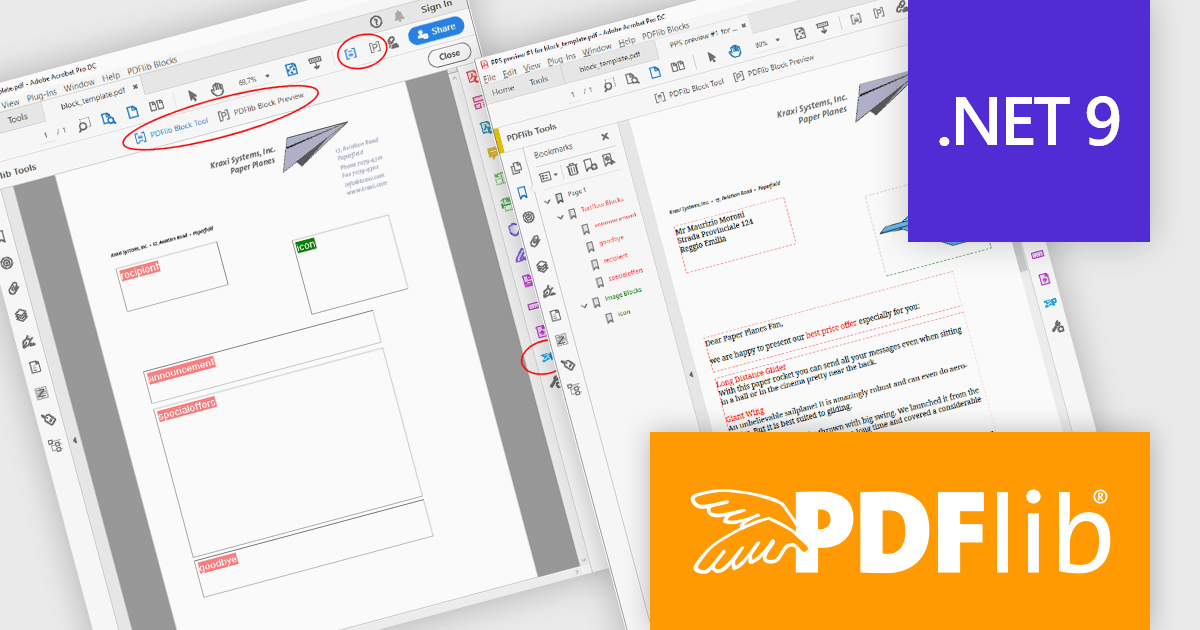
PDFlib is a sophisticated software development library that allows you to dynamically create, alter, and personalize PDF documents within your applications. PDFlib provides a full set of capabilities for optimizing document workflows across web servers, desktop apps, and mobile environments, including the ability to create highly structured PDFs with text, graphics, and interactive components, as well as import existing pages and add overlays.
PDFlib version 10.0.3 introduces support for Microsoft's .NET 9, allowing developers to take advantage of the framework’s latest enhancements for improved performance, security, and development efficiency when generating and manipulating PDFs. This update also expands compatibility with additional programming languages, including support for Ruby 3.x, PHP 8.4, and Perl 5.40 on Windows, enabling greater flexibility across development environments. With these improvements, PDFlib 10.0.3 ensures a seamless integration experience, empowering developers to create high-quality PDF documents with the latest technology stack.
To see a full list of what's new in 10.0.3, see our release notes.
PDFlib is licensed per machine and is available as a perpetual license with or without 1 year of support. Annual support renewals are also available, as well as upgrades from the previous major version. See our PDFlib licensing page for full details.
PDFlib is available to buy in the following products:





Tel: (888) 850 9911
Fax: +1 770 250 6199


