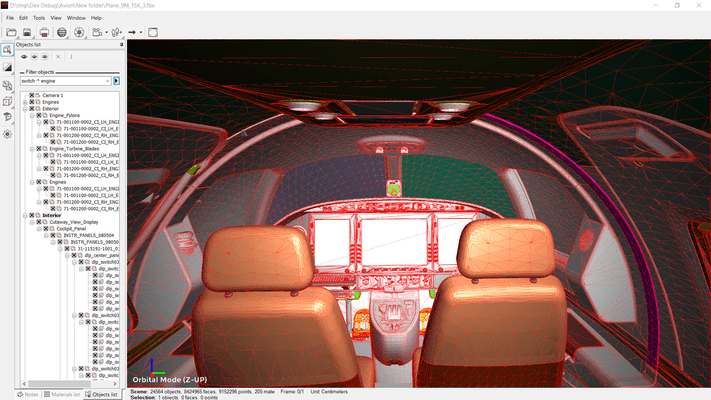
3DBrowser integrates a powerful 3D viewer including an intuitive navigation tool. You can inspect a complex model very easily: targeted zoom, orbital rotation around a particular object or point, fly mode, quick re-centering, provides very effective navigation. You can save specific points of view and get them back later if necessary.
The viewer supports PBR textures, vertex colors, user normals. Many display modes are available to highlight your content (vignetting, mirroring, shadows) or bring out the relevant information (normal map, wireframe or cutting plan view).
You can get information on any data (points, normals, faces) and get detailed information on topology, material assignation, UV mapping... This makes 3DBrowser Pro a comprehensive diagnostic tool that can unravel many of the problems encountered every day by 3D users.
Export simplifies interoperability between software as most of the common 3D formats are supported (fbx, gtlf, collada, wavefront, sketchup, cinema 4D, modo and others).
It includes advanced functions to prepare your 3D assets: mesh optimization, LOD normal baking, scene merging, mesh merging using different strategies, object disconnection when not topologically connected, etc.
This is not exhaustive list and you will discover by many other useful features: reset XForm, confused point welding, triangulation, 3D view printing, animated gif exportation.