
공식 공급 업체
200 이상의 소프트웨어 개발처와 판매 계약을 맺은 공인 디스트리뷰터로서 합법적인 라이선스를 제공합니다.
모든 브랜드 보기.
Syncfusion Essential Studio Silverlight helps you easily create rich, compelling .NET applications. The suite’s UI offerings include multiple grids, charting, diagramming, scheduling, a docking manager, menus, Ribbons, calendars, editors and a carousel control. On the reporting side it includes components that enable your applications to read and write Microsoft Excel and Word files, create PDF files, perform grouping and calculations and view reports. For business intelligence needs, grid, chart, gauge and PivotGrid components are included.
Founded by industry experts in 2001, Syncfusion provides a broad range of enterprise-class software components and tools for the Microsoft .NET platform. Their award-winning .NET components and controls are designed to meet evolving development needs, whether working in Windows Forms, WPF, ASP.NET, ASP.NET MVC or Silverlight. Syncfusion strive for excellence in order to offer the very best value to customers - from small ISVs to Fortune 100 companies.
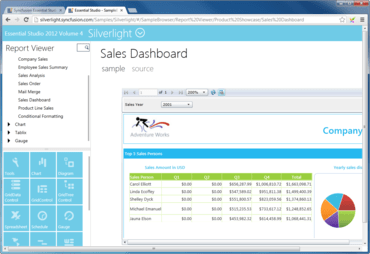
이 100개 이상의 사용자 인터페이스, 비즈니스 인텔리전스 및 레포팅 컨트롤의 종합 세트로 정교한 Silverlight 비즈니스 라인 애플리케이션을 제공합니다.
Syncfusion 사 제품 라이선스 담당자와 라이브 채팅

2002 이래 공식 유통업체
전화 : 00798 14 800 6332
팩스 : +1 770 250 6199


