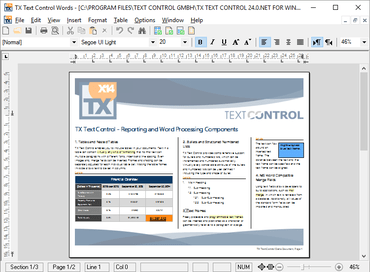
확대/축소 페이지 (zoom to page) 및 확대/축소 텍스트 (zoom to text) 기능을 추가하며, 마우스 클릭으로 텍스트 필드에 보다 쉽게 접근합니다.
12월 1, 2016
신규 버전
기능
Colored Paragraphs - A complete paragraph and the paragraph frames can now be colored. The dialog box has been designed to adjust these settings using a flawless user experience.
Zoom to Page, Zoom to Text - Zoom to whole page, zoom to text and zoom to page width are new out-of-the-box options when zooming in TX Text Control. The modernized status bar can be used to adjust the new zoom options.
Read-Only Toolbars - The TXButtonBar and TXRulerBar can be set to read only now. When such a tool bar is set to read only, it still shows all formatting attributes of the connected TXTextControl, but formatting attributes cannot be changed.
Built-in Dialog Boxes - The ParagraphDialog, TableAttrDialog and ObjectAttrDialog methods have got now an optional parameter that can be used to specify the tab which is shown when the dialog box is opened.
Text Fields - When a text field has a doubled input position at the beginning and at the end, each of these positions can be reached now with a mouse-click.
Zoom to whole page, zoom to text and zoom to page width are new out-of-the-box options when zooming in TX Text Control.