홈 / 뉴스 / Syncfusion Essential Studio Windows Forms 2017 Volume 2
Syncfusion Essential Studio Windows Forms 2017 Volume 2
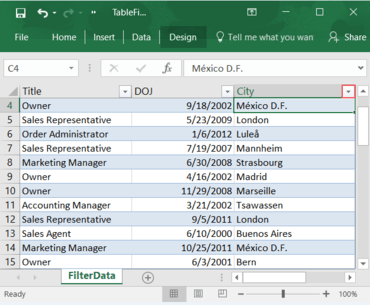
Essential XlsIO과 함께 텍스트, 숫자 및 날짜에 기반하여 Excel 테이블에서 행을 필터링 합니다.
5월 22, 2017
신규 버전
기능
DocIO
Word-to-PDF Enhancements - DocIO now supports equation fields during Word-to-PDF conversion.
Gauge
Office 2016 and Theme Customization Support - Office 2016 theme appearance and theme customization support is provided for the digital, linear and radial gauge control.
Grid Grouping Control
Filtering enhancements
Support has been added to programmatically filter records using the ExpressionMatch comparison operator.
Support has been added to delay filtering in GridDynamicFilter while typing in the filter bar.
Coded-UI testing - Support has been added to perform assertion and playback on a child table in coded UI.
Advanced Message Box
Right-to-Left View Support - Right-to-left layout support has been implemented for the advanced message box control.
Custom Button Support - Support is provided to load custom buttons in advanced message box.
Details View Support - Details view support that helps to quote additional information and show/hide it based on requirements is provided for the advanced message box control.
PDF
PDF Security Enhancements - PDF 2.0 security features (AES Revision 6) are now supported.
Presentation
Comments support - Presentation now supports creating and modifying comments in PowerPoint presentations.
XlsIO
Icon settings in Excel-to-PDF conversion - Essential XlsIO supports custom icon settings for PDF conversion with the “Show Icon Only” and “Reverse Icon Order” options.
Chart-to-image conversion enhancements - When converting a chart to a PDF file or an image, chart elements, such as titles and display units, now support rich-text, and chart series with different markers are also supported.
Pivot table custom sorting - Pivot table columns can be sorted by an array of strings or by setting a custom position.
Table filters - Excel table rows can be filtered based on text, number value, and date.
Excel table rows can be filtered based on text, number value, and date.