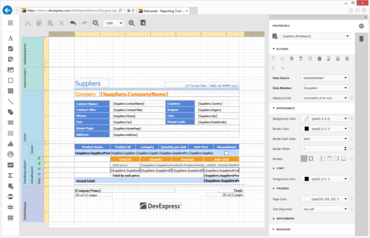
유지 보수 릴리즈에는 여러 버그 수정이 포함됩니다.
수정사항
ASP.NET Web Forms
- ASPxWebDocumentViewer - It is impossible to hide the Search button when MobileMode is active.
WinForms
- Report Wizard - Designing an existing report in the wizard should preserve its original DataSource and DataMember settings.
- "Type A originates from <unique combination of letters> in the context 'LoadNeither in a byte array" error occurs after upgrading a project to the newest version of DevExpress components.
- ConnectionStringHelper.CreateDBConnection fails when a connection string is ODBC MDASQL.1.
- Export - Merged report cells are exported to Excel incorrectly.
- Export to Excel with images produces a huge report file.
- National characters are not displayed in a report if the Object.ToString() method is used.
- Print Preview - The 'Header and Footer' dialog does not preserve line breaks in the print preview.
- Rotated text in a table cell is aligned incorrectly when the XRTableCell.TextAlignment property is set to TopCenter or BottomCenter.
- The XRTableCell.RowSpan property does not work correctly in the BottomMarginBand.
- XtraReport - Export to PDF hangs if code runs under a different user (i.e., impersonated).
- XtraReport - 'System.NullReferenceException' is thrown when a specific report is opened in the End-User Report Designer.
WPF
- A report does not have a data source after loading a report layout from the file storage.
- End-User Report Designer - The 'System.NullReferenceException' is thrown when closing a sub report's 'Parameter Bindings' dialog.
- End-User Report Designer displays an empty window on an attempt to add a new data source for a report parameter.
- System.InvalidOperationException with the "Sequence contains more than one element" message occurs on an attempt to sort a report.
- Text pasted from the clipboard contains an additional character.
- There is no way to define a report's margins in the End-User Report Designer if the SpinEdit.AllowRoundOutOfRangeValue property has the True value.
- WPF Report Designer - The Field List is collapsed when a calculated field is added to a report.
WinForms, WPF, Blazor, ASP.NET Core, MVC, .NET MAUI를 위한 보고 기능.
궁금한 점이 있으세요?
DevExpress 사 제품 라이선스 담당자와 라이브 채팅

2001 이래 공식 유통업체