홈 / 뉴스 / Syncfusion Essential Studio for Xamarin 2017 Volume 4
Syncfusion Essential Studio for Xamarin 2017 Volume 4
플로우 차트, 케이스 다이어그램 및 워크플로 프로세스를 만드는 데 사용할 수 있는 새 다이어그램 컨트롤을 추가합니다.
12월 5, 2017
신규 버전
기능
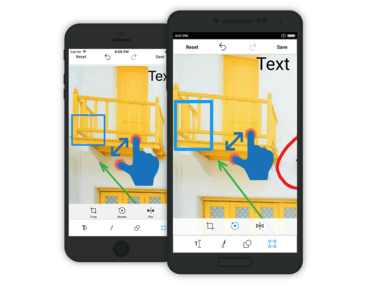
Xamarin.Forms - The new diagram control can be used to create a wide range of diagrams, including flow charts, use case diagrams, workflow processes, and more. Multicolumn grouping is now possible simply by setting an API. The image editor control now supports zooming and panning.
Xamarin.Android - The new diagram control can be used to create a wide range of diagrams, including flow charts, use case diagrams, workflow processes, and more. The image editor control now supports zooming and panning.
Xamarin.iOS - The new diagram control can be used to create a wide range of diagrams, including flow charts, use case diagrams, workflow processes, and more. The image editor control now supports zooming and panning.