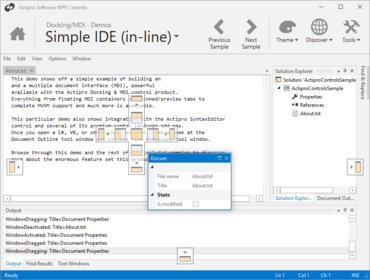
Actipro Docking & MDI for WPF 2017.2 build 0663

단일 탭이 있을 때 AdvancedTabControl 탭 드래그 처리를 향상시킵니다.
1월 12, 2018
신규 버전

기능

  • Added event that fires whenever the DockingWindow.DockHost property is changed on one or more windows.
  • Improved AdvancedTabControl tab drag handling when there is a single tab.
  • Adjusted how InteropFocusTracking handles mouse clicks on HwndHosts.
  • Improved InteropFocusTracking's handing of HwndHost.GotFocus notifications.
  • Improved InteropFocusTracking's active container tracking during docking window state changes.
  • Improved the drag stop logic to ensure that all docking window properties are updated properly before raising the WindowsDragged event.
  • Improved support for dragging docking windows between nested linked dock sites, and added support for holding the Shift key to target an outer dock host in this scenario.
  • Updated layout deserialization to try and focus a selected docking window if a docking window previously had focus.
  • Updated dock guides to support rendering outside of the dock host area when using non-hosted windows.

수정사항

  • Fixed a bug where the ToolWindow.IsSelected property could be true for an initially auto-hidden tool window.
  • Fixed a bug where a floating tool window's title bar context menu might show in the wrong location.
  • Fixed a bug where the MDI host could lose its DockSite reference after a remote desktop session reopens.
  • Fixed a bug where the DockSite's ActiveWindow and PrimaryDocument properties weren't updated after a docking window was dragged to a linked DockSite.
  • Fixed a bug when deserializing a tool window layout where a tool window in tabbed MDI might not open properly in the primary dock host.
Actipro Docking & MDI for WPF

Actipro Docking & MDI for WPF

귀하의 WPF 애플리케이션에 MVVM/Prism 서포트를 포함하는 도킹 및 다중 문서 인터페이스를 추가합니다.

궁금한 점이 있으세요?

Actipro Software 사 제품 라이선스 담당자와 라이브 채팅