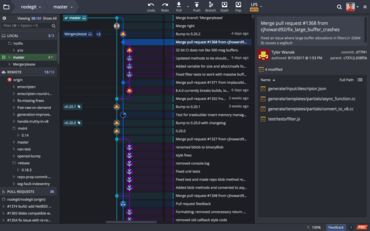
GitKraken V4.0

이제 GitKraken에서 직접 파일을 편집 할 수 있으며, 파일 비교 보기를 향상시킵니다.
8월 20, 2018
신규 버전

기능

  • Files can now be edited directly in GitKraken.
  • The following features have been added to file and diff views:
    • Syntax highlighting
    • Word diffing
    • Ability to search within a file (Ctrl/Cmd + F when focused)
  • File diffs can now be viewed inline or in Split view, in addition to Hunk view.
  • You can now create and delete files from within GitKraken.
  • GitKraken’s support documentation is now accessible through the Help menu.
  • The Fuzzy Finder can now be opened through the Help menu.
  • Stashes now have the ability to be hidden from the graph view.
  • A confirmation prompt has been added when deleting a stash.
  • Repositories can now be closed (Ctrl/Cmd + W), revealing a new view with quick links to open or start new projects.
  • Now, after staging all files through the keyboard shortcut (Ctrl/Cmd + Shift + S), the commit message box will be focused automatically.
  • Icons throughout GitKraken have been updated.
GitKraken

GitKraken

개발자, 팀원, 팀 리더를 위한 Git 도구 및 서비스의 통합 플랫폼입니다.

궁금한 점이 있으세요?

GitKraken 사 제품 라이선스 담당자와 라이브 채팅