MindFusion.Virtual Keyboard for WPF 4.5

XAML 템플릿에서 데이터 트리거를 사용하여 눌린 키의 모양을 변경 합니다.
11월 6, 2018
신규 버전

기능

  • Key improvements
    • The UnicodeKey class can send any Unicode symbol as input to target text controls.
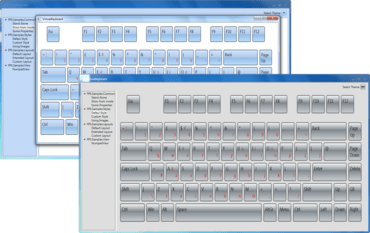
    • The IsPressed property is set to true when a key is pressed down by the user, allowing for data triggers in XAML templates to change the appearance of pressed keys.
    • Values of Content property of RegularKey can now be sent to external processes.
  • Keyboard improvements
    • A new Windows10 color scheme has been added to MindFusion.UI.Wpf.ColorSchemes.
    • The SetKeyLabels method lets you override labels of keys for a given language.
  • Active window tracking
    • The control updates its layout immediately when a window with a different current language activates.
    • Pressing a key no longer activates last target window, which was necessary when a keyboard was used as a popup inside an application but led to activation flickering. Set the new PreventActivation property instead to disable the keyboard's popup window from activating altogether.
  • Miscellaneous
    • Move multiple selected keys in keyboard creator.
    • Various keyboard creator fixes.
MindFusion.Virtual Keyboard for WPF

MindFusion.Virtual Keyboard for WPF

사용자 정의가 가능한 레이아웃과 언어, 미리 설정된 테마가 제공되는 On-Screen Virtual Keyboard for WPF.

궁금한 점이 있으세요?

MindFusion Group 사 제품 라이선스 담당자와 라이브 채팅